

Angry IP Scanner
Angry IP Scanner is an open-source network scanner designed to ping IP addresses and scan ports across local networks. It queries network devices to gather details like hostnames, MAC addresses, and open ports, exporting results in various formats.
github.com · Official website
- ✓ Official source (winget)
- ✓ File is identical to the one the publisher released (SHA256 matched)
- ✓ Last checked: Nov. 4, 2026
- This is not a virus scan. Check on VirusTotal
- Version
- 3.10.0
- Release date
- Aug. 31, 2026
- License
- GPL-2.0
- Installer type
- nullsoft
How do I use this?
Type Terminal in the Start menu and open it, paste the command (Ctrl+V or right-click) and press Enter. It uses winget, Windows' own package manager, to install the program from its official source.
winget install --id angryziber.AngryIPScanner -eSHA256 (file verification)
ad40a95676ab8a89dae9439a4b80cd65126afba5a1af13e3118d66601535bd55flathub.org · Official website
- ✓ Community package (Flathub)
- ✓ Last checked: Nov. 4, 2026
- Version
- 3.10.0
- Release date
- Nov. 10, 2025
- License
- GPL-2.0
- Installer type
- flatpak
How do I use this?
Open a terminal, paste the command and press Enter. Flatpak and Flathub must be set up; Linux Mint has them by default, for other distributions see flathub.org/setup.
flatpak install flathub org.angryip.ipscanWe couldn't find a macOS version of Angry IP Scanner in the official repositories; check the publisher's website.
We couldn't find a Android version of Angry IP Scanner in the official repositories; check the publisher's website.
Platform pages: Windows · macOS · Linux · Android
Old versions (5)
Angry IP Scanner 3.10.0: what's new?
- The default display mode is now set to "Alive Only", hiding dead hosts automatically.
- Enhanced security with a trust confirmation dialog for new plugins and fixes for command and SQL injection vulnerabilities.
- Fixed rare application crashes when there is no network connectivity, along with minor stability fixes.
- macOS builds no longer require Rosetta, and the minimum required Java version is now 21.
Summarized from the publisher's release notes.
Highlights
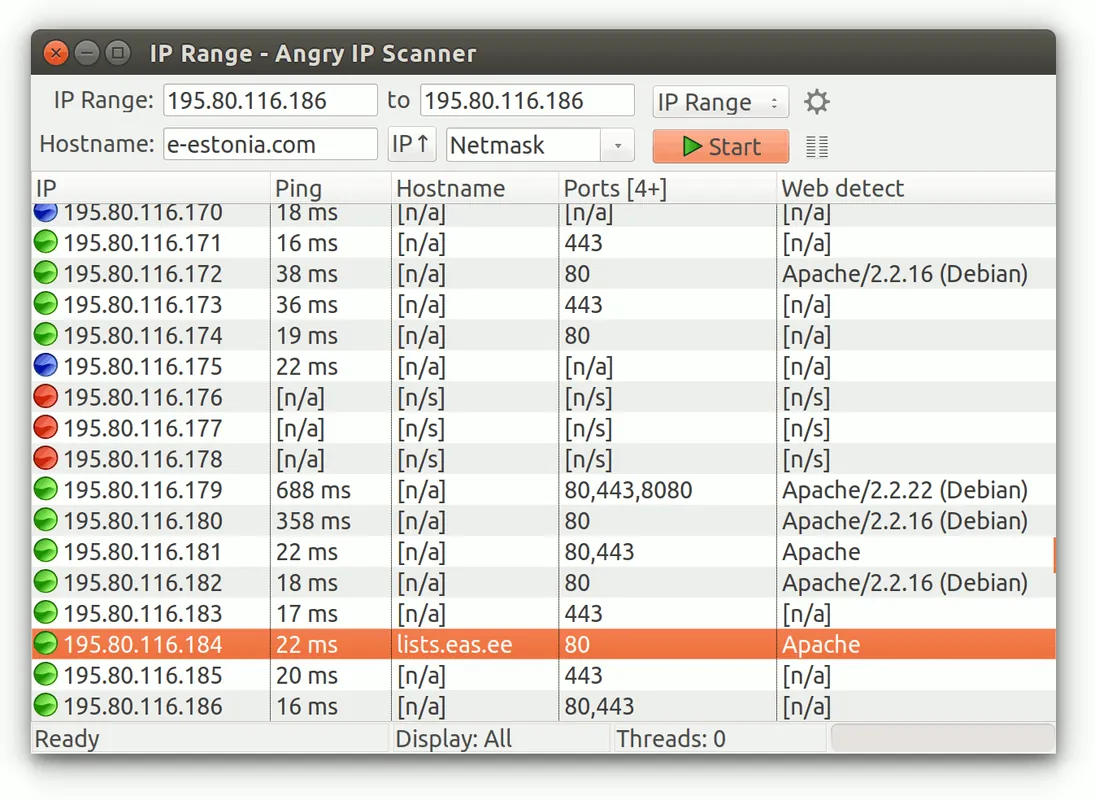
- Scans local IP addresses and ranges rapidly.
- Detects open ports and fetches NetBIOS and hostname information.
- Exports scan results to CSV, TXT, XML, or IP-Port list files.
- Supports customizable data fetchers for specific network details.
Who is it for?
Network administrators, IT support staff, and system integrators who need to quickly scan local networks to discover connected devices, verify IP address assignments, and check open ports.
Good to know before installing
- Requires a Java Runtime Environment (JRE) to be installed on the system.
- Provides basic port and host scanning without deep packet inspection or advanced vulnerability assessment capabilities.
Screenshots
How to install
Windows
- Click the official download button to get the installer executable.
- Run the downloaded file and follow the setup wizard prompts.
- Alternatively, open Command Prompt or PowerShell and execute 'winget install --id angryziber.AngryIPScanner -e'.
Linux
- Click the official download button on our page to open the Flathub store page.
- Alternatively, open a terminal and run 'flatpak install flathub org.angryip.ipscan'.
- Launch Angry IP Scanner from your application menu or using 'flatpak run org.angryip.ipscan'.
Alternatives
- Nmap
- Advanced IP Scanner
- Masscan
Frequently asked questions
Does Angry IP Scanner require Java?
Yes, Angry IP Scanner requires a Java Runtime Environment (JRE) installed on your system to run.
Is Angry IP Scanner free and open-source?
Yes, it is released under the GPL-2.0 open-source license.
What export formats does it support?
It can export scan results into CSV, TXT, XML, and IP-Port list formats.