

Audacity
Audacity is a free, open-source, multi-track audio recording and editing application. Licensed under GPLv3+, it allows users to record live audio, edit clips, apply effects, and export audio files in various formats.
github.com · Official website
- ✓ Official source (winget)
- ✓ SHA256 taken from the official repository
- ✓ Last checked: Nov. 4, 2026
- This is not a virus scan. Check on VirusTotal
- Version
- 4.0.2.263060742
- Release date
- Nov. 2, 2026
- License
- GPL-3.0-or-later
- Installer type
- wix
How do I use this?
Type Terminal in the Start menu and open it, paste the command (Ctrl+V or right-click) and press Enter. It uses winget, Windows' own package manager, to install the program from its official source.
winget install --id Audacity.Audacity -eSHA256 (file verification)
ff6cad670befee96fee563056965fa5e17bfa8c7ea3aba10c461c18799409e22github.com · Official website
- ✓ Official source (Homebrew)
- ✓ SHA256 taken from the official repository
- ✓ Last checked: Nov. 4, 2026
- This is not a virus scan. Check on VirusTotal
- Version
- 4.0.2
- License
- GPL-3.0-or-later
- Installer type
- dmg
How do I use this?
This command needs Homebrew; if you don't have it, first run the install command from brew.sh. Then open Terminal (Applications > Utilities > Terminal), paste the command and press Enter.
brew install --cask audacitySHA256 (file verification)
fd462da6204cbf9758b44c7ce1c29d5fe5cab4f31ba308d33c125f1b170401c3flathub.org · Official website
- ✓ Community package (Flathub)
- ✓ Last checked: Nov. 4, 2026
- Version
- 3.7.8
- Release date
- May 26, 2026
- License
- GPL-3.0-or-later
- Installer type
- flatpak
How do I use this?
Open a terminal, paste the command and press Enter. Flatpak and Flathub must be set up; Linux Mint has them by default, for other distributions see flathub.org/setup.
flatpak install flathub org.audacityteam.AudacityWe couldn't find a Android version of Audacity in the official repositories; check the publisher's website.
Platform pages: Windows · macOS · Linux · Android
Old versions (10)
Audacity 4.0.2.263060742: what's new?
- Fixed multiple project corruption issues, including copying between projects and moving clips across tracks with different sample rates.
- Resolved crashes when opening projects with sample snapping enabled, selecting Repeat Last Effect, or having no Split shortcut set.
- Restored automatic saving during recording, restored zoom, trim, and clear selection shortcuts, and added PgUp/PgDown timeline scrolling.
- Fixed file metadata errors, NTSC frame snapping, context menu access on collapsed clips, and Linux file import.
Summarized from the publisher's release notes.
Highlights
- Multi-track audio recording and editing
- Support for VST, LV2, and AU audio plugins
- Built-in audio effects like noise reduction, equalization, and compression
- Spectrogram view for analyzing sound frequencies
Who is it for?
Audacity is intended for podcasters, musicians, sound designers, and content creators who need to record multi-track audio and perform audio editing. It is commonly used for voice recording, removing background noise, and editing audio tracks for podcasts or video production.
Good to know before installing
- The user interface can feel outdated compared to modern commercial digital audio workstations (DAWs).
- It lacks some advanced real-time signal routing workflows found in professional DAWs.
- Undo history and project data can consume significant disk space during long editing sessions.
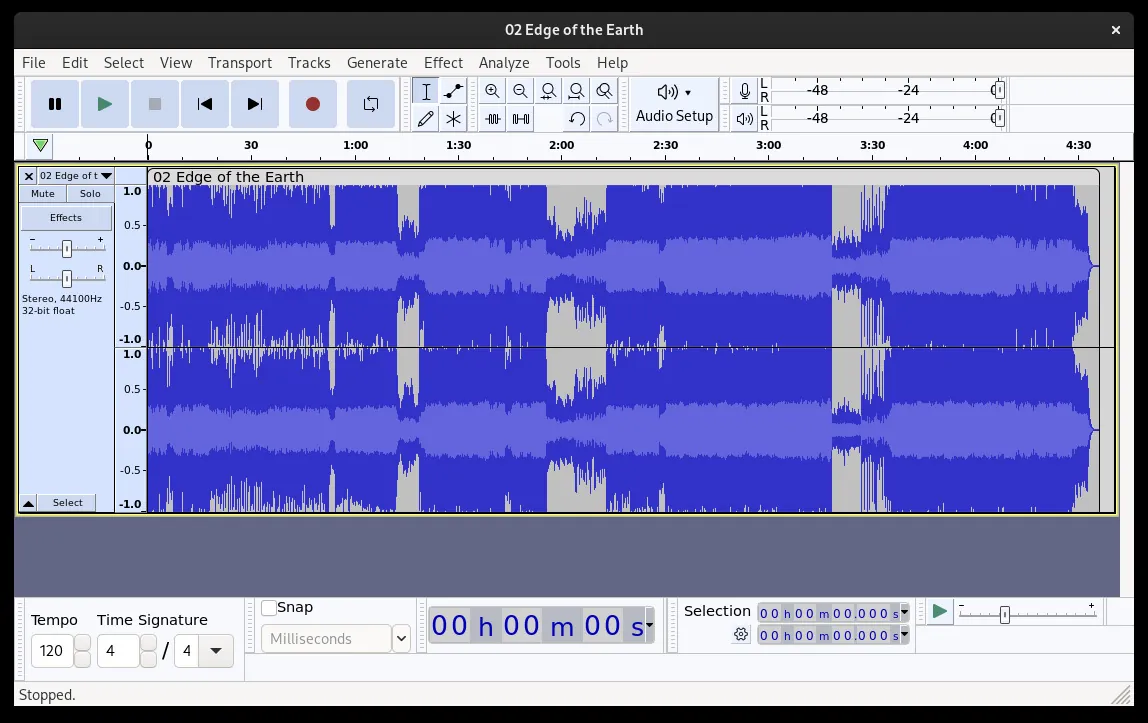
Screenshots
How to install
Windows
- Download the installer using the official download button.
- Run the executable file and follow the setup wizard.
- Alternatively, run 'winget install --id Audacity.Audacity -e' in Command Prompt.
macOS
- Download the DMG file via the official download button and open it.
- Drag Audacity to your Applications folder.
- Alternatively, run 'brew install --cask audacity' in Terminal.
Linux
- Click the download button to access the Flathub page.
- Alternatively, open your terminal.
- Run: flatpak install flathub org.audacityteam.Audacity
Alternatives
- Ardour
- Ocenaudio
- Reaper
Frequently asked questions
Is Audacity free to use?
Yes, Audacity is completely free and open-source under the GPL-3.0-or-later license.
Can Audacity record multi-track audio?
Yes, Audacity supports multi-track audio recording and editing on supported hardware.
Does Audacity support VST plugins?
Yes, Audacity supports VST, LV2, and AU plugins for additional effects and processing.