
calibre
calibre is a free, open-source e-book management software created by Kovid Goyal. It allows users to organize digital book libraries, convert between e-book formats such as EPUB and MOBI, edit metadata, and sync with e-reader devices.
download.calibre-ebook.com · Official website
- ✓ Official source (winget)
- ✓ SHA256 taken from the official repository
- ✓ Last checked: Nov. 4, 2026
- This is not a virus scan. Check on VirusTotal
- Version
- 9.17.0
- Release date
- Oct. 23, 2026
- License
- GPL-3.0
- Installer type
- wix
How do I use this?
Type Terminal in the Start menu and open it, paste the command (Ctrl+V or right-click) and press Enter. It uses winget, Windows' own package manager, to install the program from its official source.
winget install --id calibre.calibre -eSHA256 (file verification)
a91ea9b26af6cd057d8b193b86edb66d1535f7c5cb0a106965fa74f8168a6bd5download.calibre-ebook.com · Official website
- ✓ Official source (Homebrew)
- ✓ SHA256 taken from the official repository
- ✓ Last checked: Nov. 4, 2026
- This is not a virus scan. Check on VirusTotal
- Version
- 9.17.0
- License
- GPL-3.0
- Installer type
- dmg
How do I use this?
This command needs Homebrew; if you don't have it, first run the install command from brew.sh. Then open Terminal (Applications > Utilities > Terminal), paste the command and press Enter.
brew install --cask calibreSHA256 (file verification)
fdab4bd1400996c381845b7a95026f96bd9f68bfec68cf3d49afd458b4717842flathub.org · Official website
- ✓ Community package (Flathub)
- ✓ Last checked: Nov. 4, 2026
- Version
- 9.17.0
- Release date
- Oct. 23, 2026
- License
- GPL-3.0
- Installer type
- flatpak
How do I use this?
Open a terminal, paste the command and press Enter. Flatpak and Flathub must be set up; Linux Mint has them by default, for other distributions see flathub.org/setup.
flatpak install flathub com.calibre_ebook.calibreWe couldn't find a Android version of calibre in the official repositories; check the publisher's website.
Platform pages: Windows · macOS · Linux · Android
Old versions (10)
calibre 9.17.0: what's new?
- Added conversion support for JPEG XL images and CSS Level 4 selectors, alongside faster compression for MOBI, AZW3, and PDB outputs.
- Sped up calibre startup and book adding in large libraries when the Tag browser is hidden.
- Fixed regressions from the previous release affecting some PDF conversions, EPUB 3 navigation markup, and non-breaking spaces in text columns.
- Restored Amazon and Google Images metadata sources using camoufox.
Summarized from the publisher's release notes.
Highlights
- Organize and search e-book collections by metadata
- Convert files between formats including EPUB, MOBI, and PDF
- Built-in e-book viewer and editor
- Sync digital books directly to e-reader devices
Who is it for?
calibre is built for avid readers, researchers, and collectors who need to organize large digital libraries, convert e-book formats, and sync files to dedicated e-readers.
Good to know before installing
- The interface is feature-dense and may feel cluttered or overwhelming for casual users.
- Only available on desktop platforms (Windows, macOS, and Linux).
- Cannot natively convert or open DRM-protected commercial e-books without third-party tools.
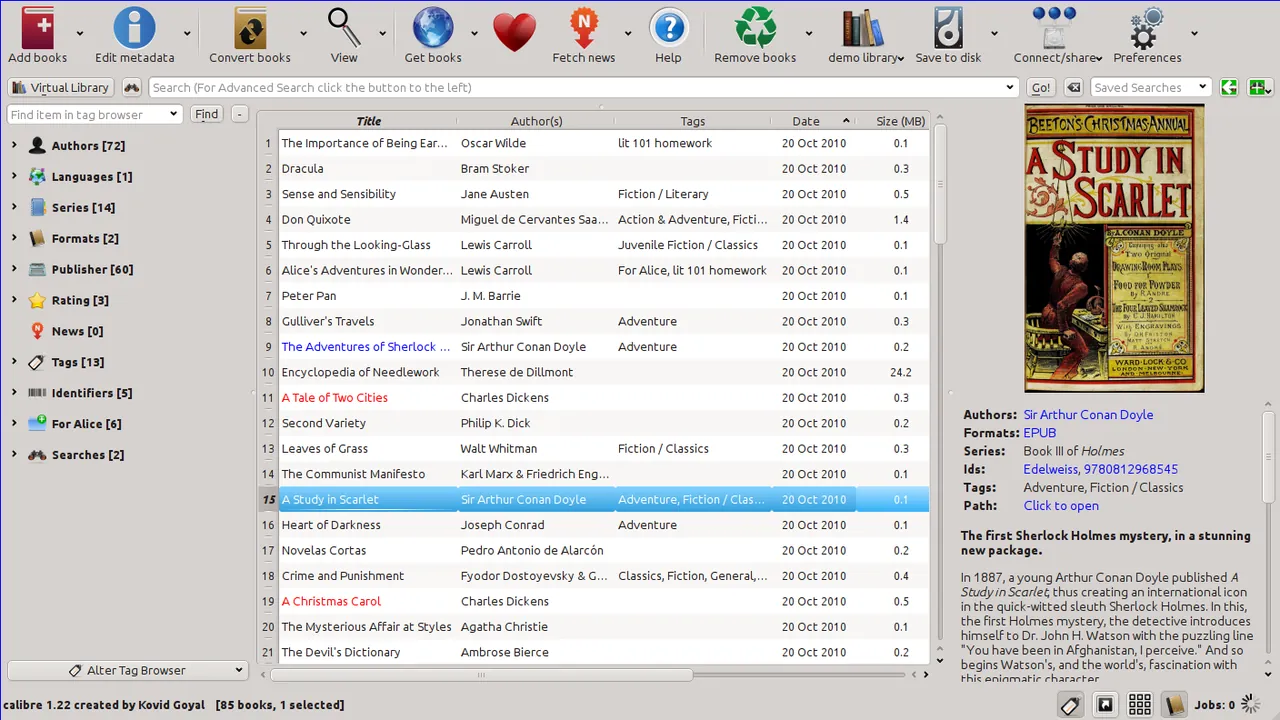
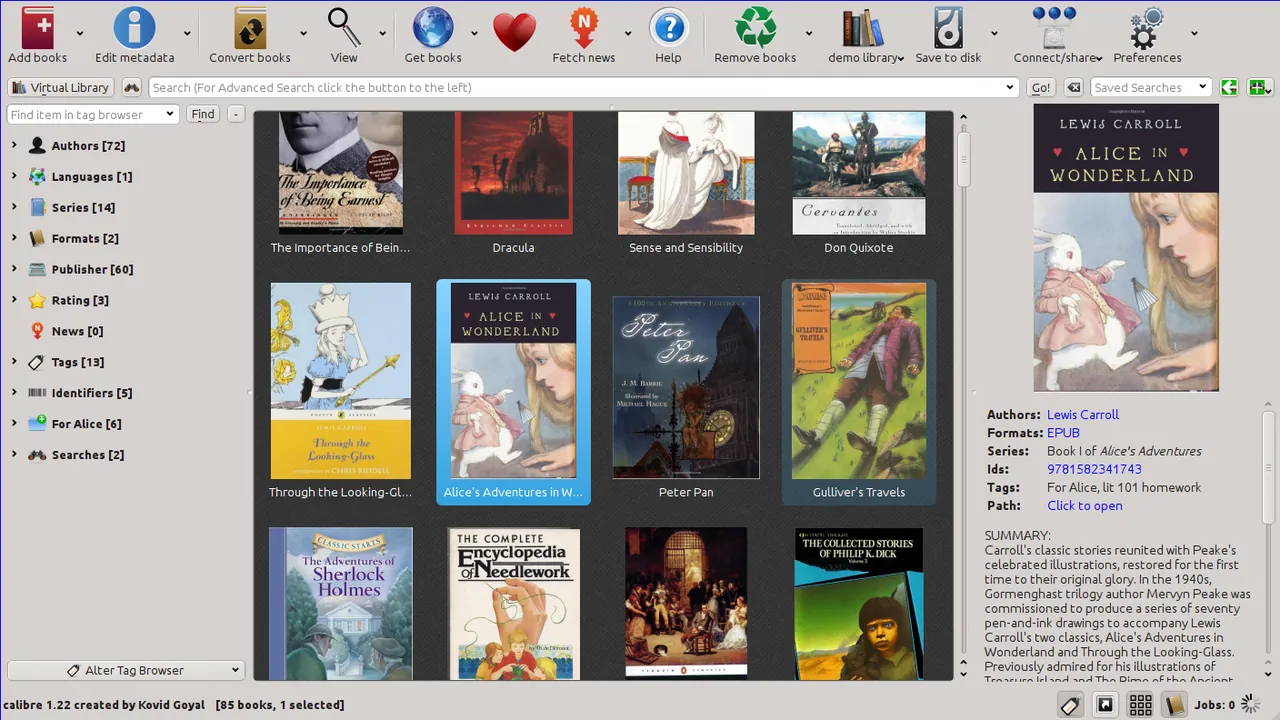
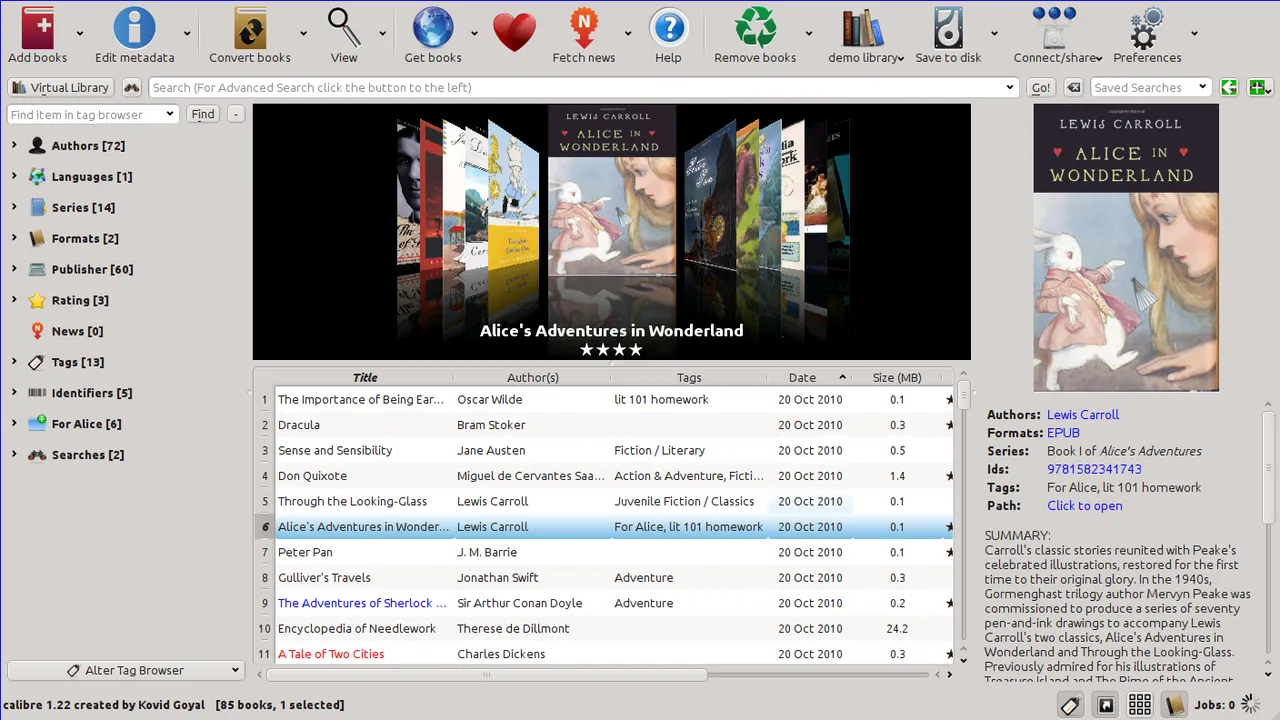
Screenshots
How to install
Windows
- Download the Windows installer executable from our download link.
- Run the installer package and follow the setup wizard.
- Alternatively, open command prompt and run winget install --id calibre.calibre -e.
macOS
- Download the DMG file using the official download link on this page.
- Open the DMG installer and drag calibre into your Applications folder.
- Alternatively, install via Homebrew using brew install --cask calibre.
Linux
- Click the official download button to access the package on Flathub.
- Alternatively, run flatpak install flathub com.calibre_ebook.calibre in your terminal.
- Launch calibre from your application menu.
Alternatives
- Sigil
- Foliate
- Sumatra PDF
Frequently asked questions
Is calibre free and open source?
Yes, calibre is entirely free and released under the GNU General Public License v3 (GPL-3.0).
Which file formats can calibre handle?
calibre supports many popular formats including EPUB, MOBI, PDF, AZW, TXT, and HTML for reading and conversion.
Can calibre edit e-books?
Yes, calibre includes an integrated e-book editor for modifying EPUB and AZW3 files.