

DBeaver
DBeaver is a universal database management tool and SQL client designed for developers, database administrators, and data analysts. Distributed as open-source software under the Apache-2.0 license, it allows users to connect to a wide variety of relational and non-relational engines including MySQL, MSSQL, DB2, Firebird, and Apache Hive through a single unified desktop interface.
github.com · Official website
- ✓ Official source (winget)
- ✓ SHA256 taken from the official repository
- ✓ Last checked: Nov. 4, 2026
- This is not a virus scan. Check on VirusTotal
- Version
- 26.2.0
- Release date
- Aug. 30, 2026
- License
- Apache-2.0
- Installer type
- nullsoft
How do I use this?
Type Terminal in the Start menu and open it, paste the command (Ctrl+V or right-click) and press Enter. It uses winget, Windows' own package manager, to install the program from its official source.
winget install --id DBeaver.DBeaver.Community -eSHA256 (file verification)
009e8a99be478261d09fdeb40ab5ef64bfe1f5faf79288cac670164719d921d2dbeaver.io · Official website
- ✓ Official source (Homebrew)
- ✓ SHA256 taken from the official repository
- ✓ Last checked: Nov. 4, 2026
- This is not a virus scan. Check on VirusTotal
- Version
- 26.2.4
- License
- Apache-2.0
- Installer type
- dmg
How do I use this?
This command needs Homebrew; if you don't have it, first run the install command from brew.sh. Then open Terminal (Applications > Utilities > Terminal), paste the command and press Enter.
brew install --cask dbeaver-communitySHA256 (file verification)
a1a10b2655d149f42a96874c7e769cec170fc92632d04dc793baa39825c0e8d3flathub.org · Official website
- ✓ Community package (Flathub)
- ✓ Last checked: Nov. 4, 2026
- Version
- 26.2.3
- Release date
- Oct. 18, 2026
- License
- Apache-2.0
- Installer type
- flatpak
How do I use this?
Open a terminal, paste the command and press Enter. Flatpak and Flathub must be set up; Linux Mint has them by default, for other distributions see flathub.org/setup.
flatpak install flathub io.dbeaver.DBeaverCommunityWe couldn't find a Android version of DBeaver in the official repositories; check the publisher's website.
Platform pages: Windows · macOS · Linux · Android
Old versions (10)
DBeaver 26.2.0: what's new?
Highlights
- Universal database connectivity supporting multiple engine types
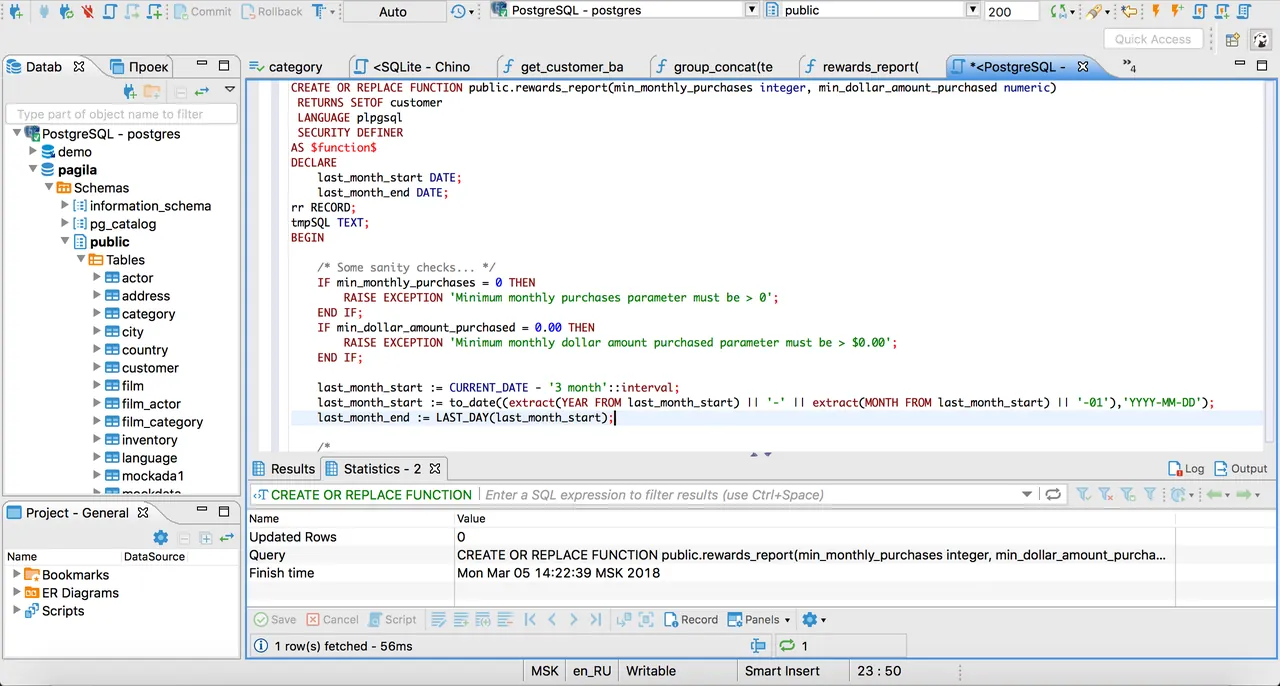
- SQL editor with syntax highlighting and query execution tools
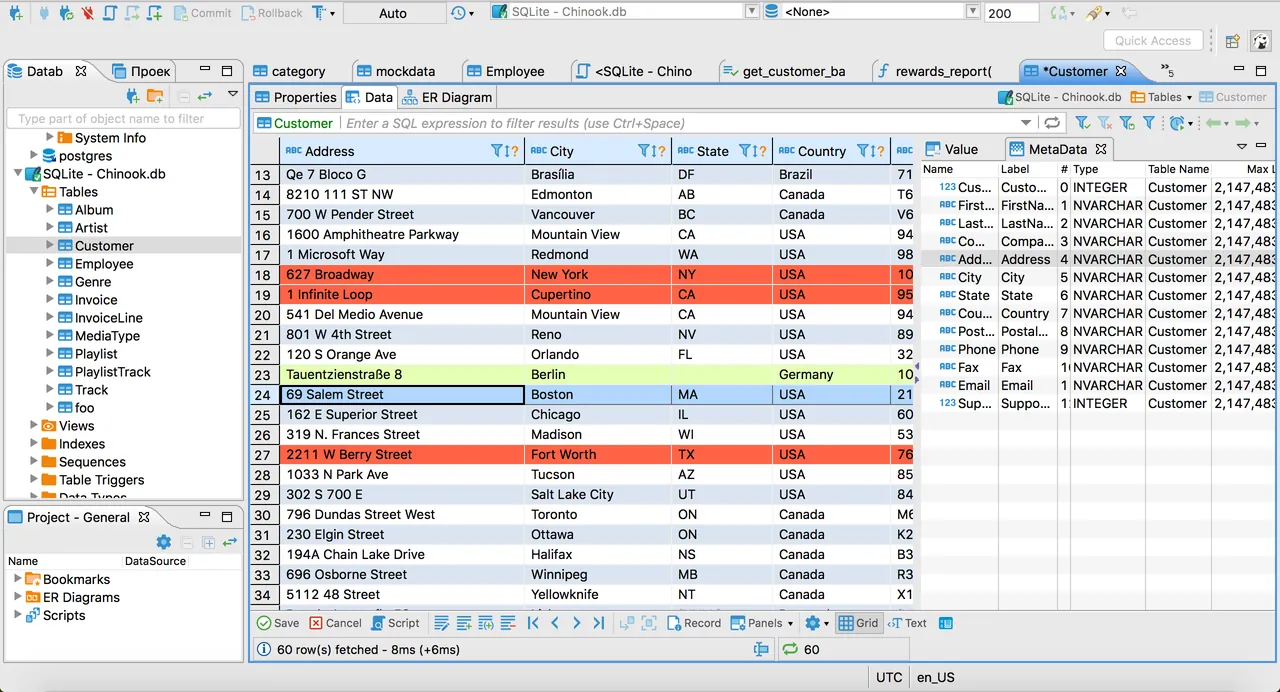
- Visual data viewing, filtering, and inline table editing
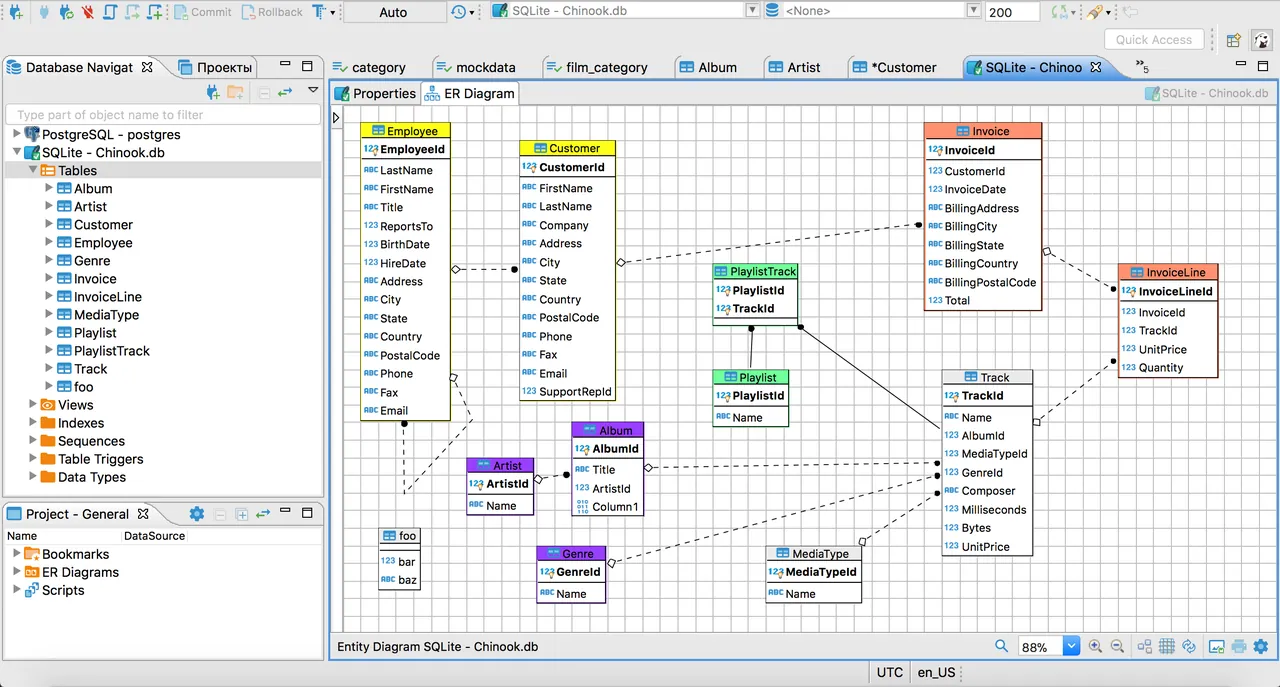
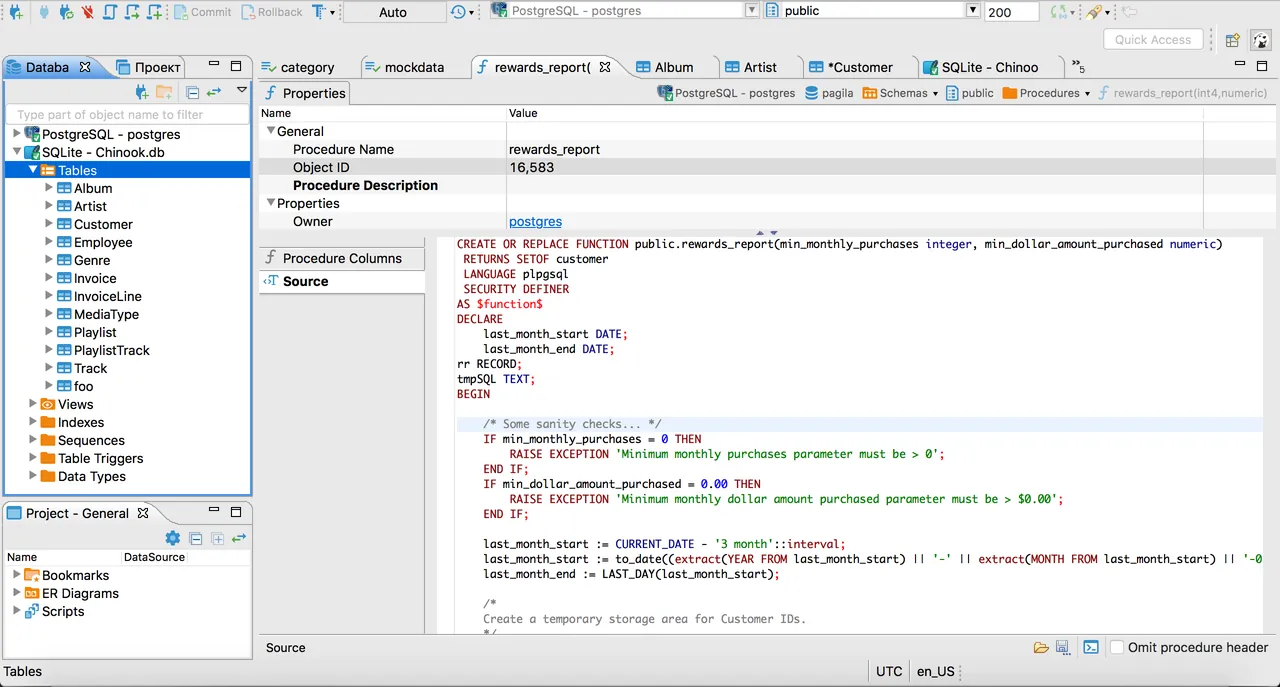
- Database schema and object structure inspection
Who is it for?
This tool is designed for software developers, database administrators, and data analysts who need to manage multiple relational databases and execute SQL queries from a single desktop client.
Good to know before installing
- The Eclipse-based interface can be resource-intensive and slow to start up on low-spec systems.
- Support for certain NoSQL databases and enterprise cloud features is limited to the commercial PRO edition.
- Configuring complex JDBC drivers and connection parameters may require a learning curve for beginners.
Screenshots
How to install
Windows
- Click the official download button on our site to get the installer executable.
- Optionally, open command prompt and run 'winget install --id DBeaver.DBeaver.Community -e'.
- Run the installer file and follow the on-screen prompts to complete setup.
macOS
- Click our official download button to get the setup file.
- Alternatively, execute 'brew install --cask dbeaver-community' in Terminal.
- Open the downloaded installer package and move DBeaver to your Applications folder.
Linux
- Click the official download button on our page to visit the Flathub store.
- Or run 'flatpak install flathub io.dbeaver.DBeaverCommunity' in your terminal.
- Launch DBeaver from your system desktop application menu once complete.
Alternatives
- pgAdmin
- MySQL Workbench
- HeidiSQL
Frequently asked questions
Is DBeaver free to use?
Yes, DBeaver Community edition is completely free and open-source under the Apache-2.0 license.
Which database engines are supported by DBeaver?
It supports any database with a JDBC driver, including MySQL, PostgreSQL, MS SQL Server, DB2, Firebird, and Apache Hive.
Does DBeaver require a separate Java installation?
No, standard DBeaver installation packages come bundled with an integrated Java runtime environment.