

Flameshot
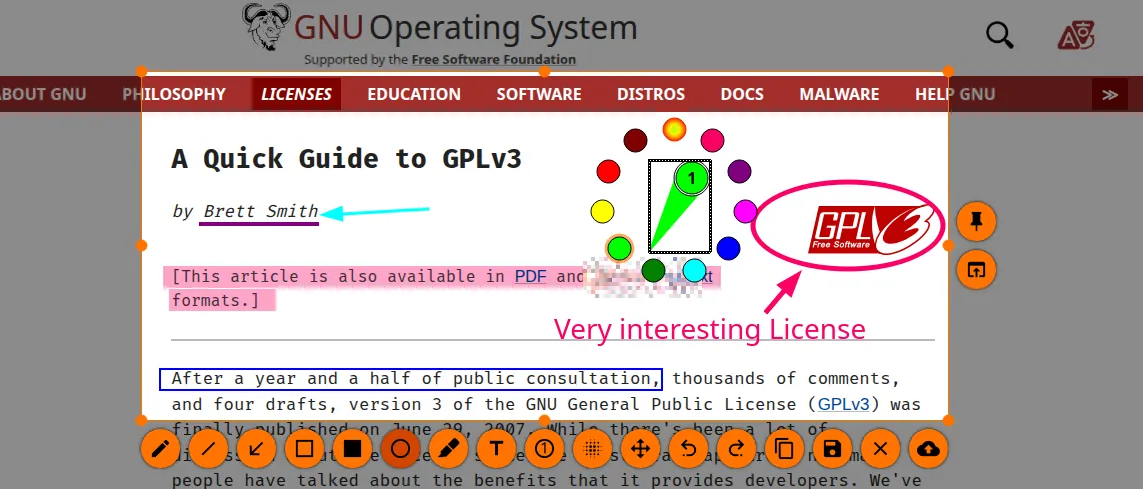
Flameshot is an open-source screenshot utility designed for capturing and annotating screen regions. It allows users to grab display areas and immediately apply arrows, text, shapes, and obfuscation filters without relying on an external image editor.
github.com · Official website
- ✓ Official source (winget)
- ✓ SHA256 taken from the official repository
- ✓ Last checked: Nov. 4, 2026
- This is not a virus scan. Check on VirusTotal
- Version
- 14.0.0
- Release date
- June 19, 2026
- License
- GPL-3.0
- Installer type
- wix
How do I use this?
Type Terminal in the Start menu and open it, paste the command (Ctrl+V or right-click) and press Enter. It uses winget, Windows' own package manager, to install the program from its official source.
winget install --id Flameshot.Flameshot -eSHA256 (file verification)
b3c38680c792410812e787d48ac1825c771fb044380d45789719b9e8373327eaflathub.org · Official website
- ✓ Official source (Flathub)
- ✓ Last checked: Nov. 4, 2026
- Version
- 14.0.0
- Release date
- June 8, 2026
- License
- GPL-3.0
- Installer type
- flatpak
How do I use this?
Open a terminal, paste the command and press Enter. Flatpak and Flathub must be set up; Linux Mint has them by default, for other distributions see flathub.org/setup.
flatpak install flathub org.flameshot.FlameshotWe couldn't find a macOS version of Flameshot in the official repositories; check the publisher's website.
You can try these instead:
We couldn't find a Android version of Flameshot in the official repositories; check the publisher's website.
Platform pages: Windows · macOS · Linux · Android
Old versions (10)
Flameshot 14.0.0: what's new?
Highlights
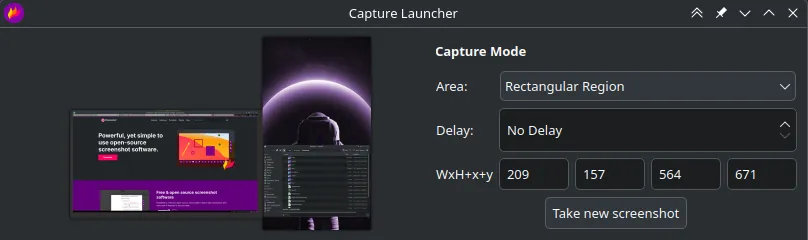
- Interactive on-screen area selection with immediate overlay markup tools
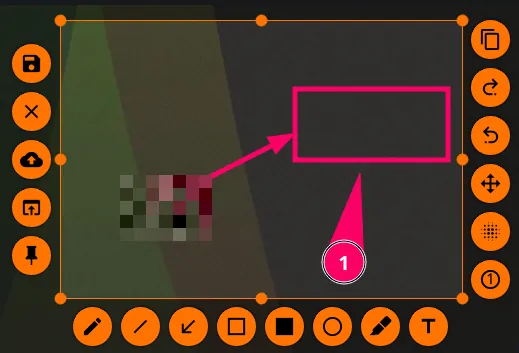
- Annotation tools including arrows, geometric shapes, lines, and custom text
- Pixelate and blur functions for obscuring sensitive screen information
- Direct clipboard export, local file saving, or remote upload options
- Command-line interface support for automated capturing workflows
Who is it for?
Flameshot is suited for developers, system administrators, and technical writers who regularly capture, annotate, and share specific screen regions for documentation or bug reports.
Good to know before installing
- Does not support video or audio screen recording.
- Lacks scrolling screenshot capabilities for full-length documents or webpages.
- Linux installations using Wayland desktop sessions may require specific permissions or compositor settings.
Screenshots
How to install
Windows
- Click the official download button to retrieve the installer, or open a command prompt.
- Alternatively, execute: winget install --id Flameshot.Flameshot -e
- Follow the setup instructions and open Flameshot from the Start menu.
Linux
- Click the official download button to access the Flathub page or launch a terminal.
- Run the command: flatpak install flathub org.flameshot.Flameshot
- Open Flameshot from your desktop application launcher.
Alternatives
Frequently asked questions
Can Flameshot record video of the desktop?
No, Flameshot is designed strictly for static screen captures and does not capture video or audio.
Is Flameshot free to use in business environments?
Yes, distributed under the GNU General Public License v3.0, it is free for both personal and commercial use.
Does Flameshot support scrolling window captures?
No, scrolling capture of long pages or documents is not supported natively.