

GeoGebra Classic
GeoGebra Classic is dynamic mathematics software that unites geometry, algebra, spreadsheets, graphing, statistics, and calculus in an integrated environment. Developed by the International GeoGebra Institute, it serves as an educational tool for exploring mathematical concepts interactively.
download.geogebra.org · Official website
- ✓ Official source (winget)
- ✓ SHA256 taken from the official repository
- ✓ Last checked: Nov. 4, 2026
- This is not a virus scan. Check on VirusTotal
- Version
- 6.0.934
- Release date
- Oct. 28, 2026
- License
- Proprietary
- Installer type
- exe
How do I use this?
Type Terminal in the Start menu and open it, paste the command (Ctrl+V or right-click) and press Enter. It uses winget, Windows' own package manager, to install the program from its official source.
winget install --id GeoGebra.Classic -eSHA256 (file verification)
06236d4666327a907b3578f705e311570f3c0118eb2d009f5a76ed54c34d3e14flathub.org · Official website
- ✓ Community package (Flathub)
- ✓ Last checked: Nov. 4, 2026
- Version
- 6-0-804-0
- Release date
- Oct. 4, 2023
- License
- Proprietary
- Installer type
- flatpak
How do I use this?
Open a terminal, paste the command and press Enter. Flatpak and Flathub must be set up; Linux Mint has them by default, for other distributions see flathub.org/setup.
flatpak install flathub org.geogebra.GeoGebraWe couldn't find a macOS version of GeoGebra Classic in the official repositories; check the publisher's website.
We couldn't find a Android version of GeoGebra Classic in the official repositories; check the publisher's website.
Platform pages: Windows · macOS · Linux · Android
Old versions (3)
Highlights
- Interactive geometry environment for constructions and transformations
- Computer Algebra System (CAS) for symbolic calculations
- Integrated spreadsheet and graphing tools for data analysis
- Probability calculator and statistical analysis features
Who is it for?
GeoGebra Classic is designed for students, teachers, and researchers who need an all-in-one interactive platform to study or demonstrate mathematical concepts.
Good to know before installing
- The comprehensive interface can present a learning curve for complete beginners.
- 3D graphing and complex symbolic CAS tasks require moderate system resources.
- Desktop layout options differ slightly from the web-only simplified apps.
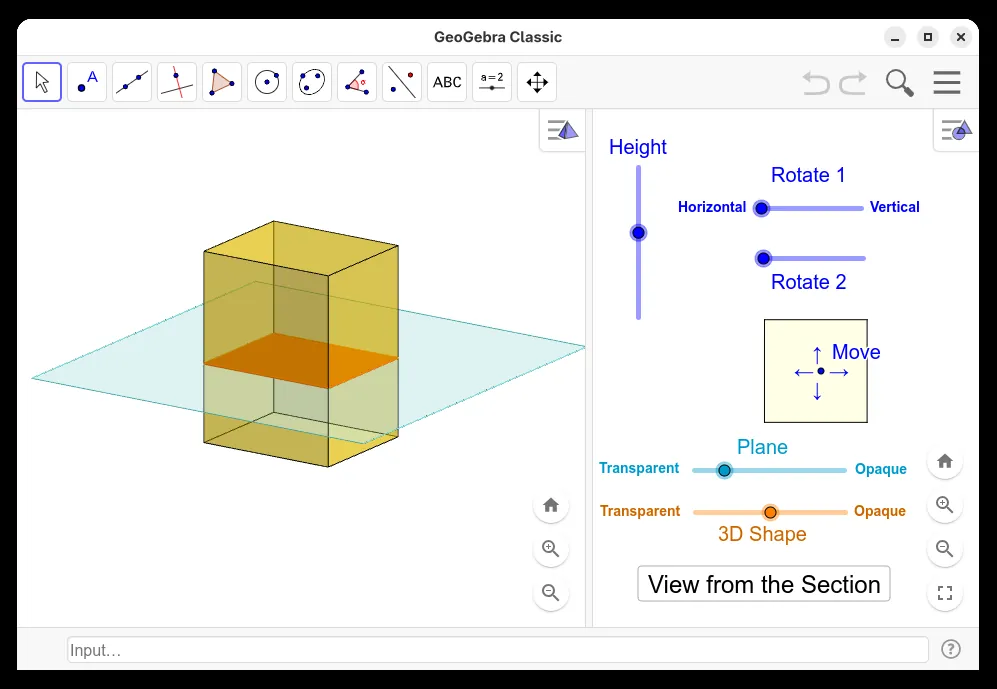
Screenshots
How to install
Windows
- Click the official download button to get the Windows installer or use winget.
- Run 'winget install --id GeoGebra.Classic -e' in Command Prompt or PowerShell.
- Follow the setup prompts and launch the program.
Linux
- Click the official download button to open the Flathub package page.
- Run 'flatpak install flathub org.geogebra.GeoGebra' in your terminal.
- Launch GeoGebra Classic from your application menu.
Alternatives
- Desmos
- GNU Octave
- SageMath
Frequently asked questions
Is GeoGebra Classic free to use?
Yes, GeoGebra Classic is available free of charge for mathematical modeling and learning.
What modules are bundled inside GeoGebra Classic?
It combines geometry, graphing, a spreadsheet, probability tools, and a Computer Algebra System (CAS).
Does GeoGebra Classic require an active internet connection?
No, once installed on your computer, the desktop application runs completely offline.