

OpenRGB
OpenRGB is a free, open-source tool for controlling RGB-lit hardware from different brands in one program. It lets you set lighting on motherboards, memory, graphics cards, keyboards and mice without installing separate software for each brand.
github.com · Official website
- ✓ Official source (winget)
- ✓ File is identical to the one the publisher released (SHA256 matched)
- ✓ Last checked: Nov. 20, 2026
- This is not a virus scan. Check on VirusTotal
- Version
- 1.1.0
- Release date
- Oct. 16, 2026
- License
- GPL-2.0
- Installer type
- wix
How do I use this?
Type Terminal in the Start menu and open it, paste the command (Ctrl+V or right-click) and press Enter. It uses winget, Windows' own package manager, to install the program from its official source.
winget install --id OpenRGB.OpenRGB -eSHA256 (file verification)
a4ce48a5e1532750ad4f5248424d42f7f2c710775cee88db070ccdb63c549caaflathub.org · Official website
- ✓ Official source (Flathub)
- ✓ Last checked: Nov. 20, 2026
- Version
- 1.1
- Release date
- Oct. 16, 2026
- License
- GPL-2.0
- Installer type
- flatpak
How do I use this?
Open a terminal, paste the command and press Enter. Flatpak and Flathub must be set up; Linux Mint has them by default, for other distributions see flathub.org/setup.
flatpak install flathub org.openrgb.OpenRGBWe couldn't find a macOS version of OpenRGB in the official repositories; check the publisher's website.
We couldn't find a Android version of OpenRGB in the official repositories; check the publisher's website.
Platform pages: Windows · macOS · Linux · Android
Old versions (4)
OpenRGB 1.1.0: what's new?
Highlights
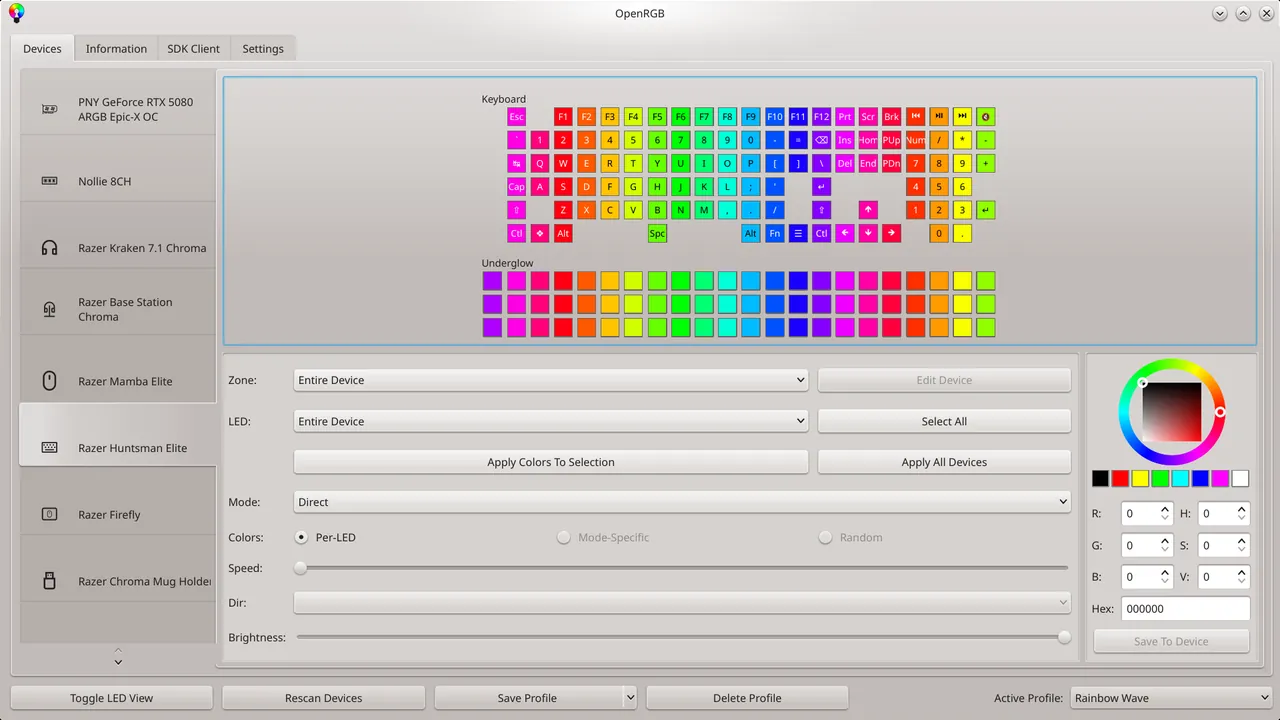
- Control RGB devices from many brands in one program
- Save colors and effects as profiles
- No need for heavy vendor software
- SDK server that other programs can connect to
Who is it for?
For gamers and PC builders with RGB parts from different brands who do not want to install a separate program for each.
Good to know before installing
- Not every device is supported; check the supported device list.
- Some hardware may require running the program as administrator.
Screenshots
How to install
Windows
- Click the official download button on this page or use the winget command.
- Run the installer and follow the steps.
Linux
- Run the Flatpak command in a terminal.
- Open the program from the application menu.
Alternatives
Comparisons
Frequently asked questions
Is OpenRGB free?
Yes. It is open source and free.
Is my device supported?
Supported devices are listed on the official website. Check whether your hardware is on the list before installing.
Do I need to remove the vendor's software?
To avoid conflicts, it is recommended that vendor software controlling the same device does not run in the background.