

PDF Arranger
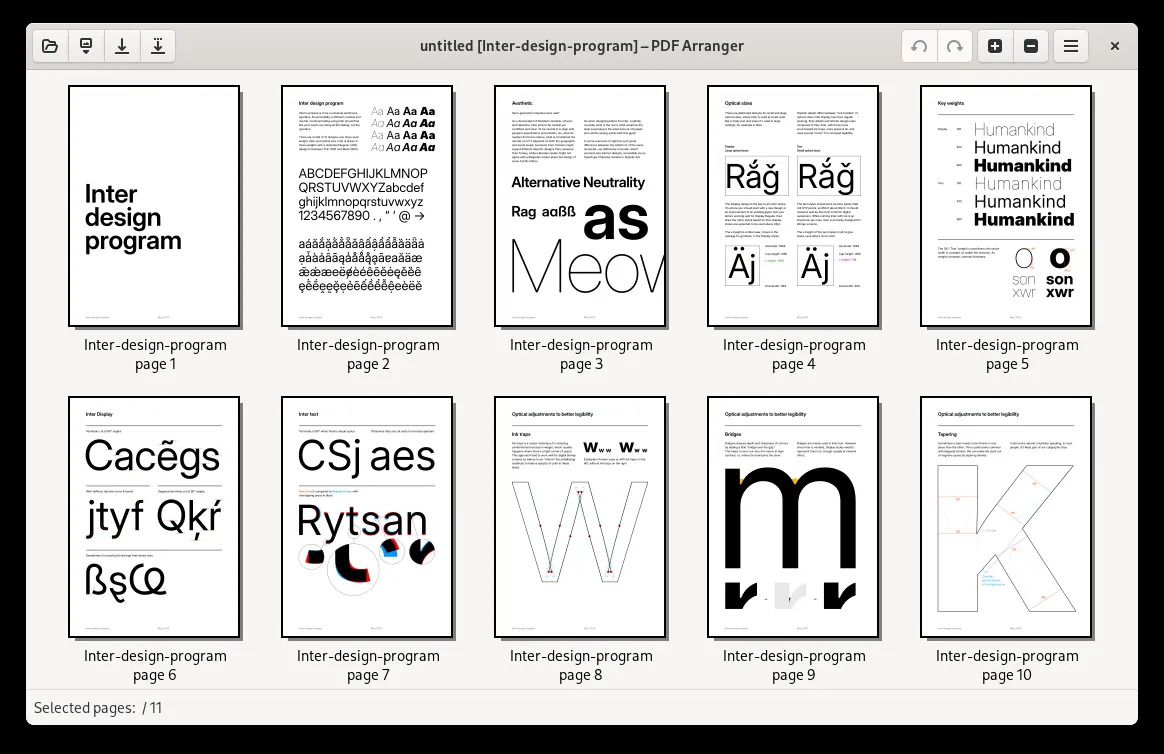
PDF Arranger is a small open-source program for merging, splitting, rotating, cropping and reordering pages in PDF files. It shows pages as thumbnails so you can rearrange them with drag and drop.
github.com · Official website
- ✓ Official source (winget)
- ✓ SHA256 taken from the official repository
- ✓ Last checked: Nov. 4, 2026
- This is not a virus scan. Check on VirusTotal
- Version
- 1.14.0
- Release date
- May 23, 2026
- License
- GPL-3.0
- Installer type
- msi
How do I use this?
Type Terminal in the Start menu and open it, paste the command (Ctrl+V or right-click) and press Enter. It uses winget, Windows' own package manager, to install the program from its official source.
winget install --id PDFArranger.PDFArranger -eSHA256 (file verification)
33ba1c3028cc81eb364b8eed288389fc8a4869c015ce817b9408a3d31e0e90b0flathub.org · Official website
- ✓ Official source (Flathub)
- ✓ Last checked: Nov. 4, 2026
- Version
- 1.14.0
- Release date
- May 23, 2026
- License
- GPL-3.0
- Installer type
- flatpak
How do I use this?
Open a terminal, paste the command and press Enter. Flatpak and Flathub must be set up; Linux Mint has them by default, for other distributions see flathub.org/setup.
flatpak install flathub com.github.jeromerobert.pdfarrangerWe couldn't find a macOS version of PDF Arranger in the official repositories; check the publisher's website.
You can try these instead:
We couldn't find a Android version of PDF Arranger in the official repositories; check the publisher's website.
PDF Arranger 1.14.0: what's new?
Highlights
- Merge several PDFs into one file
- Split documents and export selected pages
- Rotate and crop pages
- Reorder pages with drag and drop
- Insert blank pages and delete pages
Who is it for?
For students and office workers tidying up scanned documents, and anyone who wants to merge PDFs without uploading them online.
Good to know before installing
- It does not edit the text or images inside a PDF.
- It is limited to page operations; there is no compression or OCR.
Screenshots
How to install
Windows
- Click the official download button on this page.
- Run the installer and follow the steps.
- Or use the winget command shown on the page.
Linux
- Open the Flathub page with the button on this page.
- Or run the flatpak command shown on the page in a terminal.
- Open PDF Arranger and drag your PDF into it.
Alternatives
Frequently asked questions
Is PDF Arranger free?
Yes. It is open source and free.
Can I edit text in a PDF?
No. PDF Arranger works at page level; it does not edit text or images.
Are my files uploaded anywhere?
No. Everything happens on your computer.