

PuTTY
PuTTY is a free and open-source network terminal client developed by Simon Tatham under the MIT license. It provides support for SSH, Telnet, Rlogin, and raw socket connections, allowing users to interact with remote servers securely or via serial interfaces. The suite also includes utility tools such as PuTTYgen for cryptographic key generation, PSFTP for secure file transfer, and Plink for automated command-line sessions.
the.earth.li · Official website
- ✓ Official source (winget)
- ✓ File is identical to the one the publisher released (SHA256 matched)
- ✓ Last checked: Nov. 4, 2026
- This is not a virus scan. Check on VirusTotal
- Version
- 0.85.0.0
- Release date
- Aug. 14, 2026
- License
- MIT
- Installer type
- wix
How do I use this?
Type Terminal in the Start menu and open it, paste the command (Ctrl+V or right-click) and press Enter. It uses winget, Windows' own package manager, to install the program from its official source.
winget install --id PuTTY.PuTTY -eSHA256 (file verification)
2213ebacf962b709411d654a40087508a694756bc4e41c5a1c24ad86596b2511flathub.org · Official website
- ✓ Community package (Flathub)
- ✓ Last checked: Nov. 4, 2026
- Version
- 0.85
- Release date
- Aug. 16, 2026
- License
- MIT
- Installer type
- flatpak
How do I use this?
Open a terminal, paste the command and press Enter. Flatpak and Flathub must be set up; Linux Mint has them by default, for other distributions see flathub.org/setup.
flatpak install flathub uk.org.greenend.chiark.sgtatham.puttyWe couldn't find a macOS version of PuTTY in the official repositories; check the publisher's website.
We couldn't find a Android version of PuTTY in the official repositories; check the publisher's website.
Security update: according to the publisher's release notes, PuTTY 0.85.0.0 fixes security vulnerabilities. If you use an older version, update.
Official release notes →
PuTTY 0.85.0.0: what's new?
- Fixed a remotely triggerable use-after-free security issue in Pageant.
- Fixed a remotely triggerable buffer overflow when using OpenSSH encrypt-then-MAC cipher modes.
- Fixed a buffer overflow in private key decryption when handling maliciously constructed private keys.
- Fixed denial-of-service vulnerabilities where a server could trigger a tight loop or a MITM could consume unlimited memory at startup.
Summarized from the publisher's release notes.
Highlights
- Supports SSH, Telnet, Rlogin, and raw TCP socket protocols.
- Includes PuTTYgen for generating and managing SSH public and private key pairs.
- Provides PSFTP for command-line file transfers over SFTP.
- Offers Plink for command-line driven SSH automation.
- Includes serial port (TTY) connection support.
- Configurable terminal emulation with customized font, color, and window settings.
Who is it for?
PuTTY is designed for system administrators, developers, and network engineers who need to connect to remote servers or network equipment. It is commonly used for remote command-line management via SSH or Telnet as well as serial interface debugging.
Good to know before installing
- The user interface is minimal and lacks modern features such as native tabbed sessions out of the box.
- Key generation and secure file transfers require using separate accompanying tools like PuTTYgen and PSFTP rather than an all-in-one graphical interface.
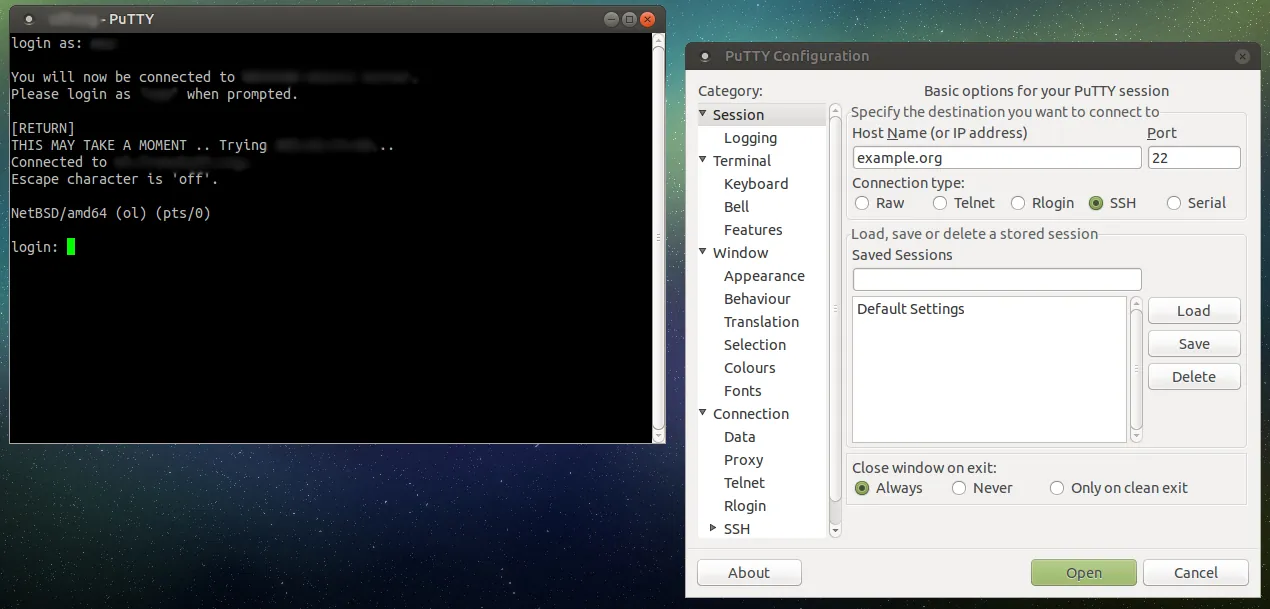
Screenshots
How to install
Windows
- Click the official download button on this page to get the installer.
- Alternatively, open PowerShell or Command Prompt.
- Run: winget install --id PuTTY.PuTTY -e
- Follow the setup wizard or launch PuTTY from the Start menu.
Linux
- Click the official download button on this page to visit the Flathub store page.
- Alternatively, open your system terminal.
- Execute the command: flatpak install flathub uk.org.greenend.chiark.sgtatham.putty
- Launch PuTTY from your application menu or terminal.
Alternatives
- Tera Term
- OpenSSH
- KiTTY
Frequently asked questions
Is PuTTY free and open source?
Yes, PuTTY is released as open-source software under the MIT license.
Can I use PuTTY to transfer files securely?
Yes, PuTTY includes the PSFTP command-line tool for secure file transfers using SFTP.
How do I load private keys into PuTTY?
You can use the included PuTTYgen utility to load or convert SSH private keys into PuTTY's native .ppk format.