
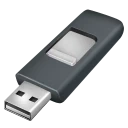
Rufus for Windows
Rufus is an open-source utility designed to format and create bootable USB flash drives, memory sticks, and keys. It is primarily used to turn bootable ISO images into installation media for operating systems or to run low-level utilities on systems without an OS.
github.com · Official website
- ✓ Official source (winget)
- ✓ SHA256 taken from the official repository
- ✓ Last checked: Nov. 4, 2026
- This is not a virus scan. Check on VirusTotal
- Version
- 4.15
- Release date
- June 30, 2026
- License
- GPL-3.0-or-later
- Installer type
- portable
Install from the command line
How do I use this?
Type Terminal in the Start menu and open it, paste the command (Ctrl+V or right-click) and press Enter. It uses winget, Windows' own package manager, to install the program from its official source.
winget install --id Rufus.Rufus -eSHA256 (file verification)
84c8a437f8af89257524478489e5c85f1edf25f761d299e2bcde46ac0afbe106How to install
- Click the official download button on our page to download the executable.
- Launch the downloaded file directly, as no standard installation is required.
- Grant administrative privileges when prompted by Windows to proceed.
Platform pages: Windows · macOS · Linux · Android · All platforms and details