

TigerVNC
TigerVNC is an open-source, high-performance VNC client and server suite. It allows users to view and control remote graphical desktop environments over a network connection.
sourceforge.net · Official website
- ✓ Official source (winget)
- ✓ SHA256 taken from the official repository
- ✓ Last checked: Nov. 4, 2026
- This is not a virus scan. Check on VirusTotal
- Version
- 1.16.2
- Release date
- March 26, 2026
- License
- GPL-2.0
- Installer type
- inno
How do I use this?
Type Terminal in the Start menu and open it, paste the command (Ctrl+V or right-click) and press Enter. It uses winget, Windows' own package manager, to install the program from its official source.
winget install --id TigerVNC.TigerVNC -eSHA256 (file verification)
96a0117c8d0d55ea2e2c20e3d9d9a798011da8c5a813a35cd0b9e006d58bb7f4downloads.sourceforge.net · Official website
- ✓ Official source (Homebrew)
- ✓ SHA256 taken from the official repository
- ✓ Last checked: Nov. 4, 2026
- This is not a virus scan. Check on VirusTotal
- Version
- 1.16.2
- License
- GPL-2.0
- Installer type
- dmg
How do I use this?
This command needs Homebrew; if you don't have it, first run the install command from brew.sh. Then open Terminal (Applications > Utilities > Terminal), paste the command and press Enter.
brew install --cask tigervncSHA256 (file verification)
aa0ef07e4ebe4f068cbf1118273459b5b616177cb6abf15a538af018ebfb5933flathub.org · Official website
- ✓ Community package (Flathub)
- ✓ Last checked: Nov. 4, 2026
- Version
- 1.14.0
- Release date
- July 24, 2024
- License
- GPL-2.0
- Installer type
- flatpak
How do I use this?
Open a terminal, paste the command and press Enter. Flatpak and Flathub must be set up; Linux Mint has them by default, for other distributions see flathub.org/setup.
flatpak install flathub org.tigervnc.vncviewerWe couldn't find a Android version of TigerVNC in the official repositories; check the publisher's website.
Security update: according to the publisher's release notes, TigerVNC 1.16.2 fixes security vulnerabilities. If you use an older version, update.
Official release notes →
TigerVNC 1.16.2: what's new?
Highlights
- High-performance remote graphical desktop connection
- Includes both VNC viewer (client) and VNC server components
- Supports standard RFB protocol extensions for encryption and authentication
- Cross-platform operation across Linux, macOS, and Windows
Who is it for?
System administrators and remote workers who need fast, secure graphical access to Linux, Windows, or macOS workstations across local or remote networks.
Good to know before installing
- Requires network configuration such as port forwarding or VPNs for internet connections.
- Does not include built-in central user management or relay servers.
- Performance depends on network bandwidth and latency.
Screenshots
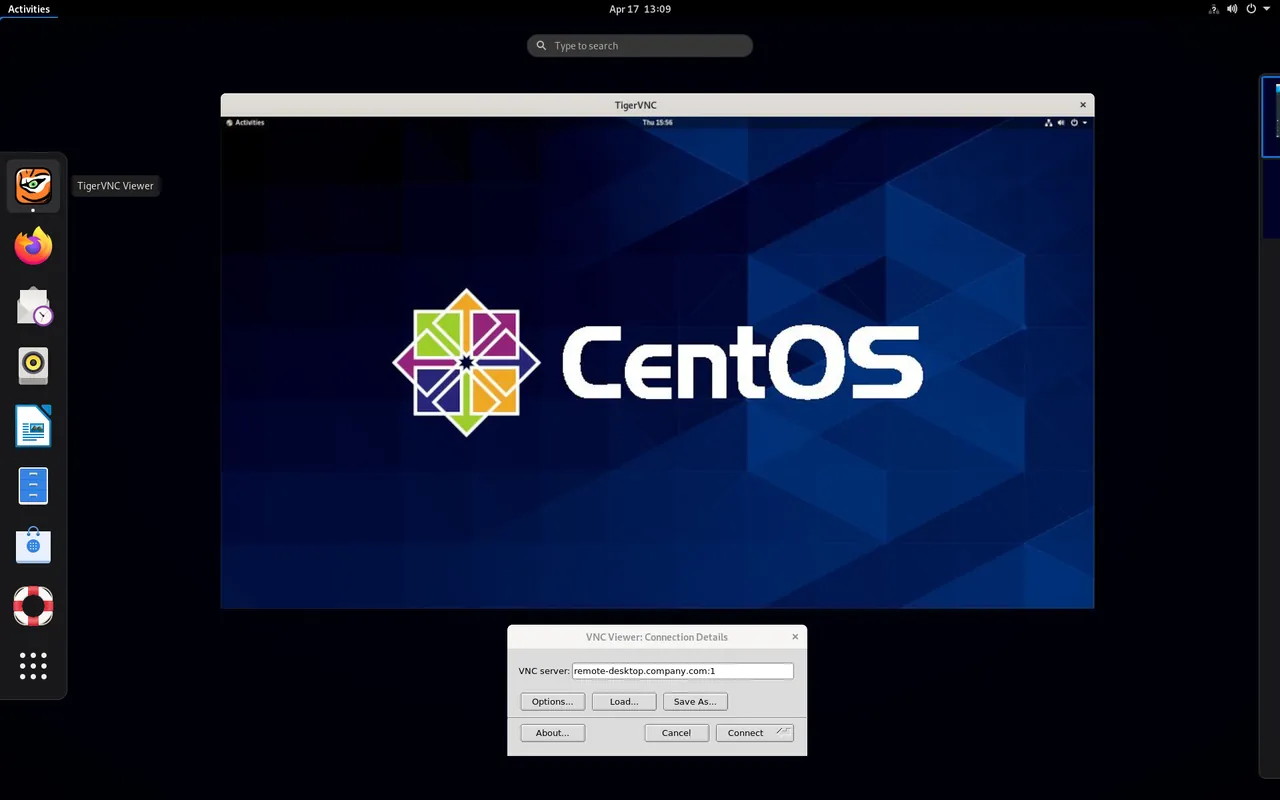
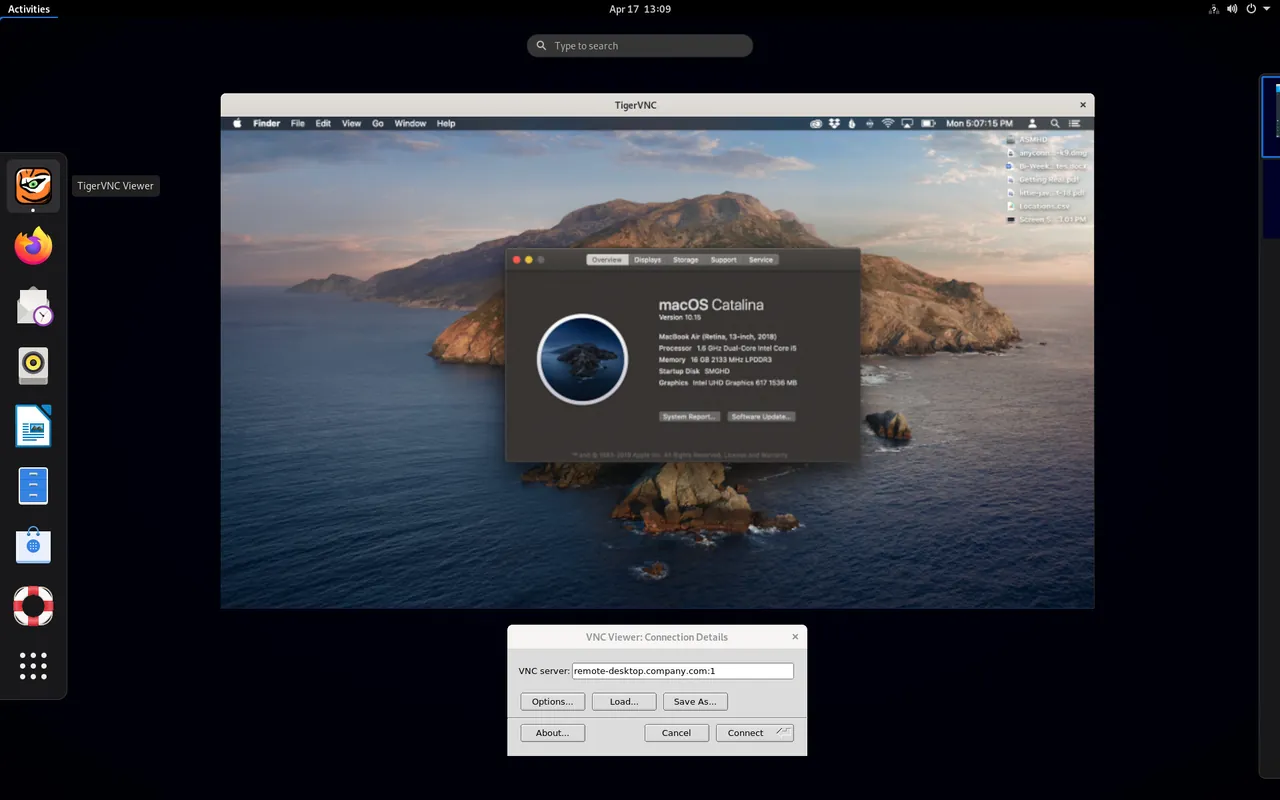
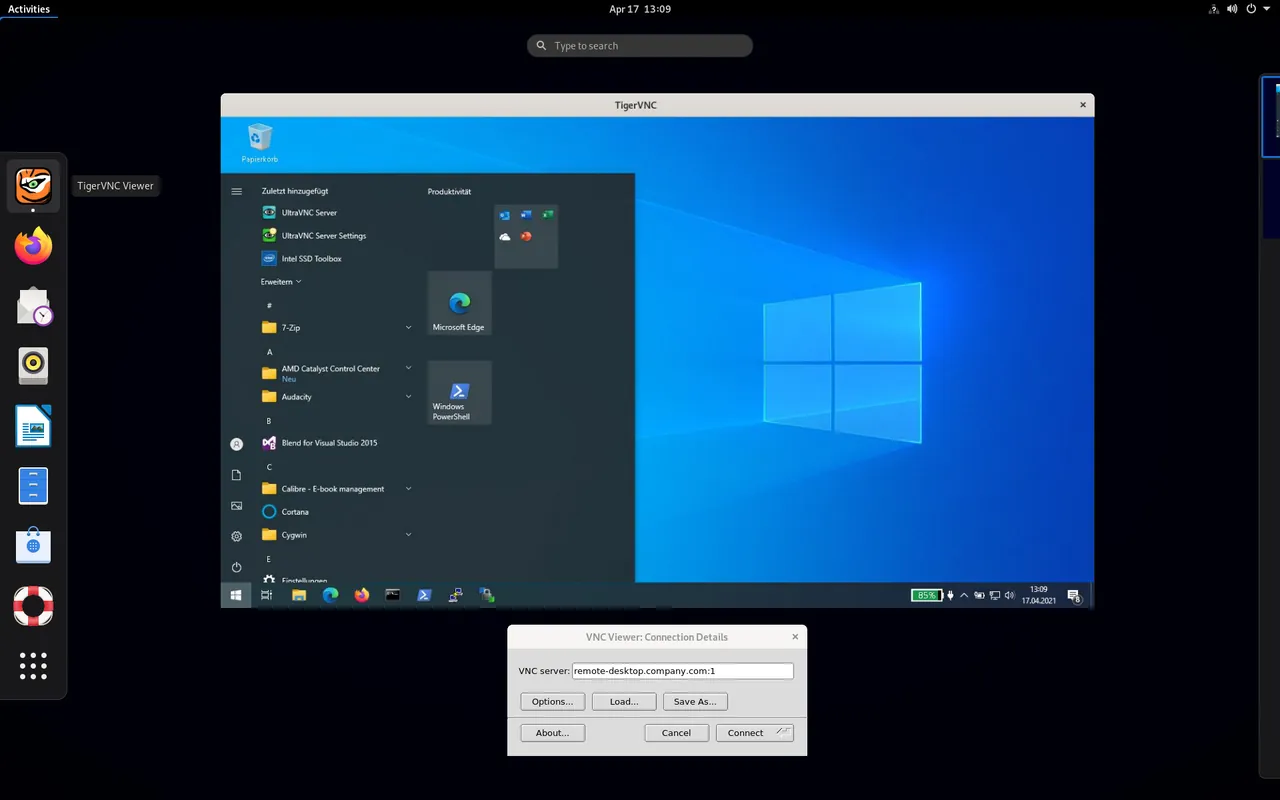
How to install
Windows
- Click the official download button to download the installer or use winget.
- Optionally, run 'winget install --id TigerVNC.TigerVNC -e' in Command Prompt.
- Follow the setup wizard to complete installation and launch the application.
macOS
- Click the official download button to get the installer or use Homebrew.
- Alternatively, run 'brew install --cask tigervnc' in Terminal.
- Open TigerVNC from the Applications folder.
Linux
- Click the official download button to open Flathub or use the terminal command.
- Run 'flatpak install flathub org.tigervnc.vncviewer' in your terminal.
- Launch TigerVNC Viewer from your desktop application menu.
Alternatives
- TightVNC
- UltraVNC
- Remmina
Frequently asked questions
Is TigerVNC free to use?
Yes, TigerVNC is free and open-source software distributed under the GNU General Public License v2.
Does TigerVNC include both client and server software?
Yes, TigerVNC provides both a VNC viewer client and VNC server implementations.
How does TigerVNC handle security?
It supports standard security extensions, including TLS encryption and user authentication mechanisms.