

Windscribe
Windscribe is an open-source VPN and privacy client that encrypts network traffic and helps block ads and trackers. Distributed under the GPL-2.0 license, it routes internet activity through secure tunnels across Windows, macOS, and Android devices to keep your browsing private.
github.com · Official website
- ✓ Official source (winget)
- ✓ SHA256 taken from the official repository
- ✓ Last checked: Nov. 4, 2026
- This is not a virus scan. Check on VirusTotal
- Version
- 2.24.13
- Release date
- Sept. 8, 2026
- License
- GPL-2.0
- Installer type
- exe
How do I use this?
Type Terminal in the Start menu and open it, paste the command (Ctrl+V or right-click) and press Enter. It uses winget, Windows' own package manager, to install the program from its official source.
winget install --id Windscribe.Windscribe -eSHA256 (file verification)
821ff217d87b4acbd71408303d9a5bc35abfefdada6761f7fd2944a92d5609d2deploy.totallyacdn.com · Official website
- ✓ Official source (Homebrew)
- ✓ SHA256 taken from the official repository
- ✓ Last checked: Nov. 4, 2026
- This is not a virus scan. Check on VirusTotal
- Version
- 2.24.12
- License
- GPL-2.0
- Installer type
- dmg
How do I use this?
This command needs Homebrew; if you don't have it, first run the install command from brew.sh. Then open Terminal (Applications > Utilities > Terminal), paste the command and press Enter.
brew install --cask windscribeSHA256 (file verification)
0a5624463d1ad4959181d7317658b7afd3121802c3a2e83e653d7eb85d1534a9f-droid.org · Official website
- ✓ Official source (F-Droid)
- ✓ SHA256 taken from the official repository
- ✓ Last checked: Nov. 4, 2026
- This is not a virus scan. Check on VirusTotal
- Version
- 4.3
- Release date
- Sept. 3, 2026
- License
- GPL-2.0
- Installer type
- apk
SHA256 (file verification)
fcdb00447206efbf485c1267899159537bbad7425a9a17300949e9f48bfc872dWe couldn't find a Linux version of Windscribe in the official repositories; check the publisher's website.
You can try these instead:
Windscribe 2.24.13: what's new?
Highlights
- GPL-2.0 open-source client codebase
- Network traffic encryption for private browsing
- Built-in blocking capabilities for ads and trackers
- Proxy and VPN routing across global locations
Who is it for?
Individuals who need to encrypt internet connections on untrusted networks or prevent tracking while browsing on desktop and mobile.
Good to know before installing
- Official support is limited to Windows, macOS, and Android.
- An account is required to connect to the VPN infrastructure.
Screenshots
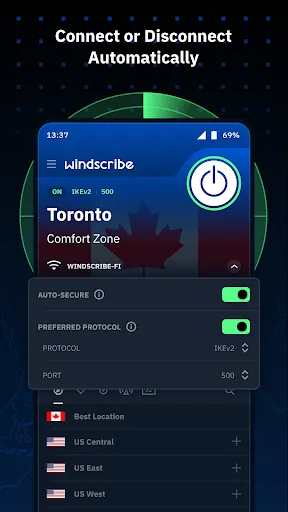
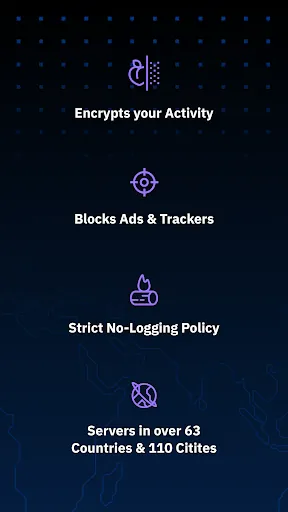
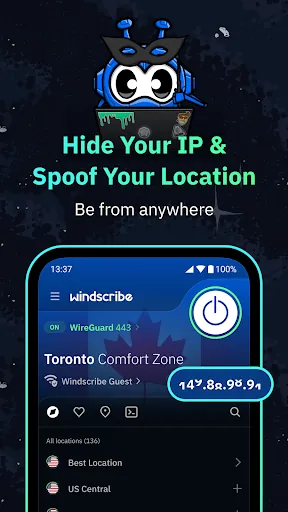

How to install
Windows
- Click the official download button or run 'winget install --id Windscribe.Windscribe -e' in your terminal.
- Follow the on-screen installer prompts to complete setup.
- Launch the application and log in to begin tunneling.
macOS
- Click the official download button or run 'brew install --cask windscribe' in Terminal.
- Open the downloaded DMG file and drag the application to your Applications folder.
- Open Windscribe and grant the necessary network extension permissions.
Android
- Tap the official download button on our site to access the installer file.
- Open the downloaded package and allow installation permissions if prompted.
- Launch the app and sign in to connect.
Alternatives
Frequently asked questions
Is Windscribe open source?
Yes, the application client code is published under the GPL-2.0 license.
Do I need an account to use Windscribe?
Yes, establishing a connection through the server network requires creating an account.
Which platforms are officially supported?
Windscribe provides official client builds for Windows, macOS, and Android.