

Arduino IDE
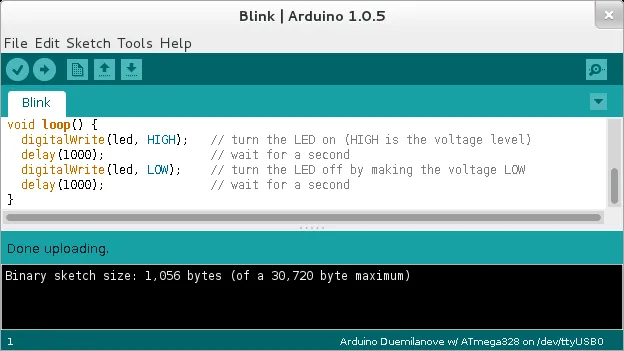
Arduino IDE is a free, open-source development environment for writing code and uploading it to Arduino and compatible boards. The current version adds tools such as autocomplete, a serial monitor and debugging.
github.com · Official website
- ✓ Official source (winget)
- ✓ SHA256 taken from the official repository
- ✓ Last checked: Nov. 20, 2026
- This is not a virus scan. Check on VirusTotal
- Version
- 2.3.11
- Release date
- Nov. 12, 2026
- License
- AGPL-3.0
- Installer type
- zip
How do I use this?
Type Terminal in the Start menu and open it, paste the command (Ctrl+V or right-click) and press Enter. It uses winget, Windows' own package manager, to install the program from its official source.
winget install --id ArduinoSA.IDE.stable -eSHA256 (file verification)
c52f6bb6ae8ca511875d28b76d552c835a2f8c4dc0ef823614e0a107021a0544github.com · Official website
- ✓ Official source (Homebrew)
- ✓ SHA256 taken from the official repository
- ✓ Last checked: Nov. 20, 2026
- This is not a virus scan. Check on VirusTotal
- Version
- 2.3.11
- License
- AGPL-3.0
- Installer type
- dmg
How do I use this?
This command needs Homebrew; if you don't have it, first run the install command from brew.sh. Then open Terminal (Applications > Utilities > Terminal), paste the command and press Enter.
brew install --cask arduino-ideSHA256 (file verification)
bd70d36e125943855c27308c97702d69a7017041741a6f123734300424390bf7flathub.org · Official website
- ✓ Community package (Flathub)
- ✓ Last checked: Nov. 20, 2026
- Version
- 2.3.11
- Release date
- Nov. 12, 2026
- License
- AGPL-3.0
- Installer type
- flatpak
How do I use this?
Open a terminal, paste the command and press Enter. Flatpak and Flathub must be set up; Linux Mint has them by default, for other distributions see flathub.org/setup.
flatpak install flathub cc.arduino.IDE2We couldn't find a Android version of Arduino IDE in the official repositories; check the publisher's website.
Platform pages: Windows · macOS · Linux · Android
Old versions (10)
Arduino IDE 2.3.11: what's new?
Highlights
- Write code and upload it to the board with one click
- Board and library manager
- Serial monitor and serial plotter
- Autocomplete and debugging on supported boards
Who is it for?
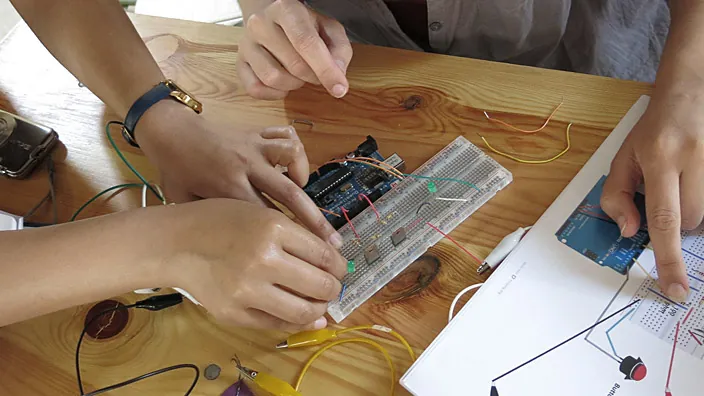
For students, teachers and hobbyists working on electronics projects.
Good to know before installing
- It offers fewer tools than advanced code editors for large projects.
- Some boards need extra drivers.
Screenshots
How to install
Windows
- Click the official download button on this page or use the winget command.
- Run the installer and follow the steps.
- Connect the board via USB and pick the board and port in the Tools menu.
macOS
- Use the Homebrew command or download from the official site.
- Move the app to the Applications folder and open it.
- Connect the board via USB and pick the board and port in the Tools menu.
Linux
- Run the Flatpak command in a terminal.
- Open the program from the application menu.
- Connect the board via USB and pick the board and port in the Tools menu.
Alternatives
- PlatformIO
- Visual Studio Code
Comparisons
Frequently asked questions
Is Arduino IDE free?
Yes. It is open source and free.
Does it work with non-Arduino boards?
Yes. You can add packages for compatible boards such as the ESP32 in the board manager.
What if the board doesn't show up?
Try another USB cable (some only charge) and select the right board and port in the Tools menu.