

HandBrake
HandBrake is a free and open-source video transcoder developed by The HandBrake Team. It allows users to convert video from nearly any format into a selection of modern, widely supported video and audio codecs.
github.com · Official website
- ✓ Official source (winget)
- ✓ SHA256 taken from the official repository
- ✓ Last checked: Nov. 4, 2026
- This is not a virus scan. Check on VirusTotal
- Version
- 1.11.2
- Release date
- June 7, 2026
- License
- GPL-2.0
- Installer type
- nullsoft
How do I use this?
Type Terminal in the Start menu and open it, paste the command (Ctrl+V or right-click) and press Enter. It uses winget, Windows' own package manager, to install the program from its official source.
winget install --id HandBrake.HandBrake -eSHA256 (file verification)
6becb8e5a041941d5f2fd6fe83c66fc15b2b16190e2e79f5ad47eb4cd18df8cdhandbrake.fr · Official website
- ✓ Official source (Homebrew)
- ✓ File is identical to the one the publisher released (SHA256 matched)
- ✓ Last checked: Nov. 4, 2026
- This is not a virus scan. Check on VirusTotal
- Version
- 1.11.2
- License
- GPL-2.0
- Installer type
- dmg&update=true
How do I use this?
This command needs Homebrew; if you don't have it, first run the install command from brew.sh. Then open Terminal (Applications > Utilities > Terminal), paste the command and press Enter.
brew install --cask handbrake-appSHA256 (file verification)
4afe27aaa77a7bbb0dcda1a335d96a5f53649f2649fb84de6982ffecc35de9d7flathub.org · Official website
- ✓ Official source (Flathub)
- ✓ Last checked: Nov. 4, 2026
- Version
- 1.11.2
- Release date
- June 7, 2026
- License
- GPL-2.0
- Installer type
- flatpak
How do I use this?
Open a terminal, paste the command and press Enter. Flatpak and Flathub must be set up; Linux Mint has them by default, for other distributions see flathub.org/setup.
flatpak install flathub fr.handbrake.ghbWe couldn't find a Android version of HandBrake in the official repositories; check the publisher's website.
You can try these instead:
HandBrake 1.11.2: what's new?
Highlights
- Converts video files into modern formats using codecs such as H.264, H.265, VP9, and AV1
- Built-in device presets for quick and optimized encoding
- Batch processing and encoding queue management
- Support for chapter markers, subtitles, and audio track selection along with video filters
Who is it for?
It is suited for home media enthusiasts, video creators, and system users looking to compress, re-encode, or adapt video files for various devices and web playback.
Good to know before installing
- Cannot read or convert DRM-protected or encrypted media files.
- Does not provide timeline-based video editing or video concatenation features.
- Extensive encoding options can present a slight learning curve for beginners.
Screenshots
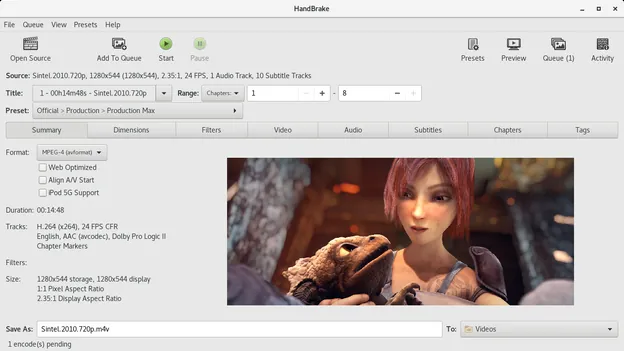
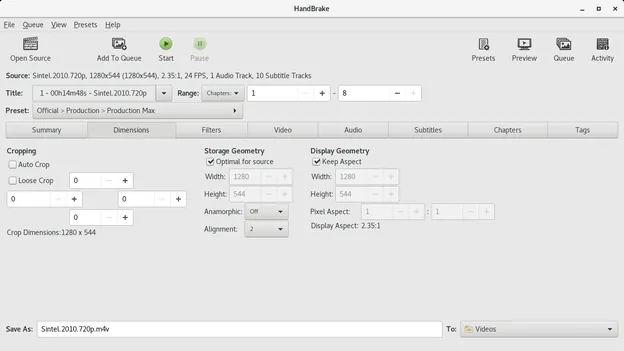
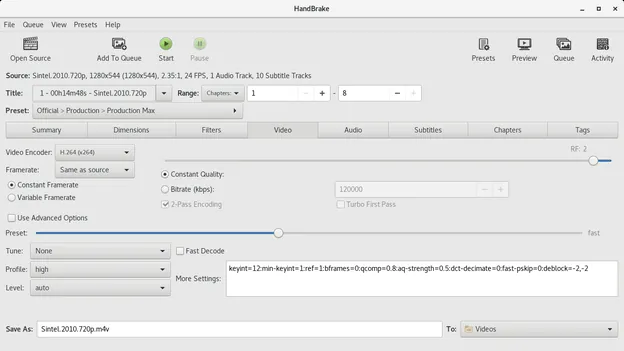
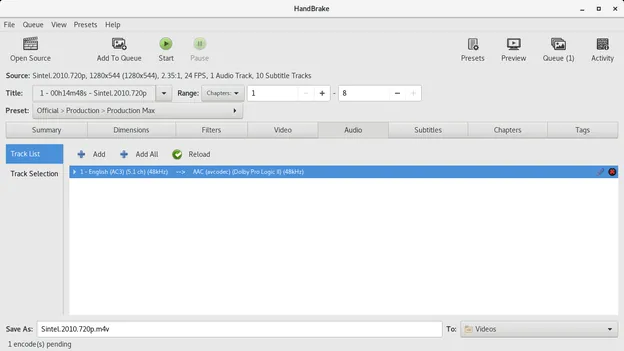
How to install
Windows
- Download the installer using the official download link or execute 'winget install --id HandBrake.HandBrake -e' in PowerShell/Command Prompt.
- Run the downloaded setup file and complete the installation wizard.
- Open HandBrake from the Start menu.
macOS
- Download the official macOS installer from our page or run 'brew install --cask handbrake-app' in Terminal.
- Open the downloaded .dmg file and drag HandBrake into your Applications folder.
- Launch HandBrake from Applications.
Linux
- Click the official download button to open the Flathub page.
- Alternatively, open your terminal and run 'flatpak install flathub fr.handbrake.ghb'.
- Launch HandBrake from your desktop application launcher.
Alternatives
Frequently asked questions
Can HandBrake rip copy-protected DVDs or Blu-rays?
No, HandBrake does not bypass or defeat commercial DRM or copy protection schemes.
Is HandBrake completely free to use?
Yes, HandBrake is open-source software distributed freely under the GPL-2.0 license.
Can HandBrake combine or edit multiple video clips?
No, HandBrake is designed strictly as a transcoder and lacks multi-track timeline editing or clip stitching tools.