

JabRef
JabRef is an open-source reference manager for collecting, organizing and citing academic sources. It works natively with BibTeX and BibLaTeX and is a common choice for people writing theses and papers in LaTeX.
github.com · Official website
- ✓ Official source (winget)
- ✓ SHA256 taken from the official repository
- ✓ Last checked: Nov. 4, 2026
- This is not a virus scan. Check on VirusTotal
- Version
- 5.15.60000
- Release date
- July 10, 2024
- License
- MIT
- Installer type
- wix
How do I use this?
Type Terminal in the Start menu and open it, paste the command (Ctrl+V or right-click) and press Enter. It uses winget, Windows' own package manager, to install the program from its official source.
winget install --id JabRef.JabRef -eSHA256 (file verification)
e2c7de77141e32134b85ac804b0230a4172f904d3fb6d615c7d0dd027eb8c44dgithub.com · Official website
- ✓ Official source (Homebrew)
- ✓ SHA256 taken from the official repository
- ✓ Last checked: Nov. 4, 2026
- This is not a virus scan. Check on VirusTotal
- Version
- 5.15
- License
- MIT
- Installer type
- dmg
How do I use this?
This command needs Homebrew; if you don't have it, first run the install command from brew.sh. Then open Terminal (Applications > Utilities > Terminal), paste the command and press Enter.
brew install --cask jabrefSHA256 (file verification)
c4637b9bbfa075c9e25636203e0fda73bbf8ef0166ca35866dbdd13d9f589430flathub.org · Official website
- ✓ Official source (Flathub)
- ✓ Last checked: Nov. 4, 2026
- Version
- 5.15
- Release date
- July 10, 2024
- License
- MIT
- Installer type
- flatpak
How do I use this?
Open a terminal, paste the command and press Enter. Flatpak and Flathub must be set up; Linux Mint has them by default, for other distributions see flathub.org/setup.
flatpak install flathub org.jabref.jabrefWe couldn't find a Android version of JabRef in the official repositories; check the publisher's website.
JabRef 5.15.60000: what's new?
Highlights
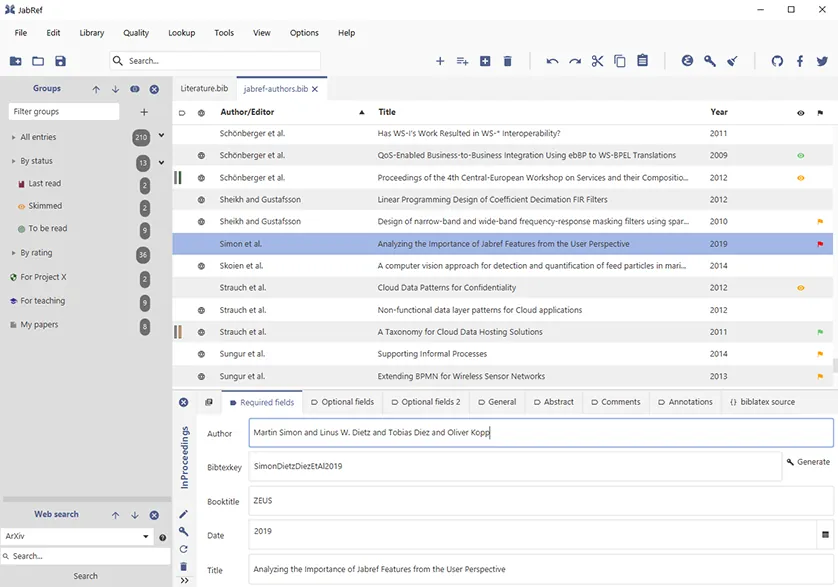
- Edit BibTeX and BibLaTeX bibliography files
- Fetch entry details automatically from a DOI, ISBN or arXiv ID
- Organize with groups, keywords and search
- Link PDF files to entries
- Cite into Word and LibreOffice documents
Who is it for?
For students and researchers writing theses, papers or assignments, especially those who work in LaTeX.
Good to know before installing
- Because it is built around BibTeX, it can take longer to learn than Zotero.
- There is no built-in cloud sync service for teams; sharing works through files.
Screenshots
How to install
Windows
- Click the official download button on this page.
- Run the installer and follow the steps.
- Or install it with the winget command shown on the page.
macOS
- Download the installer with the official button.
- Open it and move JabRef into the Applications folder.
- Alternatively, use the Homebrew command shown on the page.
Linux
- Open the Flathub page with the button on this page.
- Or run the flatpak command shown on the page in a terminal.
- Launch JabRef from your application menu.
Alternatives
- Zotero
- Mendeley
- Citavi
Frequently asked questions
Is JabRef free?
Yes. It is open source and free.
Can I use it without knowing LaTeX?
Yes. You do not need LaTeX to manage references, and you can cite into Word and LibreOffice. Its strongest side, though, is working with LaTeX.
Do I have to type in reference details by hand?
No. Enter a DOI, ISBN or arXiv ID and JabRef fetches the details online.