

Syncthing
Syncthing is a free, open-source program that syncs your files directly between your own devices, without a cloud server. Transfers are encrypted and files live only on your devices.
github.com · Official website
- ✓ Official source (winget)
- ✓ SHA256 taken from the official repository
- ✓ Last checked: Nov. 20, 2026
- This is not a virus scan. Check on VirusTotal
- Version
- 2.1.7
- Release date
- Oct. 21, 2026
- License
- MPL-2.0
- Installer type
- zip
How do I use this?
Type Terminal in the Start menu and open it, paste the command (Ctrl+V or right-click) and press Enter. It uses winget, Windows' own package manager, to install the program from its official source.
winget install --id Syncthing.Syncthing -eSHA256 (file verification)
3ce7da770f546a8d02b65b2e7ee31f2a3b8b7c3f990ede045590cca4172ecfe1We couldn't find a macOS version of Syncthing in the official repositories; check the publisher's website.
You can try these instead:
We couldn't find a Linux version of Syncthing in the official repositories; check the publisher's website.
You can try these instead:
We couldn't find a Android version of Syncthing in the official repositories; check the publisher's website.
Platform pages: Windows · macOS · Linux · Android
Old versions (10)
Syncthing 2.1.7: what's new?
- Fixed an issue where parent directory ownership was not copied properly.
- Improved receive-only folder reconciliation by properly comparing blocks.
- Prevented crashes by converting panics on invalid data into protocol errors.
- Fixed premature garbage collection of deleted receive-encrypted files.
Summarized from the publisher's release notes.
Highlights
- Direct device-to-device sync
- Encrypted transfers
- Web interface managed in the browser
- Versioning for deleted or changed files
Who is it for?
For people who want to sync files between computers and phones without putting them on a third party's server.
Good to know before installing
- Devices need to be online at the same time to sync.
- Setup takes a bit more technical knowledge than cloud services.
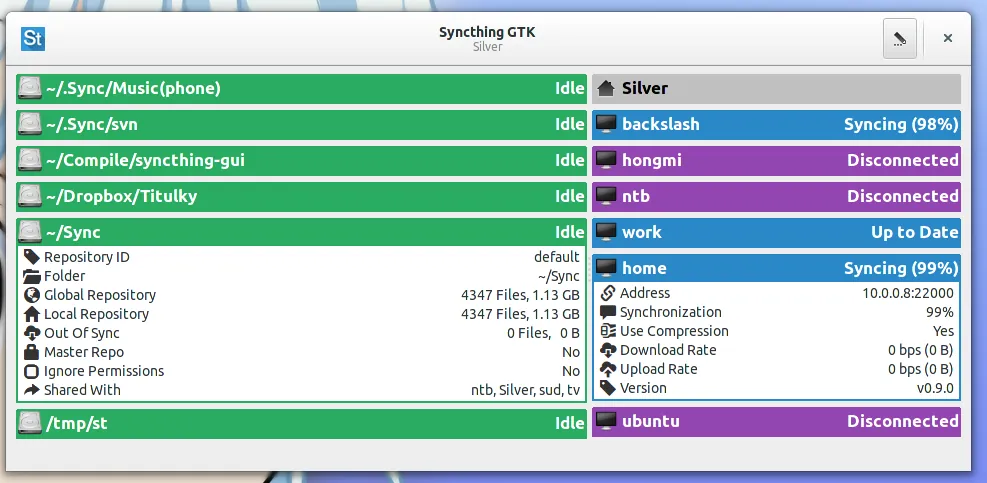
Screenshots
How to install
Windows
- Click the official download button on this page or use the winget command.
- Run the installer and follow the steps.
- Start Syncthing and, in the interface that opens in the browser, add the folder and the other device.
Alternatives
- rclone
- Dropbox (Free version available)
- Google Drive (Free version available)
Comparisons
Frequently asked questions
Is Syncthing free?
Yes. It is open source and free.
How do I open the interface?
While Syncthing runs, open its local web interface in a browser to add folders and devices.
Do both devices need to be online?
Yes. With no cloud, syncing happens when the devices are online at the same time.