

Mozilla Thunderbird
Mozilla Thunderbird is a free and open-source communication client that combines email, calendaring, address books, and feed reading into a single desktop and mobile interface. Licensed under the MPL-2.0, it allows users to manage multiple accounts locally with extensive customization and robust privacy protections.
download-installer.cdn.mozilla.net · Official website
- ✓ Official source (winget)
- ✓ File is identical to the one the publisher released (SHA256 matched)
- ✓ Last checked: Nov. 4, 2026
- This is not a virus scan. Check on VirusTotal
- Version
- 159.0
- Release date
- Oct. 27, 2026
- License
- MPL-2.0
- Installer type
- nullsoft
How do I use this?
Type Terminal in the Start menu and open it, paste the command (Ctrl+V or right-click) and press Enter. It uses winget, Windows' own package manager, to install the program from its official source.
winget install --id Mozilla.Thunderbird -eSHA256 (file verification)
70eac5e244f67cb4fbe4386da20f5287573233fc5139bcf0e8e522b61e4b013eOther supported versions
Mozilla Thunderbird ESR · 153.6.0 · Oct. 27, 2026 Download
winget install --id Mozilla.Thunderbird.ESR -eSHA256 (file verification)
76ef8cfd592b9ee8461fae321794250b49ad5f3290337486aa29c1b3a3304d4edownload-installer.cdn.mozilla.net · Official website
- ✓ Official source (Homebrew)
- ✓ SHA256 taken from the official repository
- ✓ Last checked: Nov. 4, 2026
- This is not a virus scan. Check on VirusTotal
- Version
- 159.0
- License
- MPL-2.0
- Installer type
- dmg
How do I use this?
This command needs Homebrew; if you don't have it, first run the install command from brew.sh. Then open Terminal (Applications > Utilities > Terminal), paste the command and press Enter.
brew install --cask thunderbirdSHA256 (file verification)
b3cf8931c832ba69ba632675e1663bbc0bced77e61f2bf9424cc06a9170f3427flathub.org · Official website
- ✓ Official source (Flathub)
- ✓ Last checked: Nov. 4, 2026
- Version
- 159.0
- Release date
- Oct. 26, 2026
- License
- MPL-2.0
- Installer type
- flatpak
How do I use this?
Open a terminal, paste the command and press Enter. Flatpak and Flathub must be set up; Linux Mint has them by default, for other distributions see flathub.org/setup.
flatpak install flathub org.mozilla.thunderbirdplay.google.com · Official website
- ✓ Official source (Google Play)
- ✓ Last checked: Nov. 4, 2026
- License
- MPL-2.0
Security update: according to the publisher's release notes, Mozilla Thunderbird 159.0 fixes security vulnerabilities. If you use an older version, update.
Official release notes →
Mozilla Thunderbird 159.0: what's new?
Highlights
- Multiple account management supporting IMAP and POP3 protocols
- Integrated calendar, scheduling, and task management
- Built-in RSS/Atom feed reader and chat integrations
- Fast message indexing with advanced search filters and tags
- Spam filtering, phishing detection, and remote content blocking
Who is it for?
Thunderbird is suited for individuals, office workers, and privacy-conscious users who need to manage multiple email accounts, calendars, and feeds in a single client.
Good to know before installing
- Initial setup and advanced filter or add-on management can involve a learning curve.
- Large local mail databases and message archives can consume significant disk space and memory.
- Mobile support is currently limited to Android.
Screenshots
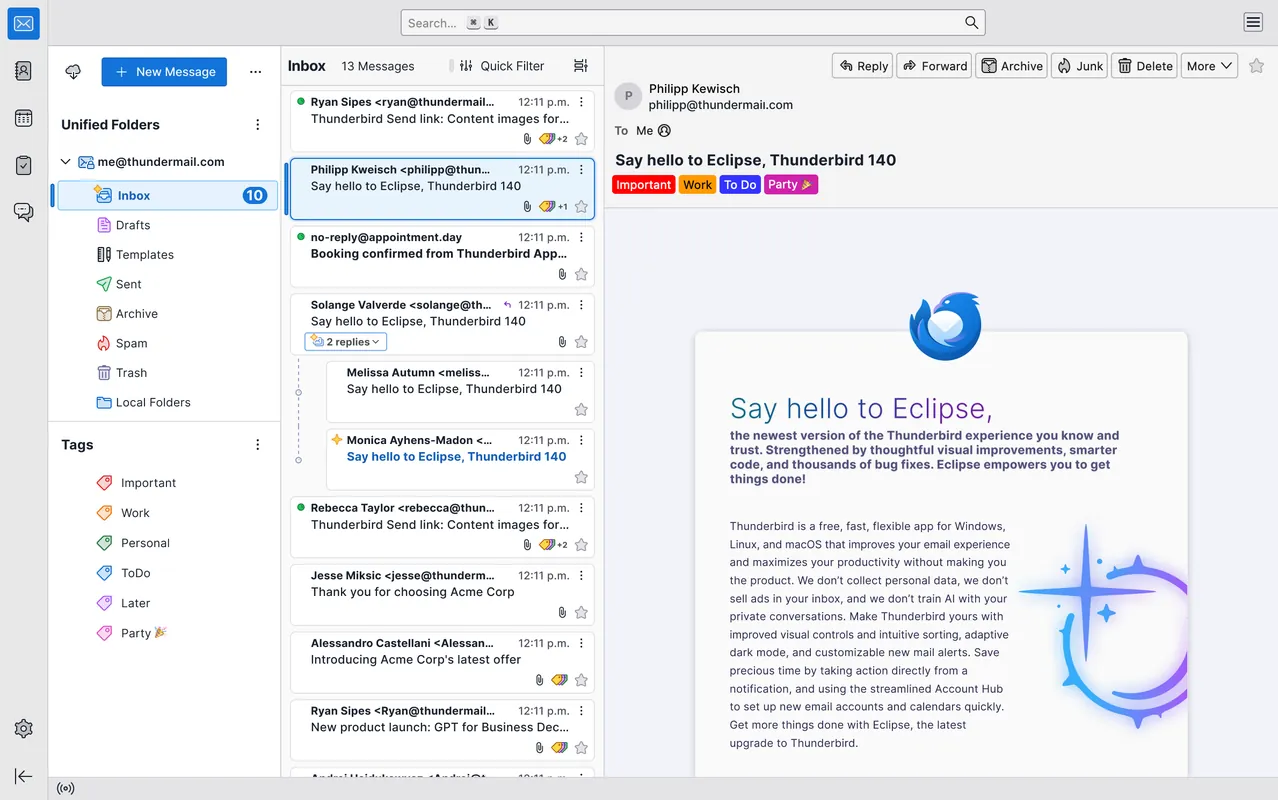
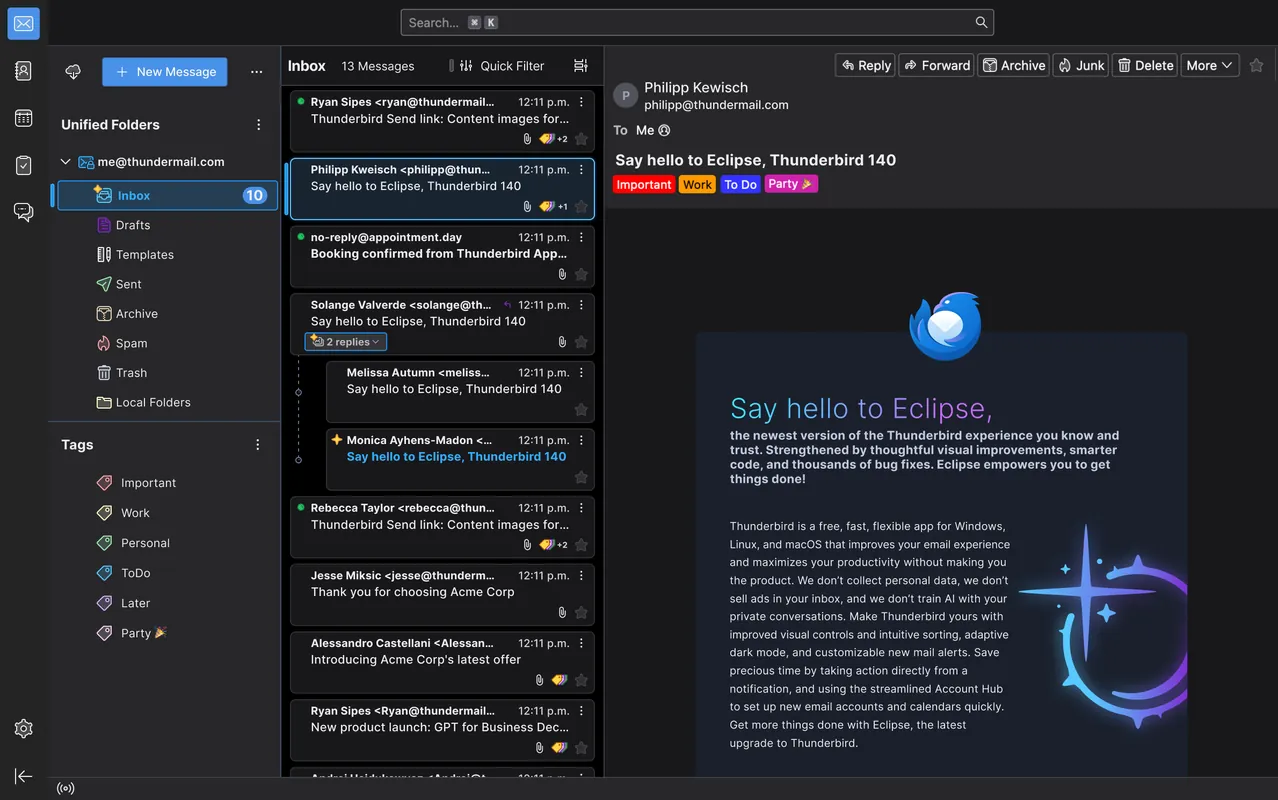
How to install
Windows
- Click the official download button to get the installer, or run 'winget install --id Mozilla.Thunderbird -e' in PowerShell/Command Prompt.
- Run the downloaded executable file to start the setup wizard.
- Follow the on-screen steps to complete the installation.
macOS
- Download the official installer using our download link, or execute 'brew install --cask thunderbird' in Terminal.
- Open the downloaded .dmg image and drag the Thunderbird icon into your Applications folder.
- Launch Thunderbird from Applications to configure your accounts.
Linux
- Visit the Flathub page via the official link or open your command line.
- Run the command: flatpak install flathub org.mozilla.thunderbird
- Confirm the prompts and launch Thunderbird from your desktop environment.
Android
- Click the official download link on this page to visit the store listing.
- Tap the install button to begin the setup.
- Open Thunderbird once installed and set up your email accounts.
Alternatives
- Microsoft Outlook
- eM Client
- Mailbird
Frequently asked questions
Is Mozilla Thunderbird completely free?
Yes, it is entirely free and open-source software distributed under the Mozilla Public License 2.0.
Can I connect multiple email accounts to Thunderbird?
Yes, Thunderbird supports adding multiple email accounts across different providers like Gmail, Yahoo, and private servers.
Does Thunderbird store my emails on Mozilla servers?
No, Thunderbird is a local client. Your messages and credentials remain stored on your local device and mail provider.