

Vim
Vim is a free, open-source classic text editor designed for fast keyboard editing. It works by switching between command and insert modes and is widely used on servers.
github.com · Official website
- ✓ Official source (winget)
- ✓ SHA256 taken from the official repository
- ✓ Last checked: Nov. 20, 2026
- This is not a virus scan. Check on VirusTotal
- Version
- 9.2.1310
- Release date
- Nov. 9, 2026
- License
- Copyright (C) 1991-2020 Bram Moolenaar [[email protected]] - Charityware / GNU GPL compatible
- Installer type
- nullsoft
How do I use this?
Type Terminal in the Start menu and open it, paste the command (Ctrl+V or right-click) and press Enter. It uses winget, Windows' own package manager, to install the program from its official source.
winget install --id vim.vim -eSHA256 (file verification)
fc24e3fc1ad1c255d5cfbe387360f1bb1e025aa46c3c18cc3f420fef7364c217flathub.org · Official website
- ✓ Community package (Flathub)
- ✓ Last checked: Nov. 20, 2026
- Version
- 9.2.1161
- Release date
- Sept. 30, 2026
- License
- Copyright (C) 1991-2020 Bram Moolenaar [[email protected]] - Charityware / GNU GPL compatible
- Installer type
- flatpak
How do I use this?
Open a terminal, paste the command and press Enter. Flatpak and Flathub must be set up; Linux Mint has them by default, for other distributions see flathub.org/setup.
flatpak install flathub org.vim.VimWe couldn't find a macOS version of Vim in the official repositories; check the publisher's website.
You can try these instead:
We couldn't find a Android version of Vim in the official repositories; check the publisher's website.
Platform pages: Windows · macOS · Linux · Android
Old versions (10)
Vim 9.2.1310: what's new?
- Fixed security vulnerabilities involving a heap buffer overflow with SOFO sections and unverified socketserver permissions.
- Fixed GTK4 window opening too small on startup and slow diff fold updates with many windows.
- Fixed Ascend C files not being recognized and a regexp overflow when parsing large numbers with \%d.
- Resolved a one-second delay when reading messages using --stdio-channel.
Summarized from the publisher's release notes.
Highlights
- Keyboard-driven modal editing
- Syntax highlighting and support for many languages
- Extend with plugins
- Macros and powerful find and replace
Who is it for?
For system administrators working on servers and developers who want to code without leaving the keyboard.
Good to know before installing
- Modal editing feels unusual to beginners.
- Advanced features require configuration.
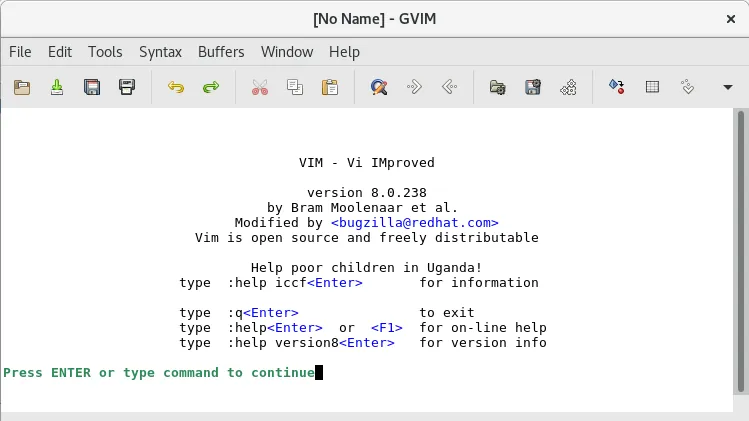
Screenshots
How to install
Windows
- Click the official download button on this page or use the winget command.
- Run the installer and follow the steps.
Linux
- Run the Flatpak command in a terminal.
- Open the program from the application menu.
Alternatives
Comparisons
Frequently asked questions
Is Vim free?
Yes. It is open source and free.
How do I quit Vim?
Press Esc and type :q; use :wq to save and quit, or :q! to quit without saving.
Where should I start learning?
The vimtutor lesson that comes with Vim teaches the basic commands step by step.