

XnView MP
XnView MP is free for personal use; business or commercial use requires a license.
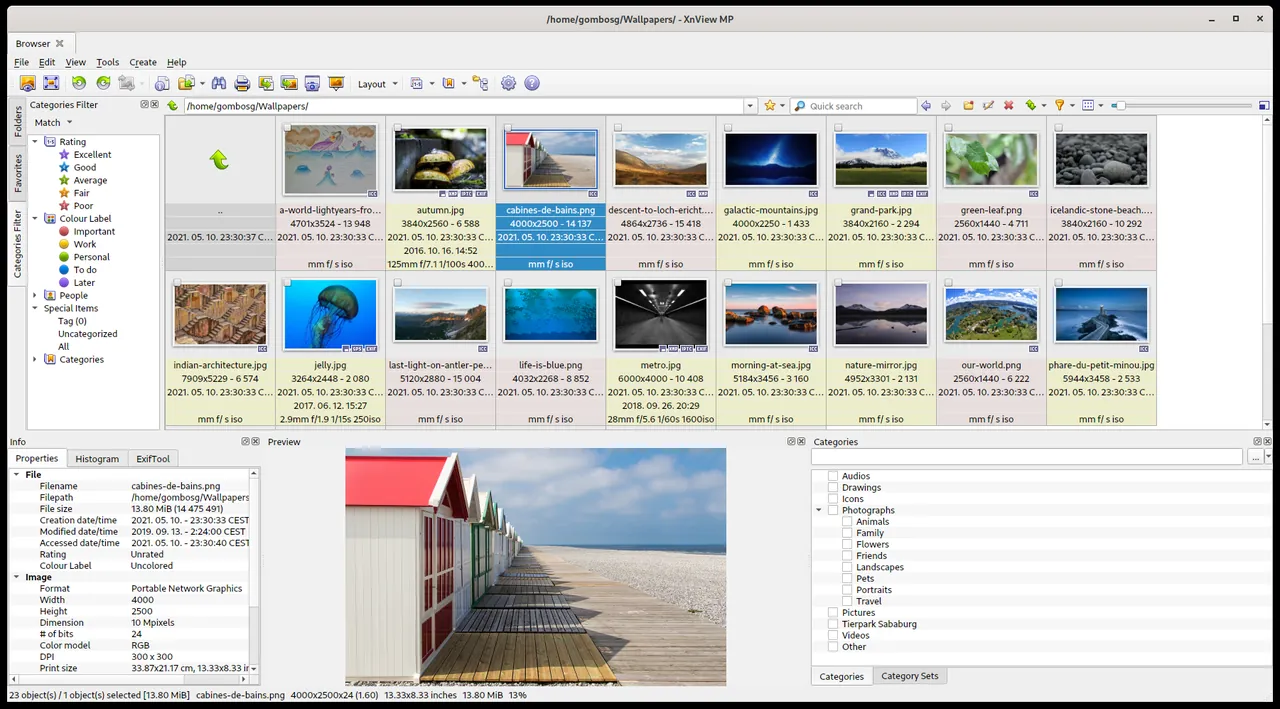
XnView MP is an image viewer, browser, and converter developed by Pierre-e Gougelet. It supports a vast range of graphic and camera RAW formats, providing tools for organizing photo collections, reading and editing metadata, and performing batch processing across desktop operating systems.
download.xnview.com · Official website
- ✓ Official source (winget)
- ✓ SHA256 taken from the official repository
- ✓ Last checked: Nov. 4, 2026
- This is not a virus scan. Check on VirusTotal
- Version
- 1.12.2.0
- Release date
- Oct. 12, 2026
- License
- Proprietary
- Installer type
- inno
How do I use this?
Type Terminal in the Start menu and open it, paste the command (Ctrl+V or right-click) and press Enter. It uses winget, Windows' own package manager, to install the program from its official source.
winget install --id XnSoft.XnViewMP -eSHA256 (file verification)
56aa2e1e968d8c83ca969e1f8ecf5a9d7c3d589ab9d892efa816498983d12735download.xnview.com · Official website
- ✓ Official source (Homebrew)
- ✓ SHA256 taken from the official repository
- ✓ Last checked: Nov. 4, 2026
- This is not a virus scan. Check on VirusTotal
- Version
- 1.12.2
- License
- Proprietary
- Installer type
- dmg
How do I use this?
This command needs Homebrew; if you don't have it, first run the install command from brew.sh. Then open Terminal (Applications > Utilities > Terminal), paste the command and press Enter.
brew install --cask xnviewmpSHA256 (file verification)
c0d5626d5f3edf63c9b42e9e0f852d248960314c52d580ff4644dbe8c5ae0fa1flathub.org · Official website
- ✓ Official source (Flathub)
- ✓ Last checked: Nov. 4, 2026
- Version
- 1.12.2
- Release date
- Oct. 12, 2026
- License
- Proprietary
- Installer type
- flatpak
How do I use this?
Open a terminal, paste the command and press Enter. Flatpak and Flathub must be set up; Linux Mint has them by default, for other distributions see flathub.org/setup.
flatpak install flathub com.xnview.XnViewMPWe couldn't find a Android version of XnView MP in the official repositories; check the publisher's website.
XnView MP 1.12.2.0: what's new?
Highlights
- Support for hundreds of image and RAW formats
- Batch image conversion and resizing utilities
- EXIF, IPTC, and XMP metadata viewing and editing
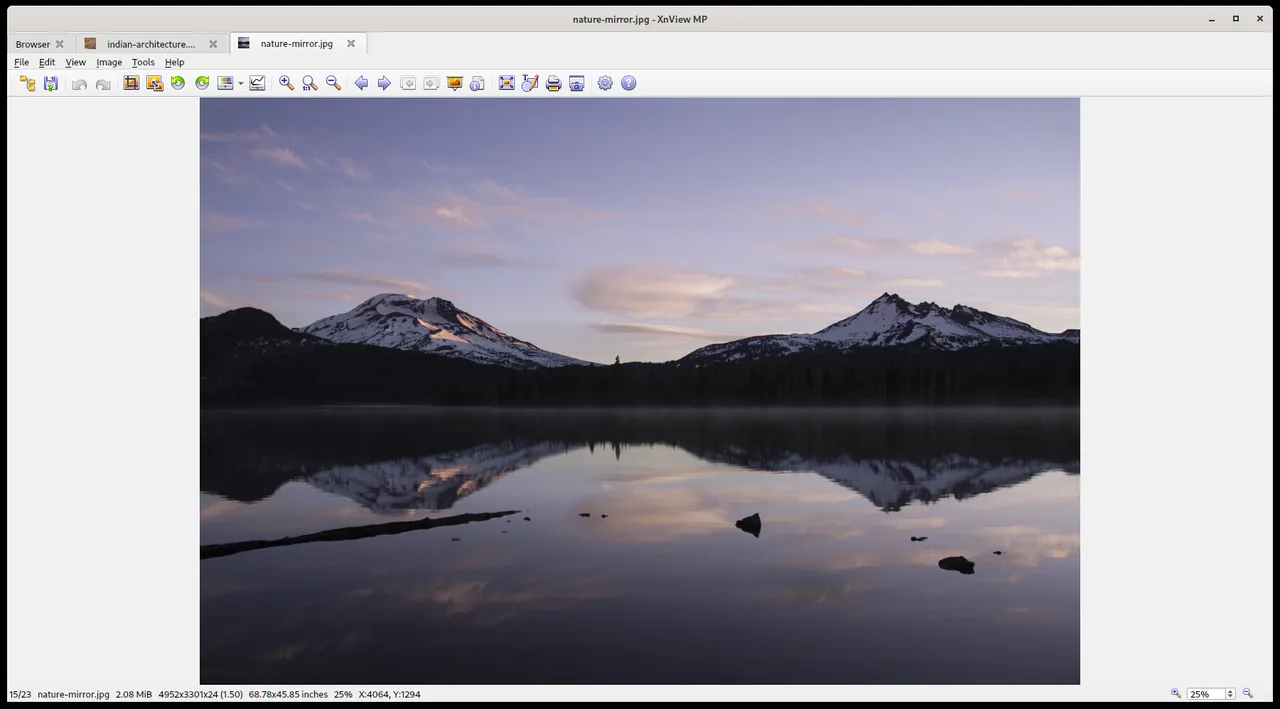
- Multiple viewing options including thumbnails, fullscreen, and slideshow
- Duplicate image finder and basic color adjustment tools
Who is it for?
It is designed for photographers, graphic designers, and archivists who need to organize extensive photo libraries, inspect metadata, and execute batch image conversions.
Good to know before installing
- Free only for personal or educational use; commercial deployment requires a paid license.
- The interface contains an extensive array of menus and toolbars, which can feel cluttered compared to minimal viewers.
- Editing capabilities are limited to basic adjustments, lacking advanced non-destructive RAW editing or layer tools.
Screenshots
How to install
Windows
- Click the official download button to get the official installer.
- Alternatively, run 'winget install --id XnSoft.XnViewMP -e' in Command Prompt or PowerShell.
- Run the downloaded setup file and follow the on-screen installation steps.
macOS
- Click the official download button or run 'brew install --cask xnviewmp' in the terminal.
- Open the downloaded .dmg file and drag XnView MP into your Applications folder.
- Launch XnView MP from Applications.
Linux
- Click the official download button to open the Flathub page.
- Alternatively, run 'flatpak install flathub com.xnview.XnViewMP' in your terminal.
- Launch XnView MP from your desktop application launcher.
Alternatives
- digiKam
- IrfanView (Free for personal use)
- FastStone Image Viewer (Free for personal use)
Frequently asked questions
Is XnView MP free to use?
It is free for personal, educational, and non-profit use. Commercial use requires purchasing a proprietary license.
What is the difference between classic XnView and XnView MP?
XnView MP is multi-platform (supporting Linux, macOS, and Windows) and features native 64-bit support with enhanced performance.
Can XnView MP process multiple files at once?
Yes, it contains a batch processing tool that allows renaming, converting, and resizing large sets of images simultaneously.