
Bitwarden
Bitwarden is an open-source password manager developed by Bitwarden Inc. It stores credentials, credit cards, identities, and secure notes inside an end-to-end encrypted vault. The service provides seamless vault synchronization across desktop and mobile devices.
github.com · Official website
- ✓ Official source (winget)
- ✓ SHA256 taken from the official repository
- ✓ Last checked: Nov. 4, 2026
- This is not a virus scan. Check on VirusTotal
- Version
- 2026.10.3
- Release date
- Nov. 2, 2026
- License
- GPL-3.0 or Bitwarden-1.0
- Installer type
- nullsoft
How do I use this?
Type Terminal in the Start menu and open it, paste the command (Ctrl+V or right-click) and press Enter. It uses winget, Windows' own package manager, to install the program from its official source.
winget install --id Bitwarden.Bitwarden -eSHA256 (file verification)
95fdabb86b73df3324710f1dea16eb52d92362ff1fee6ff04f390e173f7738d7github.com · Official website
- ✓ Official source (Homebrew)
- ✓ SHA256 taken from the official repository
- ✓ Last checked: Nov. 4, 2026
- This is not a virus scan. Check on VirusTotal
- Version
- 2026.10.3
- License
- GPL-3.0 or Bitwarden-1.0
- Installer type
- dmg
How do I use this?
This command needs Homebrew; if you don't have it, first run the install command from brew.sh. Then open Terminal (Applications > Utilities > Terminal), paste the command and press Enter.
brew install --cask bitwardenSHA256 (file verification)
eca6581226788c39eeff962b09dc64203a87068512bb2ab4f5050e45f6a75972flathub.org · Official website
- ✓ Official source (Flathub)
- ✓ Last checked: Nov. 4, 2026
- Version
- 2026.10.2
- Release date
- Oct. 29, 2026
- License
- GPL-3.0 or Bitwarden-1.0
- Installer type
- flatpak
How do I use this?
Open a terminal, paste the command and press Enter. Flatpak and Flathub must be set up; Linux Mint has them by default, for other distributions see flathub.org/setup.
flatpak install flathub com.bitwarden.desktopplay.google.com · Official website
- ✓ Official source (Google Play)
- ✓ Last checked: Nov. 4, 2026
- License
- GPL-3.0 or Bitwarden-1.0
Platform pages: Windows · macOS · Linux · Android
Old versions (10)
Bitwarden 2026.10.3: what's new?
Highlights
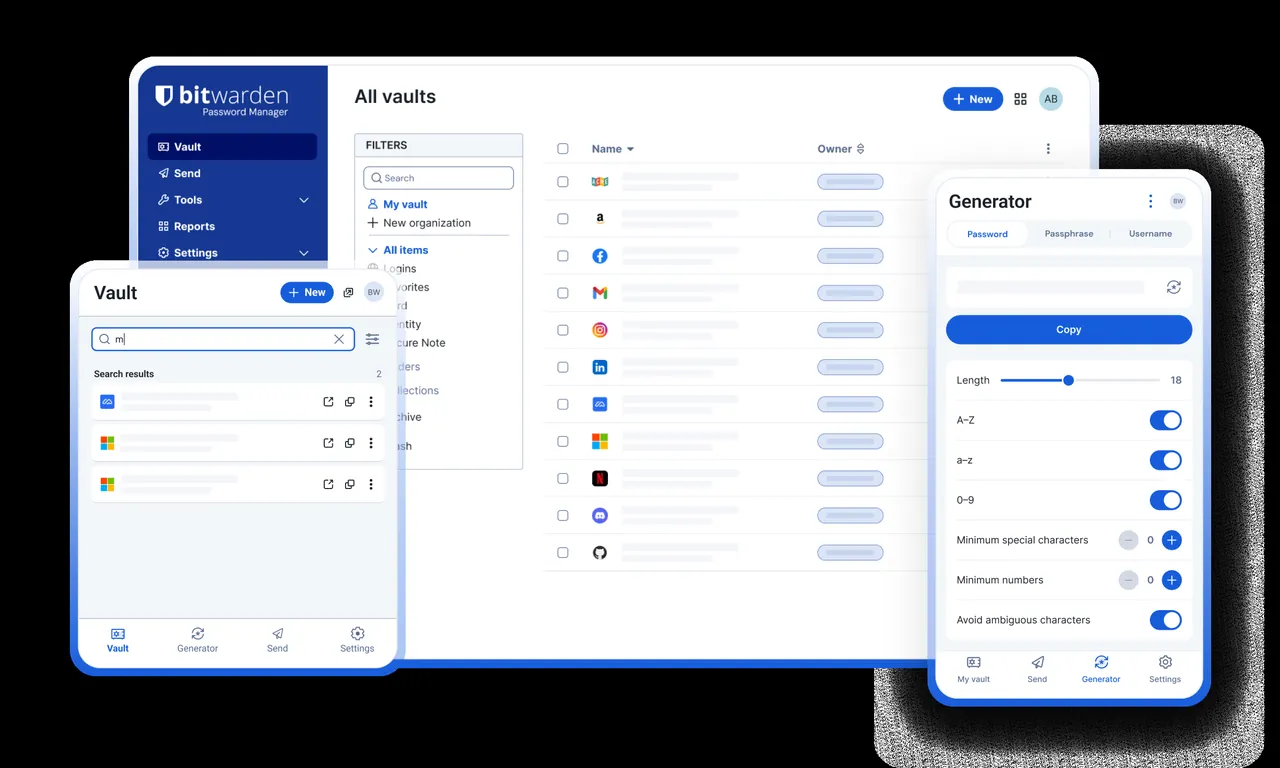
- End-to-end encrypted digital vault architecture
- Storage for logins, payment cards, identities, and notes
- Integrated strong password and passphrase generator
- Synchronization across Android, Linux, macOS, and Windows
Who is it for?
Bitwarden is designed for individuals, remote workers, and system administrators needing a centralized, encrypted repository for all their login credentials.
Good to know before installing
- Master password reset is not possible without an existing recovery code or configured emergency contact.
- Certain features like integrated TOTP authenticator storage require a paid plan.
- Self-hosting the backend requires basic Linux administration and container management knowledge.
Screenshots
How to install
Windows
- Download the setup file via our official link or run 'winget install --id Bitwarden.Bitwarden -e'.
- Run the installer and follow the short setup instructions.
- Launch the software and log in with your Bitwarden credentials.
macOS
- Download the official installer using our link or run 'brew install --cask bitwarden'.
- Move the application bundle into your Applications folder.
- Open Bitwarden and enter your master password to access your vault.
Linux
- Visit the Flathub page using our official link or run 'flatpak install flathub com.bitwarden.desktop'.
- Confirm the prompt to proceed with the flatpak package installation.
- Launch Bitwarden from your desktop application launcher.
Android
- Click the official download link on this page to visit the store listing.
- Install the Bitwarden app directly to your mobile device.
- Launch the application and sign in or create a new account.
Alternatives
- KeePassXC
- Proton Pass
- 1Password
Frequently asked questions
Is Bitwarden completely free to use?
Yes, Bitwarden is open source and offers free personal password management with unlimited devices.
Can Bitwarden staff recover my master password?
No, because Bitwarden uses zero-knowledge encryption, nobody else has access to your master key.
Can I self-host Bitwarden on my own server?
Yes, the open-source backend can be deployed and hosted on your private server infrastructure.