

draw.io
draw.io is a free, open-source desktop program for drawing diagrams such as flowcharts, UML, network diagrams and org charts. It works offline, needs no account and stores your files on your own computer.
github.com · Official website
- ✓ Official source (winget)
- ✓ SHA256 taken from the official repository
- ✓ Last checked: Nov. 20, 2026
- This is not a virus scan. Check on VirusTotal
- Version
- 32.7.4
- Release date
- Nov. 17, 2026
- License
- GPL-3.0
- Installer type
- nullsoft
How do I use this?
Type Terminal in the Start menu and open it, paste the command (Ctrl+V or right-click) and press Enter. It uses winget, Windows' own package manager, to install the program from its official source.
winget install --id JGraph.Draw -eSHA256 (file verification)
f4d5cbfa71763c76c0d0834ff27064b55e6e42b28541101f091262002c608346github.com · Official website
- ✓ Official source (Homebrew)
- ✓ SHA256 taken from the official repository
- ✓ Last checked: Nov. 20, 2026
- This is not a virus scan. Check on VirusTotal
- Version
- 32.7.4
- License
- GPL-3.0
- Installer type
- dmg
How do I use this?
This command needs Homebrew; if you don't have it, first run the install command from brew.sh. Then open Terminal (Applications > Utilities > Terminal), paste the command and press Enter.
brew install --cask drawioSHA256 (file verification)
b0ba01224cdc4817ebf218d73b2a45ff3569f8c9135ad422c5157655062900b3flathub.org · Official website
- ✓ Community package (Flathub)
- ✓ Last checked: Nov. 20, 2026
- Version
- 32.7.4
- Release date
- Nov. 17, 2026
- License
- GPL-3.0
- Installer type
- flatpak
How do I use this?
Open a terminal, paste the command and press Enter. Flatpak and Flathub must be set up; Linux Mint has them by default, for other distributions see flathub.org/setup.
flatpak install flathub com.jgraph.drawio.desktopWe couldn't find a Android version of draw.io in the official repositories; check the publisher's website.
You can try these instead:
Platform pages: Windows · macOS · Linux · Android
Old versions (10)
draw.io 32.7.4: what's new?
Highlights
- Shape libraries for flowcharts, UML, networks, BPMN and org charts
- Works offline, no account required
- Export to PNG, SVG and PDF
- Import Visio (.vsdx) files
Who is it for?
For developers, system administrators, business analysts, students and anyone preparing diagrams for presentations.
Good to know before installing
- The desktop app has no real-time collaboration.
- It is designed for diagrams, not for freehand drawing or illustration.
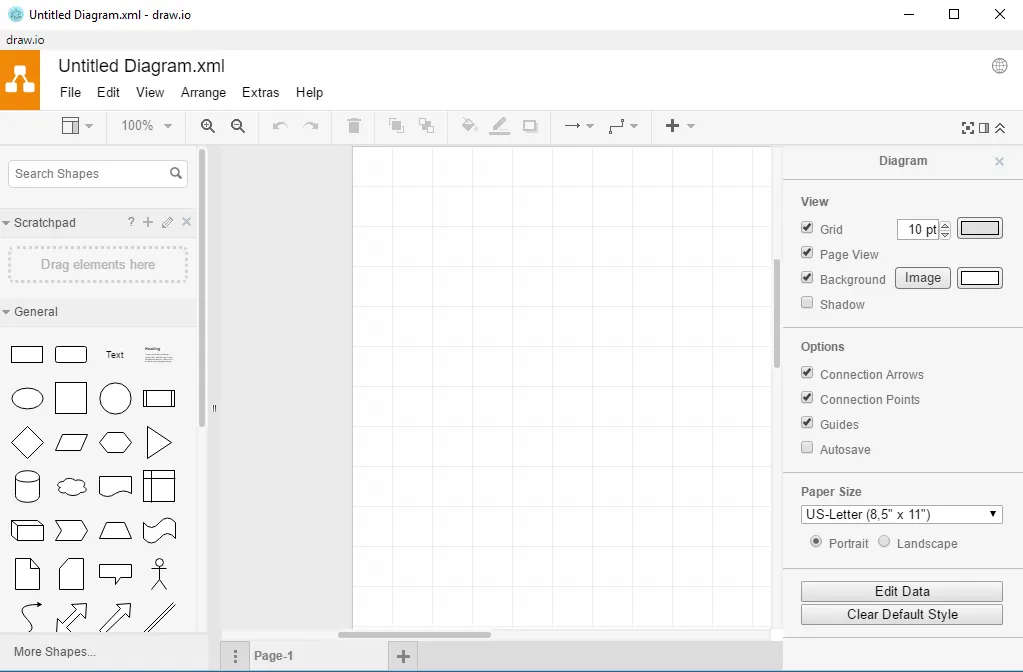
Screenshots
How to install
Windows
- Click the official download button on this page or use the winget command.
- Run the installer and follow the steps.
macOS
- Use the Homebrew command or download from the official site.
- Move the app to the Applications folder and open it.
Linux
- Run the Flatpak command in a terminal.
- Open the program from the application menu.
Alternatives
Comparisons
Frequently asked questions
Is draw.io free?
Yes. It is open source and free.
Can it replace Visio?
For most diagram work, yes; it imports Visio files and offers similar shape libraries. Some formatting in complex Visio files may look different.
Where are my files stored?
In the desktop app, files are saved on your own computer as .drawio files; they are not sent to a server.