

Mozilla Firefox
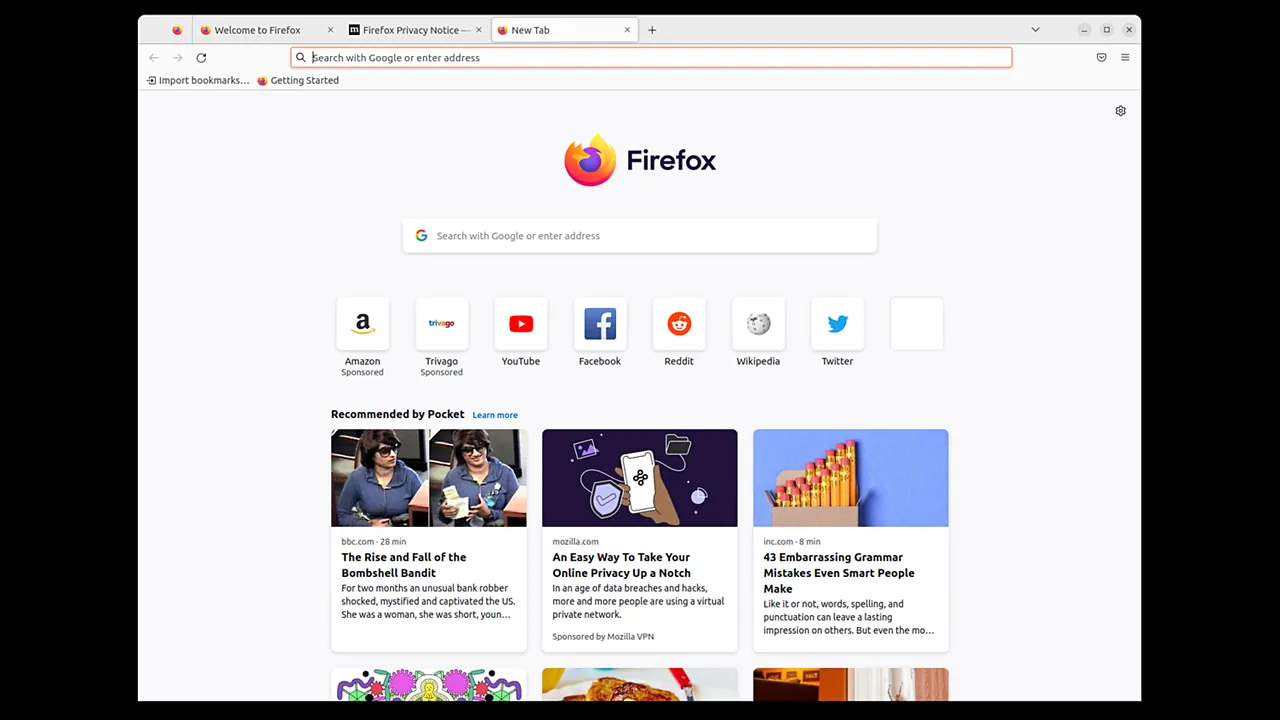
Mozilla Firefox is a free and open-source web browser developed by Mozilla. Operating on the Gecko layout engine, Firefox provides built-in tracking prevention, rich extension support, and flexible interface customization without relying on Chromium.
download-installer.cdn.mozilla.net · Official website
- ✓ Official source (winget)
- ✓ SHA256 taken from the official repository
- ✓ Last checked: Nov. 4, 2026
- This is not a virus scan. Check on VirusTotal
- Version
- 159.0
- Release date
- Oct. 27, 2026
- License
- MPL-2.0
- Installer type
- nullsoft
How do I use this?
Type Terminal in the Start menu and open it, paste the command (Ctrl+V or right-click) and press Enter. It uses winget, Windows' own package manager, to install the program from its official source.
winget install --id Mozilla.Firefox -eSHA256 (file verification)
8776887b79925abbdd407fcdfe257d8382b54e24be52a6466426b95a804d6790Other supported versions
Mozilla Firefox ESR · 153.6.0 · Oct. 27, 2026 Download
winget install --id Mozilla.Firefox.ESR -eSHA256 (file verification)
f367f2e4714ad86459e1f383848ea1633216a424aee28b4977ab0d52b4901151download-installer.cdn.mozilla.net · Official website
- ✓ Official source (Homebrew)
- ✓ SHA256 taken from the official repository
- ✓ Last checked: Nov. 4, 2026
- This is not a virus scan. Check on VirusTotal
- Version
- 159.0.1
- License
- MPL-2.0
- Installer type
- dmg
How do I use this?
This command needs Homebrew; if you don't have it, first run the install command from brew.sh. Then open Terminal (Applications > Utilities > Terminal), paste the command and press Enter.
brew install --cask firefoxSHA256 (file verification)
0c214da4439c1eb4cea28a3c141ff112d511aa32c67f9d12e91116569c8d8ddaflathub.org · Official website
- ✓ Official source (Flathub)
- ✓ Last checked: Nov. 4, 2026
- Version
- 159.0
- Release date
- Oct. 22, 2026
- License
- MPL-2.0
- Installer type
- flatpak
How do I use this?
Open a terminal, paste the command and press Enter. Flatpak and Flathub must be set up; Linux Mint has them by default, for other distributions see flathub.org/setup.
flatpak install flathub org.mozilla.firefoxplay.google.com · Official website
- ✓ Official source (Google Play)
- ✓ Last checked: Nov. 4, 2026
- License
- MPL-2.0
Platform pages: Windows · macOS · Linux · Android
Old versions (10)
Security update: according to the publisher's release notes, Mozilla Firefox 159.0 fixes security vulnerabilities. If you use an older version, update.
Official release notes →
The US Cybersecurity and Infrastructure Security Agency (CISA) has confirmed that these vulnerabilities in older versions of Mozilla Firefox were used in real attacks. Keep the program up to date:
- CVE-2024-9680 – Mozilla Firefox Use-After-Free Vulnerability (Oct. 15, 2024)
Mozilla Firefox 159.0: what's new?
- Smart Window can now monitor web pages for changes such as price drops or restocks and send desktop notifications (gradual roll-out).
- Saved passwords are now accessible directly from the sidebar by default.
- Open tabs can now be searched using a keyboard shortcut (Ctrl+Shift+A on Windows and Linux, Cmd+Shift+A on macOS), and macOS now uses the native share picker.
- Various security fixes and bug resolutions, including fixes for Chrome bookmark imports and video display issues.
Summarized from the publisher's release notes.
Highlights
- Open-source development licensed under MPL-2.0
- Independent Gecko and SpiderMonkey rendering engines
- Enhanced tracking protection against web trackers
- Cross-device synchronization for bookmarks, tabs, and passwords
- Extensive library of extensions and interface themes
Who is it for?
It is aimed at everyday web users, researchers, and developers who seek an independent, privacy-conscious browser for daily navigation, web development, and secure browsing across multiple devices.
Good to know before installing
- Because it uses the Gecko engine rather than Chromium, occasional rendering or compatibility issues can occur on sites optimized solely for Chrome.
- Its add-on ecosystem is hosted on Mozilla Add-ons, meaning Chrome Web Store extensions cannot be installed directly without porting.
- Resource and RAM usage can become noticeable when running many concurrent tabs and heavy extensions.
Screenshots
How to install
Windows
- Download the installer file or run 'winget install --id Mozilla.Firefox -e' in PowerShell/Command Prompt.
- Launch the downloaded installer executable.
- Follow the setup wizard to complete the installation.
macOS
- Download the official DMG package or run 'brew install --cask firefox' in Terminal.
- Open the downloaded disk image.
- Drag the Firefox icon into your Applications folder.
Linux
- Visit the Flathub page via the download link or open your terminal.
- Run 'flatpak install flathub org.mozilla.firefox'.
- Confirm the prompts to finalize the installation.
Android
- Use the download link to open the app page in the official store.
- Tap Install to begin downloading.
- Launch Firefox once the installation finishes.
Alternatives
- Google Chrome
- Brave
- Chromium
Frequently asked questions
Is Mozilla Firefox completely free to use?
Yes, Firefox is free and open-source software distributed under the Mozilla Public License 2.0.
Does Firefox use the Chromium engine?
No, Firefox is built on Mozilla's own Gecko engine, maintaining an independent web platform.
Can I sync browsing data across multiple devices?
Yes, signing in with a Firefox Account allows you to sync bookmarks, history, and tabs across supported platforms.