

FreeCAD
FreeCAD is a free, open-source parametric 3D design (CAD) program. It is used for mechanical parts, product design and architectural drawings; when you change a dimension, the model updates itself.
github.com · Official website
- ✓ Official source (winget)
- ✓ SHA256 taken from the official repository
- ✓ Last checked: Nov. 20, 2026
- This is not a virus scan. Check on VirusTotal
- Version
- 1.1.4
- Release date
- Sept. 28, 2026
- License
- LGPL-2.0-or-later
- Installer type
- nullsoft
How do I use this?
Type Terminal in the Start menu and open it, paste the command (Ctrl+V or right-click) and press Enter. It uses winget, Windows' own package manager, to install the program from its official source.
winget install --id FreeCAD.FreeCAD -eSHA256 (file verification)
845f7101d33faf257a82a0cadc5f4f3804441f46ee493eb32b92fcf9c7147a24github.com · Official website
- ✓ Official source (Homebrew)
- ✓ SHA256 taken from the official repository
- ✓ Last checked: Nov. 20, 2026
- This is not a virus scan. Check on VirusTotal
- Version
- 1.1.4
- License
- LGPL-2.0-or-later
- Installer type
- dmg
How do I use this?
This command needs Homebrew; if you don't have it, first run the install command from brew.sh. Then open Terminal (Applications > Utilities > Terminal), paste the command and press Enter.
brew install --cask freecadSHA256 (file verification)
071343b4abb70492b75c973f41eaf1d2528f9b9c7ea018d22a4f46ae14d27ac0flathub.org · Official website
- ✓ Official source (Flathub)
- ✓ Last checked: Nov. 20, 2026
- Version
- 1.1.4
- Release date
- Sept. 28, 2026
- License
- LGPL-2.0-or-later
- Installer type
- flatpak
How do I use this?
Open a terminal, paste the command and press Enter. Flatpak and Flathub must be set up; Linux Mint has them by default, for other distributions see flathub.org/setup.
flatpak install flathub org.freecad.FreeCADWe couldn't find a Android version of FreeCAD in the official repositories; check the publisher's website.
Platform pages: Windows · macOS · Linux · Android
Old versions (10)
Security update: according to the publisher's release notes, FreeCAD 1.1.4 fixes security vulnerabilities. If you use an older version, update.
Official release notes →
FreeCAD 1.1.4: what's new?
Highlights
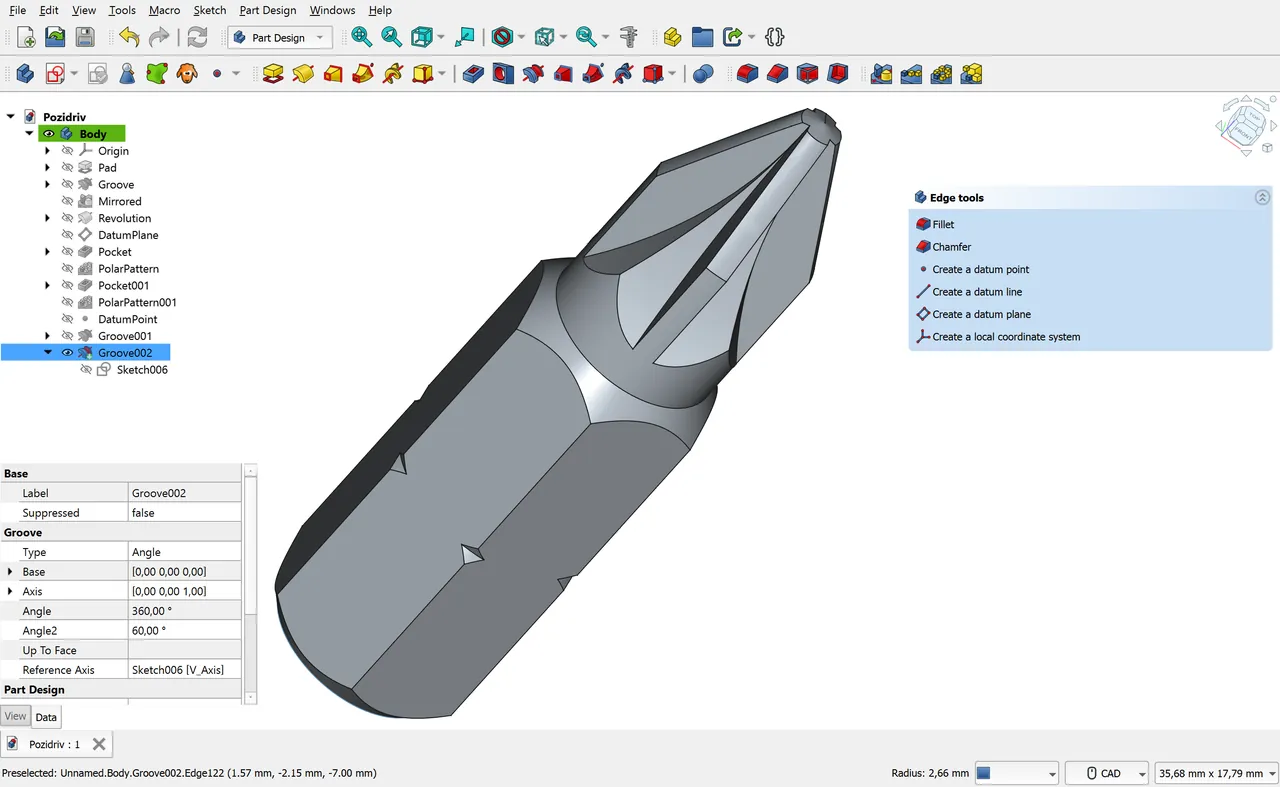
- Parametric part design and sketching
- Technical drawings
- Open and save STEP, IGES and STL files
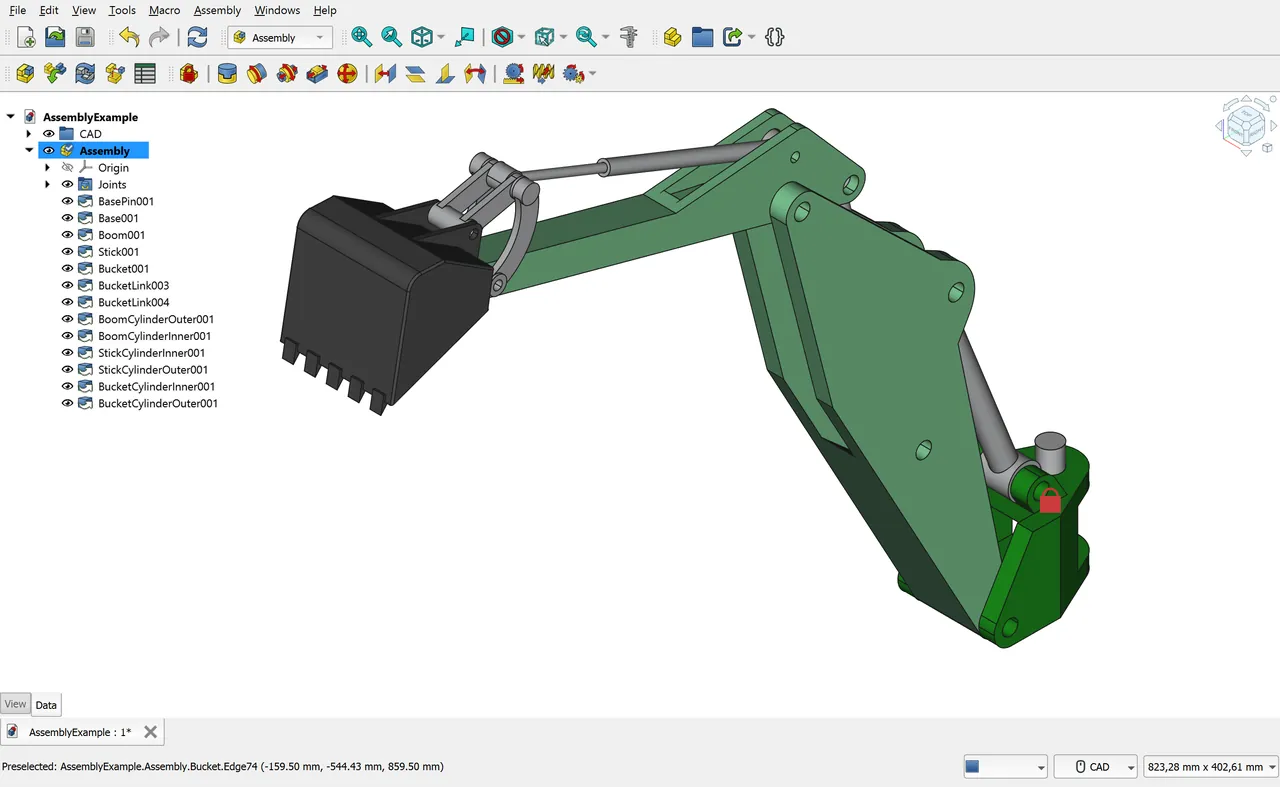
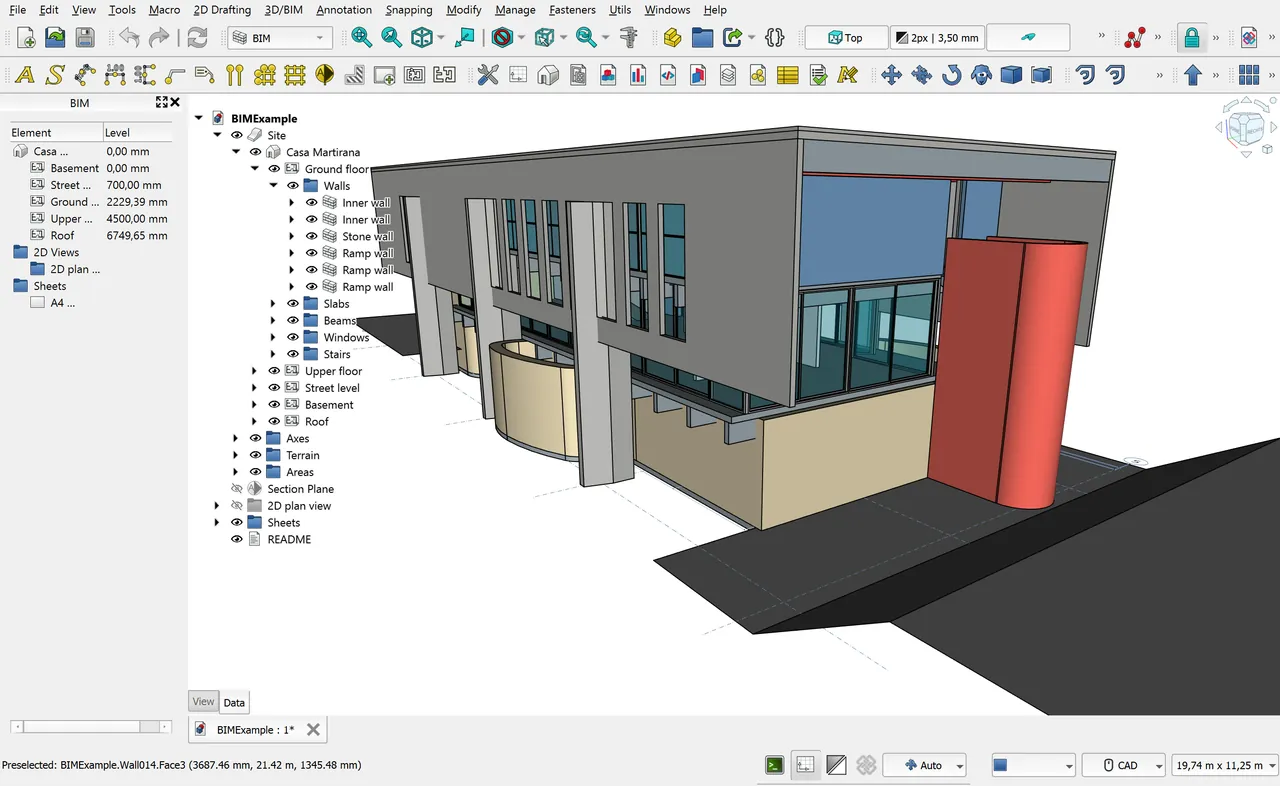
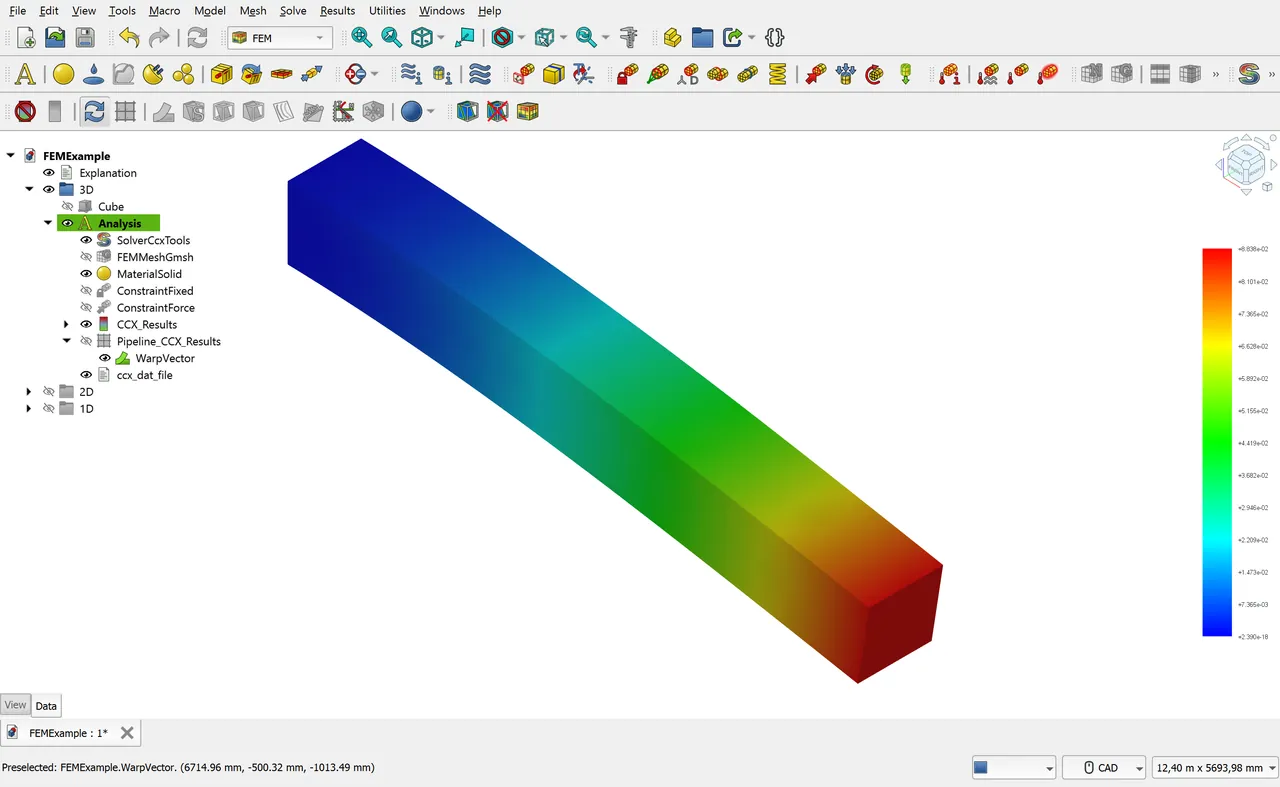
- Workbenches for architecture, finite element analysis and CNC
Who is it for?
For engineering students, 3D printing users and designers looking for a free CAD program.
Good to know before installing
- The interface and workflow can feel complex to beginners.
- It lacks some advanced features of commercial CAD programs.
Screenshots
How to install
Windows
- Click the official download button on this page or use the winget command.
- Run the installer and follow the steps.
macOS
- Use the Homebrew command or download from the official site.
- Move the app to the Applications folder and open it.
Linux
- Run the Flatpak command in a terminal.
- Open the program from the application menu.
Alternatives
Comparisons
Frequently asked questions
Is FreeCAD free?
Yes. It is open source and free.
Can I use it for 3D printing?
Yes. Export your part as STL and open it in a slicer.
Is it hard to learn?
Like professional CAD programs it takes time; starting with the official documentation and tutorials is recommended.