

LibreCAD
LibreCAD is a free, open-source 2D computer-aided design (CAD) program. It offers layers, dimensioning and snapping tools for technical drawings, floor plans and part drawings, and works directly with DXF files.
github.com · Official website
- ✓ Official source (winget)
- ✓ SHA256 taken from the official repository
- ✓ Last checked: Nov. 20, 2026
- This is not a virus scan. Check on VirusTotal
- Version
- 2.2.1.6
- Release date
- Oct. 17, 2026
- License
- GPLv2
- Installer type
- nullsoft
How do I use this?
Type Terminal in the Start menu and open it, paste the command (Ctrl+V or right-click) and press Enter. It uses winget, Windows' own package manager, to install the program from its official source.
winget install --id LibreCAD.LibreCAD -eSHA256 (file verification)
0cd876d0e3fbfcdcdb85e5019080aca243908f4ad5c3b3c93a55ee9ba154f95bflathub.org · Official website
- ✓ Official source (Flathub)
- ✓ Last checked: Nov. 20, 2026
- Version
- 2.2.1.6
- Release date
- Oct. 17, 2026
- License
- GPLv2
- Installer type
- flatpak
How do I use this?
Open a terminal, paste the command and press Enter. Flatpak and Flathub must be set up; Linux Mint has them by default, for other distributions see flathub.org/setup.
flatpak install flathub org.librecad.librecadWe couldn't find a macOS version of LibreCAD in the official repositories; check the publisher's website.
You can try these instead:
We couldn't find a Android version of LibreCAD in the official repositories; check the publisher's website.
You can try these instead:
Platform pages: Windows · macOS · Linux · Android
Old versions (3)
LibreCAD 2.2.1.6: what's new?
Highlights
- Open and save DXF files, import DWG files
- Layers and reusable blocks
- Object snapping, dimensioning and hatching
- Export to PDF and SVG, print to scale
Who is it for?
For students learning technical drawing, hobbyists drawing floor plans or parts, and anyone who does not want paid CAD for simple 2D work.
Good to know before installing
- There is no 3D modeling.
- It cannot save as DWG; exchanging files with DWG-based teams may require conversion.
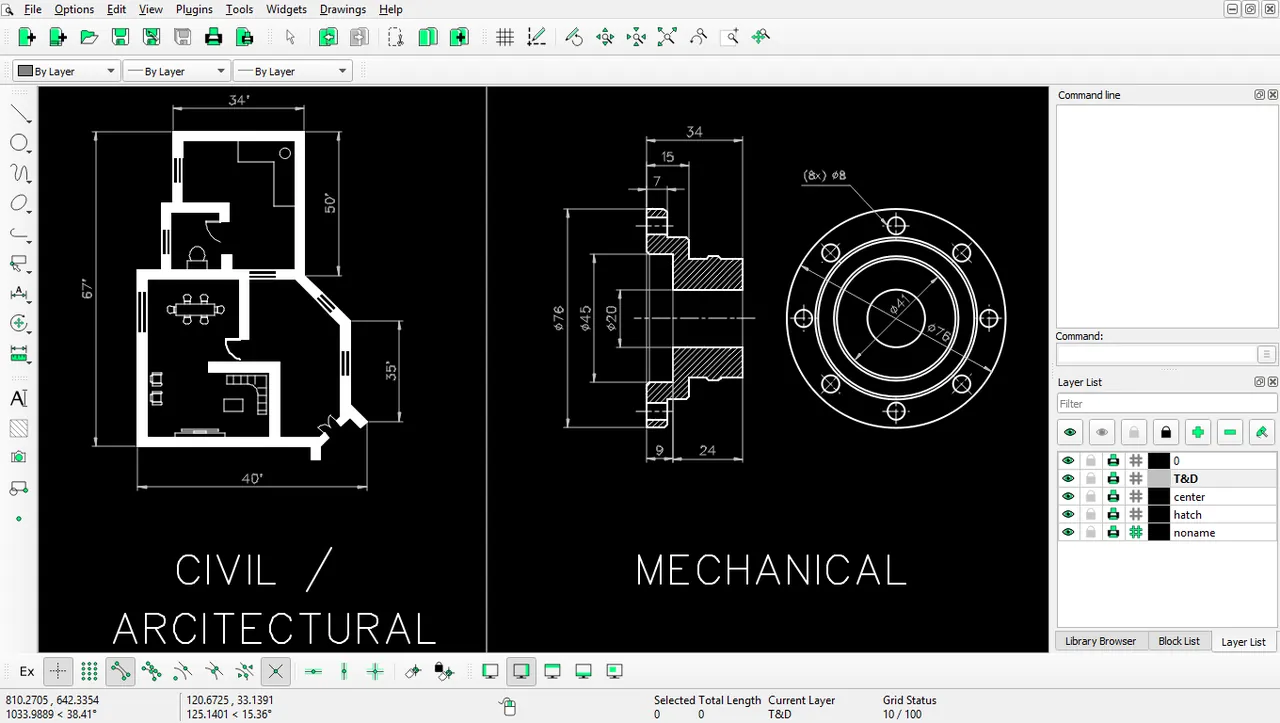
Screenshots
How to install
Windows
- Click the official download button on this page or use the winget command.
- Run the installer and follow the steps.
Linux
- Run the Flatpak command in a terminal.
- Open the program from the application menu.
Alternatives
Comparisons
Frequently asked questions
Is LibreCAD free?
Yes. It is open source and free.
Can I draw in 3D?
No, LibreCAD is for 2D drawing only. For 3D modeling you need a program such as FreeCAD.
Does it open DWG files?
It can import DWG files but cannot save as DWG; drawings are stored in DXF format.