

JDownloader 2
JDownloader 2 is a free download manager designed to organize and automate file downloads from hosting services and web links. It detects copied links from the clipboard, supports multi-threaded transfers, and can extract compressed archives automatically upon completion.
installer.jdownloader.org · Official website
- ✓ Official source (winget)
- ✓ SHA256 taken from the official repository
- ✓ Last checked: Nov. 4, 2026
- This is not a virus scan. Check on VirusTotal
- Version
- 2.0
- License
- Copyright © 2009-2026 AppWork GmbH
- Installer type
- exe
How do I use this?
Type Terminal in the Start menu and open it, paste the command (Ctrl+V or right-click) and press Enter. It uses winget, Windows' own package manager, to install the program from its official source.
winget install --id AppWork.JDownloader -eSHA256 (file verification)
f4346f7dcedd3e885f271fbb3182e9e7cef3bbd02c6b034f7d1b959856d100e7installer.jdownloader.org · Official website
- ✓ Official source (Homebrew)
- ✓ Last checked: Nov. 4, 2026
- Version
- latest
- License
- Copyright © 2009-2026 AppWork GmbH
- Installer type
- dmg
How do I use this?
This command needs Homebrew; if you don't have it, first run the install command from brew.sh. Then open Terminal (Applications > Utilities > Terminal), paste the command and press Enter.
brew install --cask jdownloaderflathub.org · Official website
- ✓ Community package (Flathub)
- ✓ Last checked: Nov. 4, 2026
- Version
- 2.0
- Release date
- Jan. 1, 2011
- License
- Copyright © 2009-2026 AppWork GmbH
- Installer type
- flatpak
How do I use this?
Open a terminal, paste the command and press Enter. Flatpak and Flathub must be set up; Linux Mint has them by default, for other distributions see flathub.org/setup.
flatpak install flathub org.jdownloader.JDownloaderWe couldn't find a Android version of JDownloader 2 in the official repositories; check the publisher's website.
Highlights
- Automatic link detection from clipboard
- Simultaneous multi-connection and batch downloads
- Automatic archive extraction for completed downloads
- Bandwidth limitation, pause, and resume capabilities
Who is it for?
JDownloader 2 is designed for users who frequently download files from file-hosting services or manage large batches of web links. It is commonly used by power users needing to automate link capture, captcha handling, and archive extraction.
Good to know before installing
- The user interface contains numerous settings and can feel overly complex for casual users.
- Being Java-based, it generally consumes more system memory than lightweight native download managers.
- While free to use, the software is proprietary and not open-source.
Screenshots
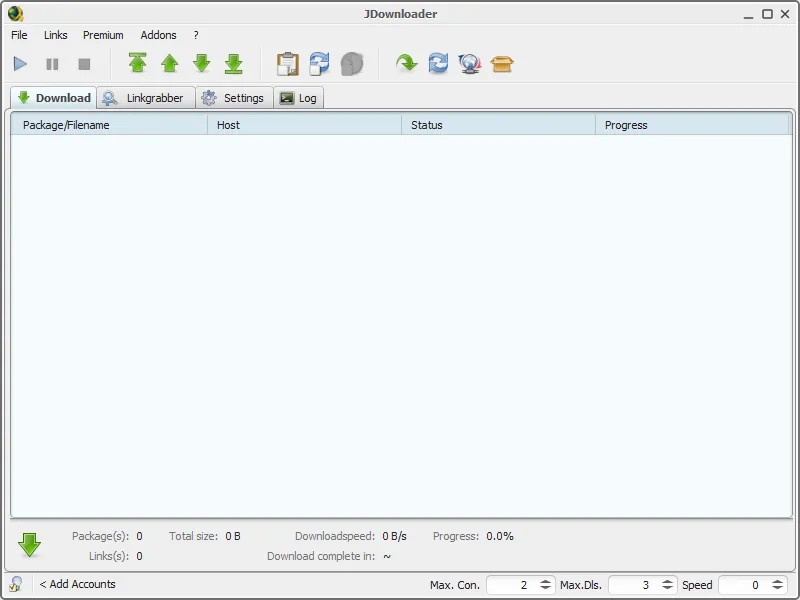
How to install
Windows
- Click the official download button or execute winget install --id AppWork.JDownloader -e in Command Prompt.
- Run the downloaded installer and follow the setup instructions.
- Launch JDownloader 2 from the Start menu or desktop shortcut.
macOS
- Download the installer using the official download button or run brew install --cask jdownloader in Terminal.
- Open the downloaded installer and follow the on-screen setup steps.
- Open JDownloader 2 from your Applications folder.
Linux
- Open the Flathub page via the official download button or run flatpak install flathub org.jdownloader.JDownloader in your terminal.
- Confirm the installation prompts to install the package.
- Launch JDownloader 2 from your system application menu.
Alternatives
Frequently asked questions
Is JDownloader 2 free to use?
Yes, JDownloader 2 is entirely free software provided by AppWork GmbH.
Which operating systems support JDownloader 2?
It is officially supported on Windows, macOS, and Linux.
Does JDownloader 2 require a separate Java installation?
Standard official installers generally bundle the necessary runtime environment, so a separate Java installation is usually not required.