

Free Download Manager
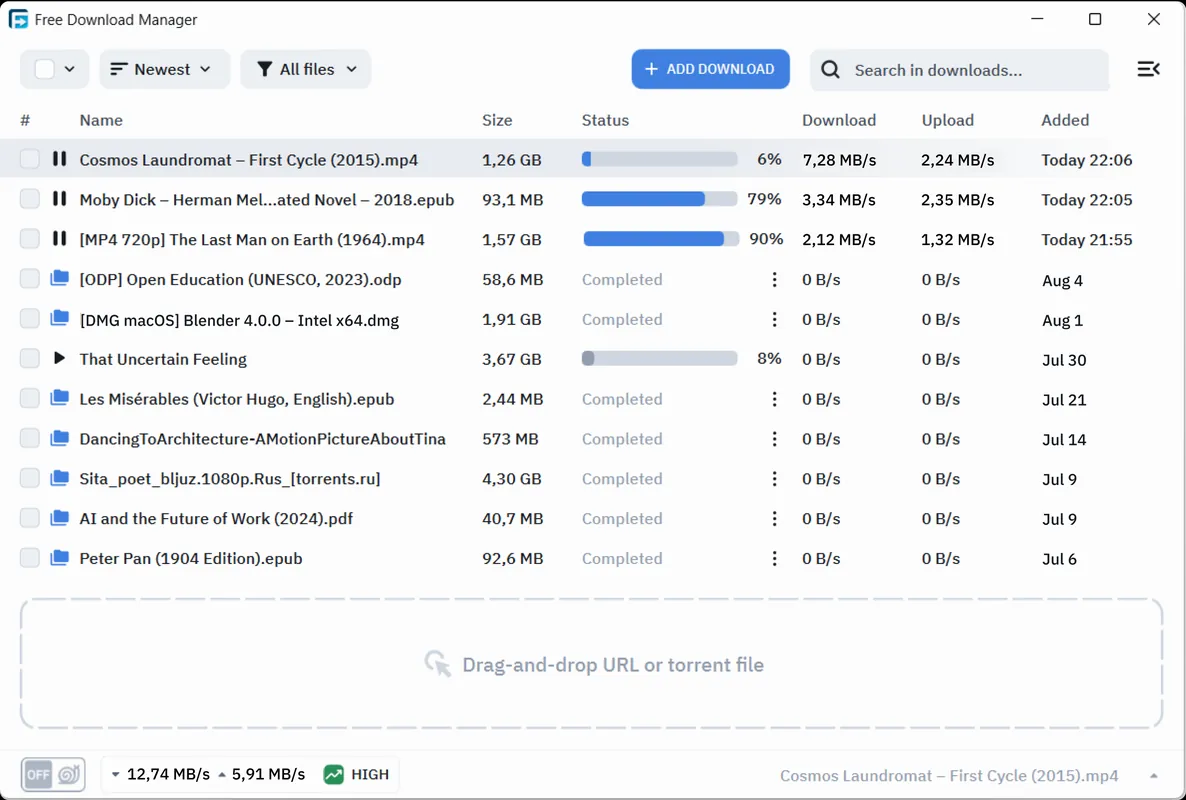
Free Download Manager is a comprehensive standalone download accelerator and organizer. It splits files into multiple sections to optimize transfer speeds and allows resuming interrupted transfers. In addition to standard HTTP, HTTPS, and FTP downloads, it includes native support for the BitTorrent protocol and magnet links.
dn3.freedownloadmanager.org · Official website
- ✓ Official source (winget)
- ✓ SHA256 taken from the official repository
- ✓ Last checked: Nov. 4, 2026
- This is not a virus scan. Check on VirusTotal
- Version
- 6.35.2.7075
- Release date
- Oct. 22, 2026
- License
- Freeware
- Installer type
- inno
How do I use this?
Type Terminal in the Start menu and open it, paste the command (Ctrl+V or right-click) and press Enter. It uses winget, Windows' own package manager, to install the program from its official source.
winget install --id SoftDeluxe.FreeDownloadManager -eSHA256 (file verification)
6a3c5beacaa9dce8c70967e4cbf541533ce9438722028b605f7b05c3d1c1fbbbfiles2.freedownloadmanager.org · Official website
- ✓ Official source (Homebrew)
- ✓ Last checked: Nov. 4, 2026
- Version
- 6.35.2
- License
- Freeware
- Installer type
- dmg
How do I use this?
This command needs Homebrew; if you don't have it, first run the install command from brew.sh. Then open Terminal (Applications > Utilities > Terminal), paste the command and press Enter.
brew install --cask free-download-managerflathub.org · Official website
- ✓ Official source (Flathub)
- ✓ Last checked: Nov. 4, 2026
- Version
- 6.34.2.6926
- Release date
- July 3, 2026
- License
- Freeware
- Installer type
- flatpak
How do I use this?
Open a terminal, paste the command and press Enter. Flatpak and Flathub must be set up; Linux Mint has them by default, for other distributions see flathub.org/setup.
flatpak install flathub org.freedownloadmanager.ManagerWe couldn't find a Android version of Free Download Manager in the official repositories; check the publisher's website.
Platform pages: Windows · macOS · Linux · Android
Old versions (1)
Free Download Manager 6.35.2.7075: what's new?
- Improved support for add-ons.
- Added display of information about completed MP3/MP4 conversion operations.
- Android: fixed an issue where files downloaded to an SD card could not be opened.
- Updated Libtorrent to version 2.1.2 and fixed minor bugs.
Summarized from the publisher's release notes.
Highlights
- Multi-threaded downloading to accelerate large file transfers
- Automatic resume capabilities for broken or paused connections
- Built-in BitTorrent client supporting torrent files and magnet links
- Traffic throttling modes and automated download scheduling
Who is it for?
Ideal for users handling large file transfers, ISO images, and torrents who need reliable resume capabilities and bandwidth scheduling.
Good to know before installing
- It is closed-source freeware, not open-source software.
- Media capture from specific streaming sites may be limited or require manual browser extension setup.
Screenshots
How to install
Windows
- Click the official download link on our page to obtain the Windows setup file.
- Open the installer and follow the on-screen configuration instructions.
- Alternatively, run winget install --id SoftDeluxe.FreeDownloadManager -e in PowerShell or Command Prompt.
macOS
- Click the official download button on our page to download the macOS installer.
- Open the downloaded DMG image and drag Free Download Manager to Applications.
- Alternatively, install via Homebrew by running brew install --cask free-download-manager.
Linux
- Click the official download link on our page to open the Flathub page.
- Alternatively, run flatpak install flathub org.freedownloadmanager.Manager in your terminal.
- Launch Free Download Manager from your desktop applications menu.
Alternatives
Frequently asked questions
Is Free Download Manager free to use?
Yes, Free Download Manager is entirely free proprietary software (freeware) with no subscription fees.
Can Free Download Manager download torrents?
Yes, it includes native BitTorrent support and can process .torrent files and magnet links directly.
Does it support browser integration?
Yes, browser extensions are available to automatically capture download links from popular web browsers.