

Kate
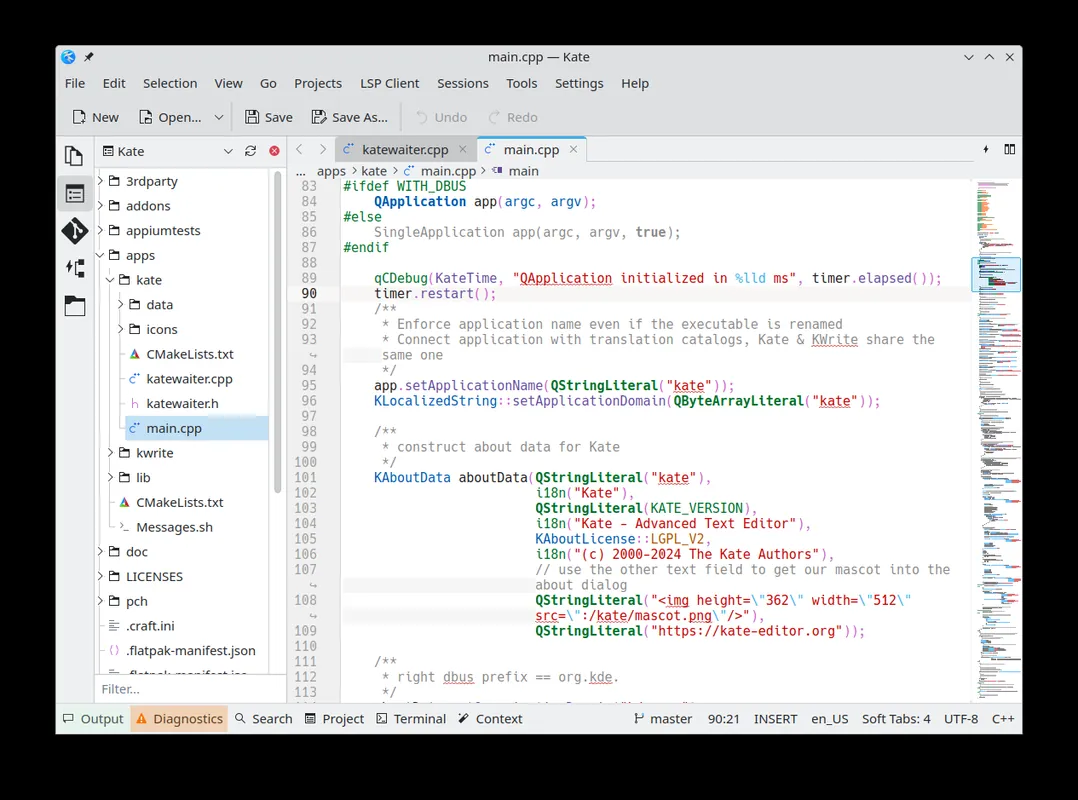
Kate is an advanced open-source text editor from the KDE community. It offers syntax highlighting, tabs and split views, and it stays fast whether you are editing a quick note or working through a large code project.
cdn.kde.org · Official website
- ✓ Official source (winget)
- ✓ SHA256 taken from the official repository
- ✓ Last checked: Nov. 4, 2026
- This is not a virus scan. Check on VirusTotal
- Version
- 26.08.3
- Release date
- Nov. 3, 2026
- License
- LGPL-2.1-or-later
- Installer type
- nullsoft
How do I use this?
Type Terminal in the Start menu and open it, paste the command (Ctrl+V or right-click) and press Enter. It uses winget, Windows' own package manager, to install the program from its official source.
winget install --id KDE.Kate -eSHA256 (file verification)
c25e1ef6d131ee88f8473def5ccc61f4d3b938e73680d053e67adc0fd246b90acdn.kde.org · Official website
- ✓ Official source (Homebrew)
- ✓ SHA256 taken from the official repository
- ✓ Last checked: Nov. 4, 2026
- This is not a virus scan. Check on VirusTotal
- Version
- 26.08,12840
- License
- LGPL-2.1-or-later
- Installer type
- dmg
How do I use this?
This command needs Homebrew; if you don't have it, first run the install command from brew.sh. Then open Terminal (Applications > Utilities > Terminal), paste the command and press Enter.
brew install --cask kateSHA256 (file verification)
3d428133610429a11b8a2c32c9cdc88431aec54c92cbe10490bb35a420ed8144flathub.org · Official website
- ✓ Official source (Flathub)
- ✓ Last checked: Nov. 4, 2026
- Version
- 26.04.2
- Release date
- June 4, 2026
- License
- LGPL-2.1-or-later
- Installer type
- flatpak
How do I use this?
Open a terminal, paste the command and press Enter. Flatpak and Flathub must be set up; Linux Mint has them by default, for other distributions see flathub.org/setup.
flatpak install flathub org.kde.kateWe couldn't find a Android version of Kate in the official repositories; check the publisher's website.
Highlights
- Syntax highlighting and code folding for hundreds of languages
- Tabs, split views and a project-based file tree
- Language Server Protocol (LSP) support for completion and diagnostics
- Built-in terminal panel and Git integration
- Multi-cursor editing and powerful search and replace
Who is it for?
Developers, system administrators and anyone who edits code or configuration files and wants a capable editor that is not as heavy as a full IDE.
Good to know before installing
- Because it uses KDE libraries, it can start a little slower than very small editors.
- It is not a full IDE; debugging and similar tasks need separate tools.
Screenshots
How to install
Windows
- Click the official download button on this page.
- Run the installer and follow the steps.
- Or install it with the winget command shown on the page.
macOS
- Download the .dmg file with the official download button.
- Open it and drag Kate into the Applications folder.
- Alternatively, use the Homebrew command shown on the page.
Linux
- Open the Flathub page with the button on this page.
- Or run the flatpak command shown on the page in a terminal.
- Launch Kate from your application menu.
Alternatives
Frequently asked questions
Is Kate free?
Yes. Kate is open source and completely free to use.
What is the difference between Kate and KWrite?
KWrite is a simpler editor built on the same editing component, while Kate adds projects, a terminal panel and plugins.
Is Kate good enough for programming?
Yes. With LSP support it provides completion and diagnostics for many languages; it is not a full IDE, but it covers most everyday coding.