

Kdenlive
Kdenlive is a free and open-source non-linear video editing suite developed by the KDE community. Built on the MLT framework, it supports multi-track editing, a wide range of audio and video formats, and customizable visual effects.
download.kde.org · Official website
- ✓ Official source (winget)
- ✓ File is identical to the one the publisher released (SHA256 matched)
- ✓ Last checked: Nov. 4, 2026
- This is not a virus scan. Check on VirusTotal
- Version
- 26.08.2
- Release date
- Oct. 13, 2026
- License
- GPL-3.0
- Installer type
- nullsoft
How do I use this?
Type Terminal in the Start menu and open it, paste the command (Ctrl+V or right-click) and press Enter. It uses winget, Windows' own package manager, to install the program from its official source.
winget install --id KDE.Kdenlive -eSHA256 (file verification)
9f89d8ac53b190ba506af86fb37b31f17b60a532394bd5303af4e505b3a5bee6cdn.download.kde.org · Official website
- ✓ Official source (Homebrew)
- ✓ File is identical to the one the publisher released (SHA256 matched)
- ✓ Last checked: Nov. 4, 2026
- This is not a virus scan. Check on VirusTotal
- Version
- 26.08.2
- License
- GPL-3.0
- Installer type
- dmg
How do I use this?
This command needs Homebrew; if you don't have it, first run the install command from brew.sh. Then open Terminal (Applications > Utilities > Terminal), paste the command and press Enter.
brew install --cask kdenliveSHA256 (file verification)
ffcbff6d6e6651fe7a7cd2b00cb7304c8ef049da8287c389dbda146d5e8928acflathub.org · Official website
- ✓ Official source (Flathub)
- ✓ Last checked: Nov. 4, 2026
- Version
- 26.08.2
- Release date
- Oct. 8, 2026
- License
- GPL-3.0
- Installer type
- flatpak
How do I use this?
Open a terminal, paste the command and press Enter. Flatpak and Flathub must be set up; Linux Mint has them by default, for other distributions see flathub.org/setup.
flatpak install flathub org.kde.kdenliveWe couldn't find a Android version of Kdenlive in the official repositories; check the publisher's website.
Kdenlive 26.08.2: what's new?
Highlights
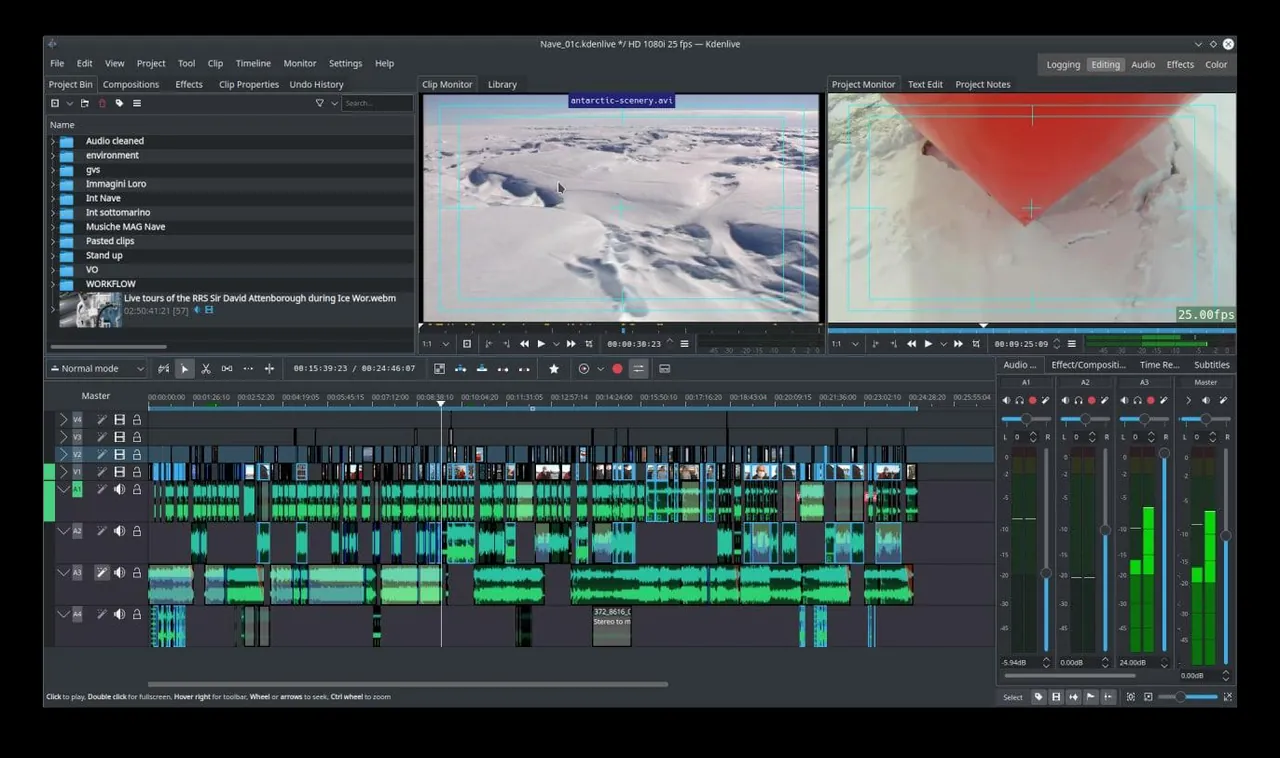
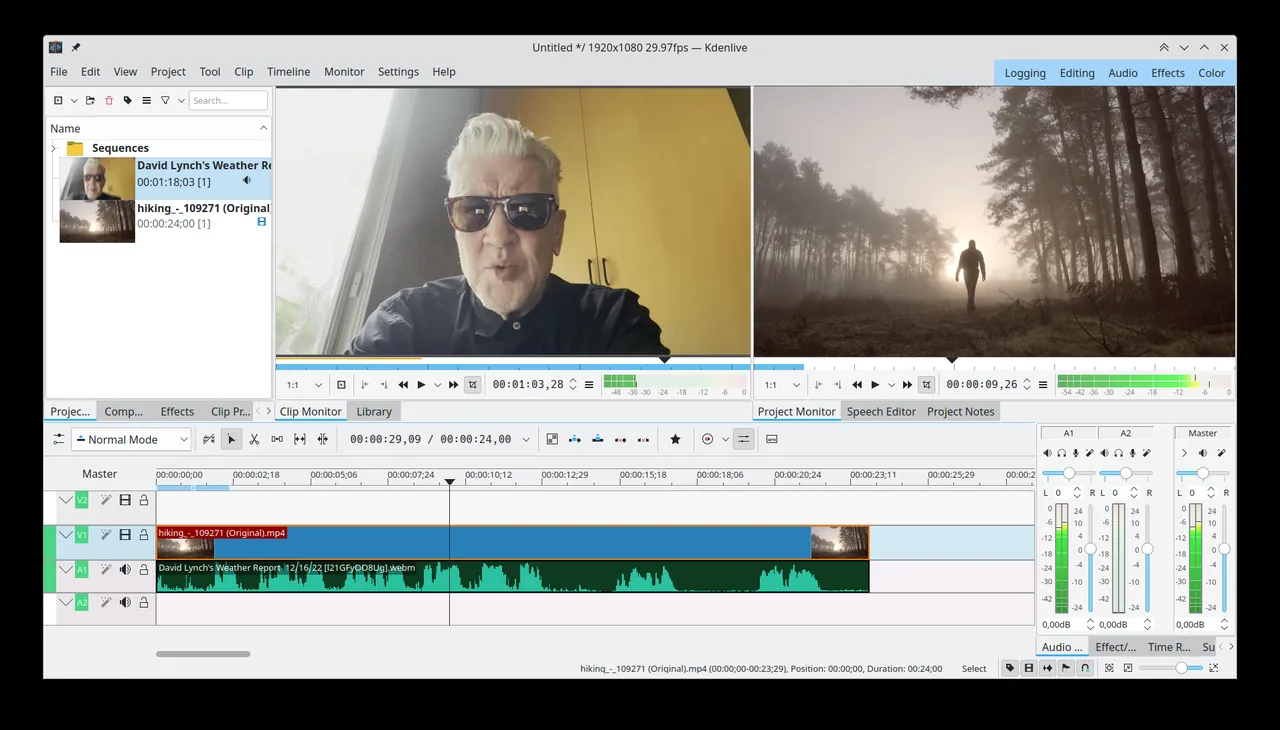
- Multi-track video and audio timeline editing
- Support for virtually all audio and video formats via FFmpeg
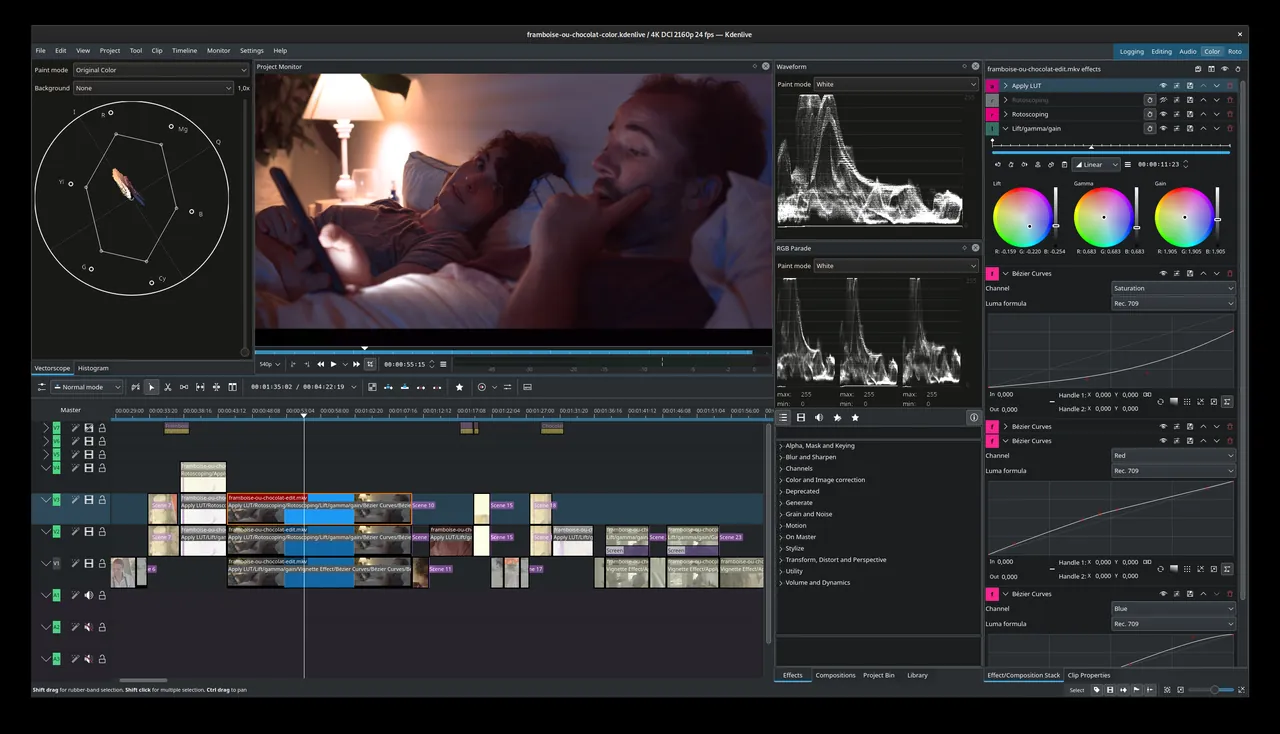
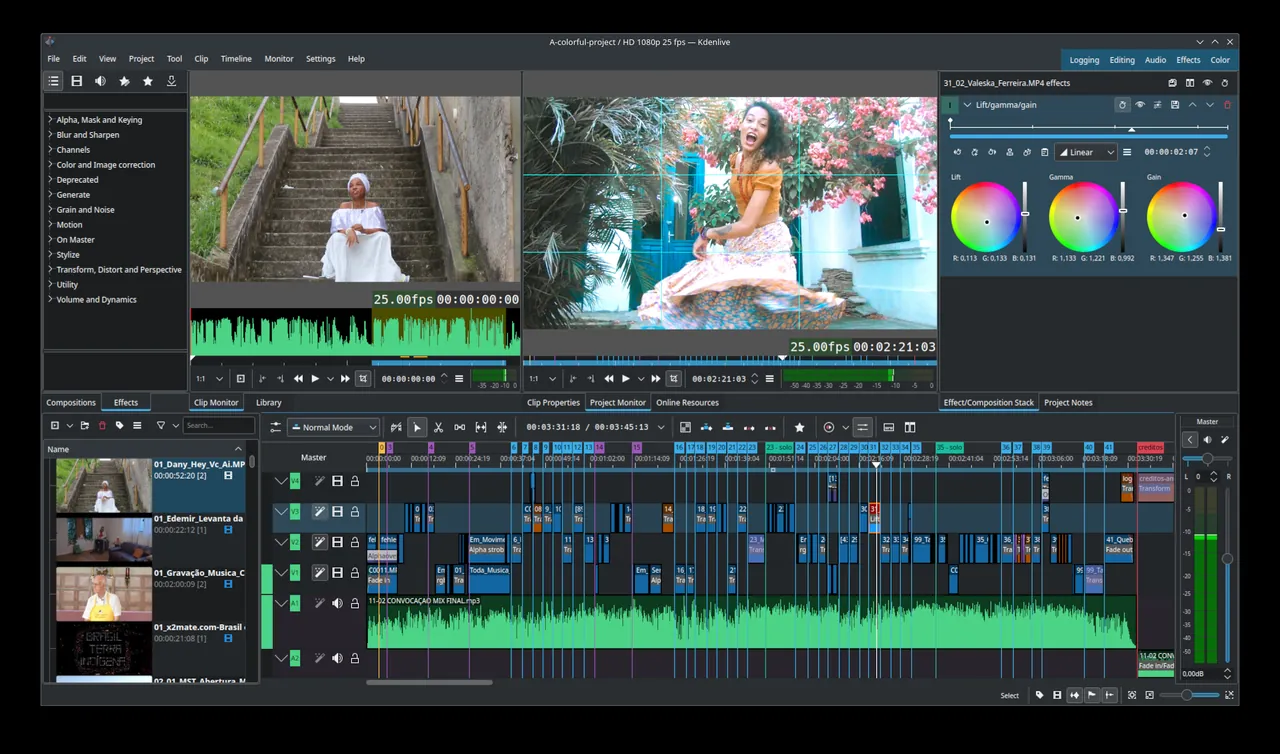
- Color grading, audio scopes, and keyframeable video effects
- Customizable interface layout and keyboard shortcuts
Who is it for?
Kdenlive is designed for content creators, students, and indie filmmakers looking for a capable desktop video editor without subscription costs.
Good to know before installing
- Timeline playback can experience stuttering with complex effects unless proxy clips are used.
- Hardware-accelerated encoding support varies depending on your GPU and operating system.
Screenshots
How to install
Windows
- Click the official download button to obtain the installer, or open PowerShell.
- Optionally run: winget install --id KDE.Kdenlive -e
- Run the downloaded installer and complete the setup wizard.
macOS
- Click the official download button to get the DMG installer, or open Terminal.
- Optionally run: brew install --cask kdenlive
- Open the downloaded DMG and drag Kdenlive to your Applications folder.
Linux
- Click the official download button to open the Flathub page, or open a terminal.
- Run the command: flatpak install flathub org.kde.kdenlive
- Launch Kdenlive from your application menu or via command line.
Alternatives
Frequently asked questions
Is Kdenlive completely free to use?
Yes, Kdenlive is open-source software released under the GNU General Public License (GPL-3.0), free for personal and commercial use.
Does Kdenlive support 4K video editing?
Yes, Kdenlive handles 4K footage and offers proxy clip generation to improve timeline performance on demanding projects.
Can I add custom titles and text in Kdenlive?
Yes, it includes an integrated titler tool for creating 2D titles, scrolling text, and lower thirds.