

Krita
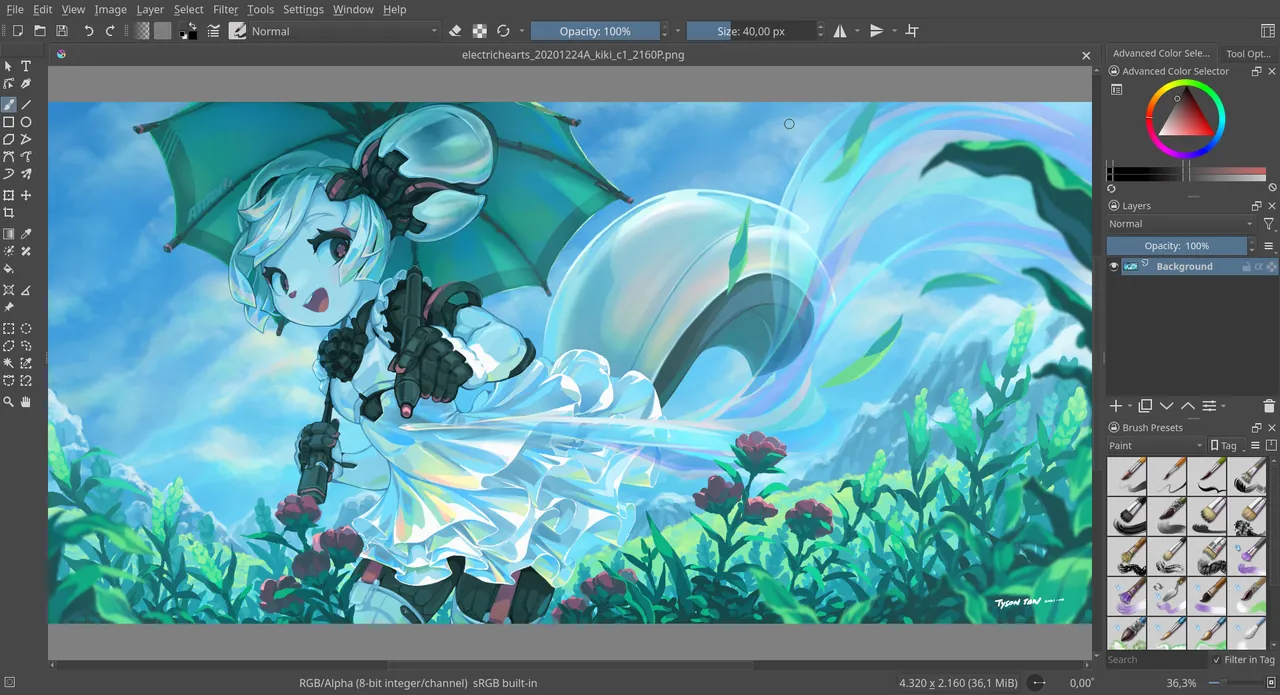
Krita is a professional, open-source raster graphics editor designed primarily for digital painting, concept art, and 2D animation. Maintained by the Krita Foundation, it offers an intuitive workflow equipped with specialized brush engines and canvas controls.
download.kde.org · Official website
- ✓ Official source (winget)
- ✓ SHA256 taken from the official repository
- ✓ Last checked: Nov. 4, 2026
- This is not a virus scan. Check on VirusTotal
- Version
- 5.3.4.1
- Release date
- Oct. 1, 2026
- License
- GPL-3.0
- Installer type
- nullsoft
How do I use this?
Type Terminal in the Start menu and open it, paste the command (Ctrl+V or right-click) and press Enter. It uses winget, Windows' own package manager, to install the program from its official source.
winget install --id KDE.Krita -eSHA256 (file verification)
025523cf1751ff209faf7ecfe1cff851f2cdab64acb8c555b307b349ad56ce8fdownload.kde.org · Official website
- ✓ Official source (Homebrew)
- ✓ SHA256 taken from the official repository
- ✓ Last checked: Nov. 4, 2026
- This is not a virus scan. Check on VirusTotal
- Version
- 5.3.4.1
- License
- GPL-3.0
- Installer type
- dmg
How do I use this?
This command needs Homebrew; if you don't have it, first run the install command from brew.sh. Then open Terminal (Applications > Utilities > Terminal), paste the command and press Enter.
brew install --cask kritaSHA256 (file verification)
531e261da1fd8d5c468cfcd4eebd16e9edf6ab320e89406d2875f2e43c1148deflathub.org · Official website
- ✓ Official source (Flathub)
- ✓ Last checked: Nov. 4, 2026
- Version
- 5.3.4.1
- Release date
- Oct. 7, 2026
- License
- GPL-3.0
- Installer type
- flatpak
How do I use this?
Open a terminal, paste the command and press Enter. Flatpak and Flathub must be set up; Linux Mint has them by default, for other distributions see flathub.org/setup.
flatpak install flathub org.kde.kritaf-droid.org · Official website
- ✓ Official source (F-Droid)
- ✓ SHA256 taken from the official repository
- ✓ Last checked: Nov. 4, 2026
- This is not a virus scan. Check on VirusTotal
- Version
- 5.1.5
- Release date
- Jan. 16, 2023
- License
- GPL-3.0
- Installer type
- apk
SHA256 (file verification)
d83e64c996791ca298376f50e6b4e99d4724a7b0d3278c950a20f8e41b0d5521Krita 5.3.4.1: what's new?
Highlights
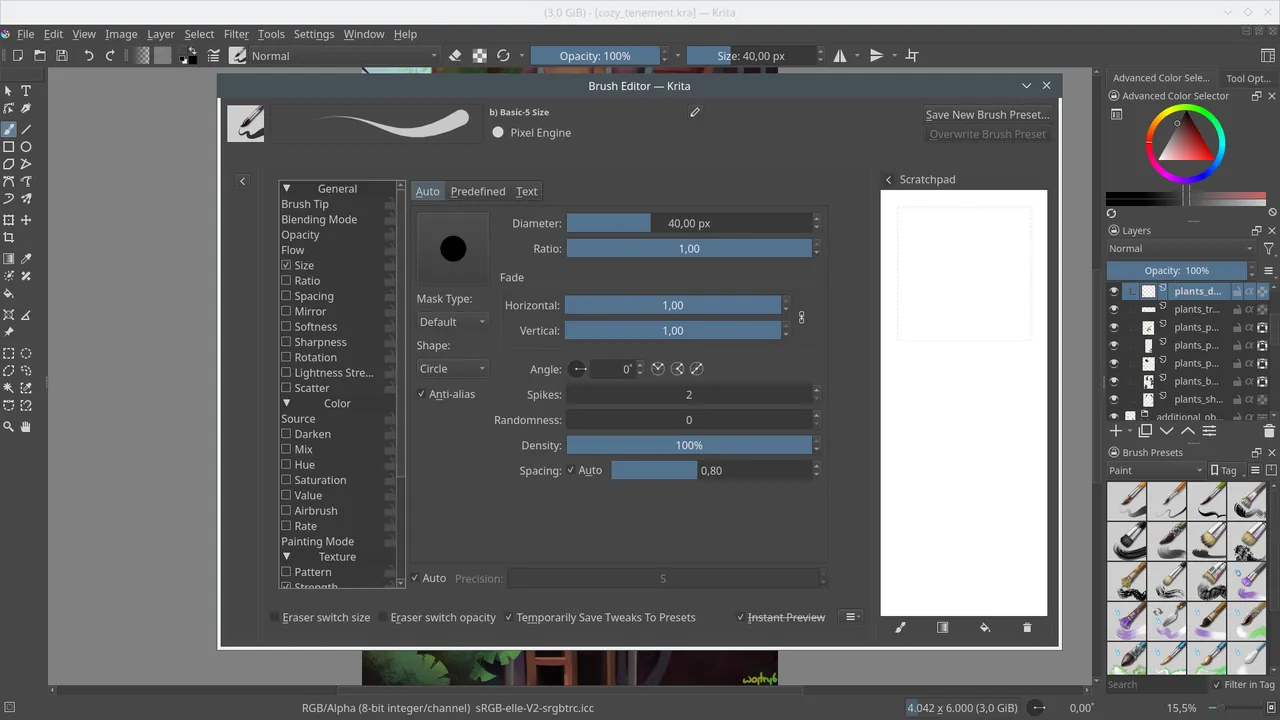
- Customizable brush engines and stabilizer controls
- Support for layers, masks, and non-destructive editing
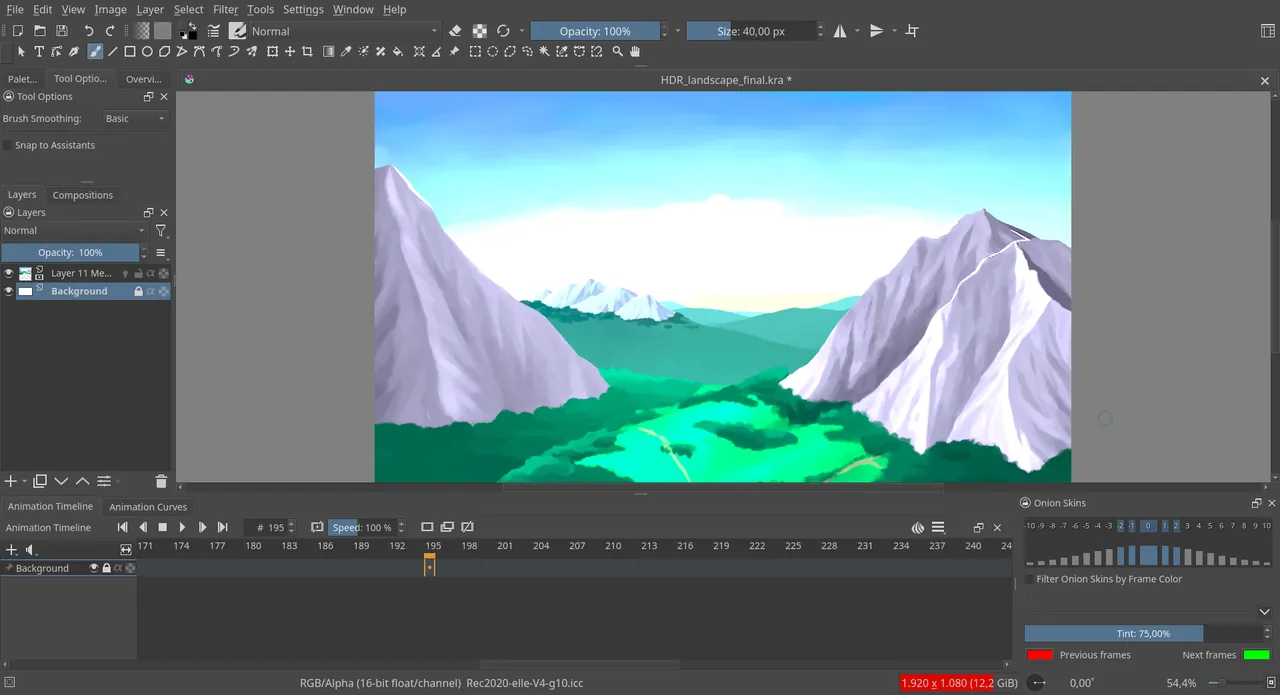
- Built-in 2D frame-by-frame animation tools
- Vector tools and text formatting capabilities
Who is it for?
Krita is designed for digital illustrators, concept artists, comic creators, and 2D animators. It is used for sketching, digital painting, texture creation, and frame-by-frame animation.
Good to know before installing
- It is focused on digital painting rather than photo editing or general image manipulation.
- The Android version uses the desktop user interface, making navigation difficult on smaller touchscreens.
- The extensive set of brush engines and customizable controls can require a learning curve for beginners.
Screenshots
How to install
Windows
- Click the official download link to download the installer.
- Run the downloaded executable file and follow the setup wizard.
- Open Krita from the Start menu once installation finishes.
macOS
- Click the download button to fetch the official macOS installer file.
- Open the downloaded file and drag Krita to your Applications folder.
- Launch Krita from Applications.
Linux
- Click the official link to visit the Flathub page, or open your terminal.
- Run 'flatpak install flathub org.kde.krita' in the command line.
- Launch Krita from your application menu once installed.
Android
- Click the official download button on our page to get the APK file.
- Open the downloaded file on your Android device.
- Allow installation from unknown sources if prompted and complete setup.
Alternatives
Frequently asked questions
Is Krita free to use?
Yes, Krita is completely free and open-source under the GPL-3.0 license.
Can Krita be used for 2D animation?
Yes, Krita includes integrated tools for frame-by-frame 2D animation.
Does Krita support drawing tablets?
Yes, Krita supports pressure sensitivity for most drawing tablets.