

MKVToolNix
MKVToolNix is a free, open-source toolkit for creating, editing and inspecting Matroska (MKV) video files. Without re-encoding the video, you can add or remove audio and subtitle tracks, split files and join them.
mkvtoolnix.download · Official website
- ✓ Official source (winget)
- ✓ SHA256 taken from the official repository
- ✓ Last checked: Nov. 20, 2026
- This is not a virus scan. Check on VirusTotal
- Version
- 103.0.0
- Release date
- Oct. 18, 2026
- License
- GPL-2.0
- Installer type
- nullsoft
How do I use this?
Type Terminal in the Start menu and open it, paste the command (Ctrl+V or right-click) and press Enter. It uses winget, Windows' own package manager, to install the program from its official source.
winget install --id MoritzBunkus.MKVToolNix -eSHA256 (file verification)
3bb4b6efe464c8b852a9813f6be4093fa61bb79229ea755b3a70c5fa42489421mkvtoolnix.download · Official website
- ✓ Official source (Homebrew)
- ✓ SHA256 taken from the official repository
- ✓ Last checked: Nov. 20, 2026
- This is not a virus scan. Check on VirusTotal
- Version
- 103.0
- License
- GPL-2.0
- Installer type
- dmg
How do I use this?
This command needs Homebrew; if you don't have it, first run the install command from brew.sh. Then open Terminal (Applications > Utilities > Terminal), paste the command and press Enter.
brew install --cask mkvtoolnix-appSHA256 (file verification)
05670ef070783a4afa23b9a289373472ac168112c83926dae17e29ab32198501flathub.org · Official website
- ✓ Official source (Flathub)
- ✓ Last checked: Nov. 20, 2026
- Version
- 103.0
- Release date
- Oct. 18, 2026
- License
- GPL-2.0
- Installer type
- flatpak
How do I use this?
Open a terminal, paste the command and press Enter. Flatpak and Flathub must be set up; Linux Mint has them by default, for other distributions see flathub.org/setup.
flatpak install flathub org.bunkus.mkvtoolnix-guiWe couldn't find a Android version of MKVToolNix in the official repositories; check the publisher's website.
You can try these instead:
Platform pages: Windows · macOS · Linux · Android
Old versions (10)
MKVToolNix 103.0.0: what's new?
Highlights
- Add or remove audio, video and subtitle tracks without re-encoding
- Split and join files
- Chapter editor
- Quickly change track names, languages and default flags
Who is it for?
For people organizing a film library, adding subtitles or other-language audio to videos, and media server users.
Good to know before installing
- It does not compress video or convert formats.
- The output is always MKV; it does not produce MP4 files.
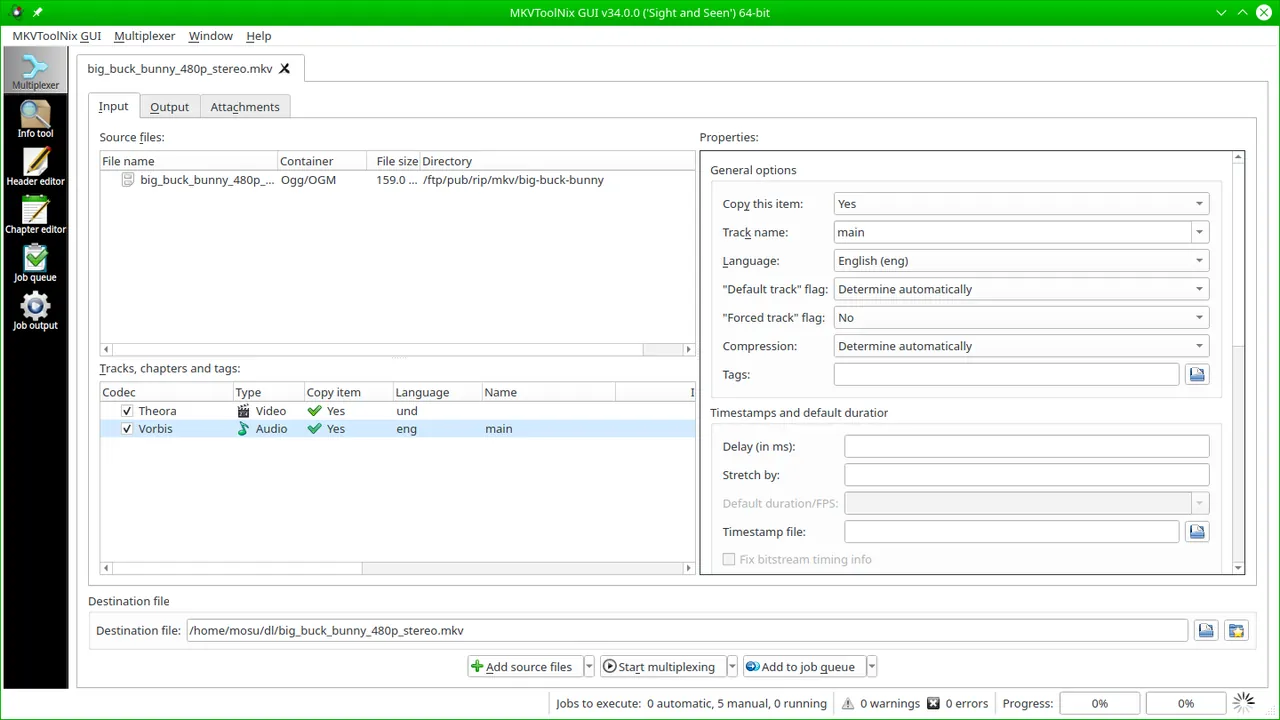
Screenshots
How to install
Windows
- Click the official download button on this page or use the winget command.
- Run the installer and follow the steps.
macOS
- Use the Homebrew command or download from the official site.
- Move the app to the Applications folder and open it.
Linux
- Run the Flatpak command in a terminal.
- Open the program from the application menu.
Alternatives
Comparisons
Frequently asked questions
Is MKVToolNix free?
Yes. It is open source and free.
Does video quality drop?
No, MKVToolNix does not re-encode; it copies tracks into a new container as they are, so quality stays the same and the process is fast.
Can I make the video smaller?
No, it does not compress or convert formats. To shrink a file you need an encoder such as HandBrake.