

Olive Video Editor
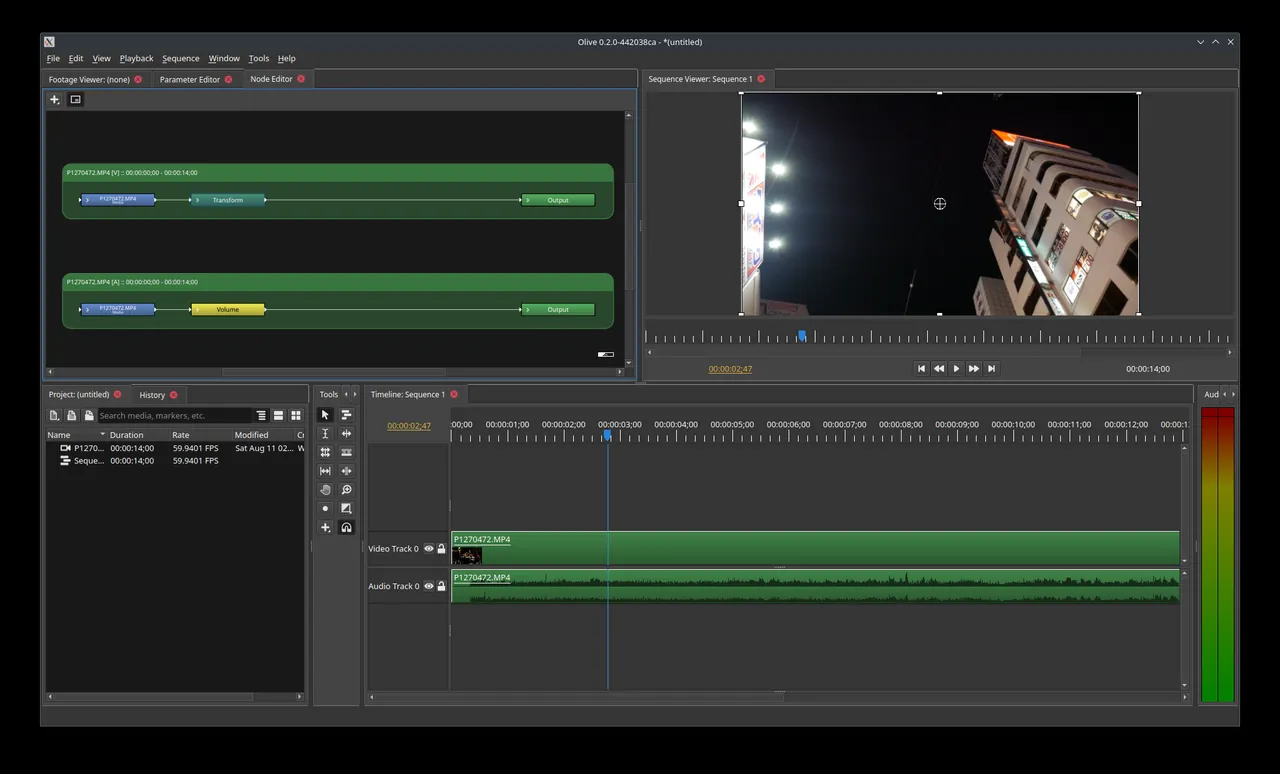
Olive Video Editor is a free, open-source non-linear video editor. It lets you cut, trim, add effects and grade color on a timeline, and its node-based design opens the door to advanced effects.
olivevideoeditor.org · Official website
- ✓ Official source (winget)
- ✓ SHA256 taken from the official repository
- ✓ Last checked: Nov. 4, 2026
- This is not a virus scan. Check on VirusTotal
- Version
- 0.1.0
- License
- GPL-3.0-or-later
- Installer type
- nullsoft
How do I use this?
Type Terminal in the Start menu and open it, paste the command (Ctrl+V or right-click) and press Enter. It uses winget, Windows' own package manager, to install the program from its official source.
winget install --id OliveTeam.OliveVideoEditor -eSHA256 (file verification)
01d6e43dceccbf4ace6059e3ada93968a1b29f33cee44403fa89c59e6a0ba890flathub.org · Official website
- ✓ Community package (Flathub)
- ✓ Last checked: Nov. 4, 2026
- Version
- 0.1.2
- Release date
- Nov. 11, 2019
- License
- GPL-3.0-or-later
- Installer type
- flatpak
How do I use this?
Open a terminal, paste the command and press Enter. Flatpak and Flathub must be set up; Linux Mint has them by default, for other distributions see flathub.org/setup.
flatpak install flathub org.olivevideoeditor.OliveWe couldn't find a macOS version of Olive Video Editor in the official repositories; check the publisher's website.
You can try these instead:
We couldn't find a Android version of Olive Video Editor in the official repositories; check the publisher's website.
Highlights
- Multi-track timeline for video and audio editing
- Node-based effects and compositing
- Color management and color correction
- Keyframe animation
- Background caching for smooth previews
Who is it for?
For content creators who want to try open-source video editors and people interested in node-based effects.
Good to know before installing
- The program is still in alpha; crashes and bugs can happen.
- There are fewer tutorials than for more mature editors.
Screenshots
How to install
Windows
- Click the official download button on this page.
- Run the installer and follow the steps.
- Open Olive, create a new project and import your video files.
Linux
- Open the Flathub page with the button on this page.
- Or run the flatpak command shown on the page in a terminal.
- Launch Olive from your application menu.
Alternatives
Frequently asked questions
Is Olive Video Editor free?
Yes. It is open source and free.
Is it suitable for important projects?
Olive is still in development (alpha) and may crash. Save often on important work, or use a more mature program such as Kdenlive or Shotcut.
Is it good for beginners?
Basic cutting and joining is easy; node-based effects take time to learn.