

Session
Session is an open-source, end-to-end encrypted messenger that does not ask for a phone number. Instead of a central server, it routes messages through a decentralized network with onion routing, aiming to hide who you are and your IP address.
github.com · Official website
- ✓ Official source (winget)
- ✓ SHA256 taken from the official repository
- ✓ Last checked: Nov. 4, 2026
- This is not a virus scan. Check on VirusTotal
- Version
- 1.18.3
- Release date
- Oct. 26, 2026
- License
- GPL-3.0
- Installer type
- nullsoft
How do I use this?
Type Terminal in the Start menu and open it, paste the command (Ctrl+V or right-click) and press Enter. It uses winget, Windows' own package manager, to install the program from its official source.
winget install --id Session.Session -eSHA256 (file verification)
479f2a990a8e53f24d1cdb7b9055ea89ad0c94be4d62bef7710ce196444dc8d9github.com · Official website
- ✓ Official source (Homebrew)
- ✓ SHA256 taken from the official repository
- ✓ Last checked: Nov. 4, 2026
- This is not a virus scan. Check on VirusTotal
- Version
- 1.18.3
- License
- GPL-3.0
- Installer type
- dmg
How do I use this?
This command needs Homebrew; if you don't have it, first run the install command from brew.sh. Then open Terminal (Applications > Utilities > Terminal), paste the command and press Enter.
brew install --cask sessionSHA256 (file verification)
bc3f81ce0062a0577bc9b59ed3fb47262a801e6ff455c73b5f5d8582d56cb5dcflathub.org · Official website
- ✓ Official source (Flathub)
- ✓ Last checked: Nov. 4, 2026
- Version
- 1.18.3
- Release date
- Oct. 26, 2026
- License
- GPL-3.0
- Installer type
- flatpak
How do I use this?
Open a terminal, paste the command and press Enter. Flatpak and Flathub must be set up; Linux Mint has them by default, for other distributions see flathub.org/setup.
flatpak install flathub network.loki.Sessionf-droid.org · Official website
- ✓ Official source (F-Droid)
- ✓ SHA256 taken from the official repository
- ✓ Last checked: Nov. 4, 2026
- This is not a virus scan. Check on VirusTotal
- Version
- 1.33.7
- Release date
- Oct. 16, 2026
- License
- GPL-3.0
- Installer type
- apk
SHA256 (file verification)
9979e7dac30cf27f0ebe2d936302926a122e8fe9bee0159e065d2909db36cecdSecurity update: according to the publisher's release notes, Session 1.18.3 fixes security vulnerabilities. If you use an older version, update.
Official release notes →
Session 1.18.3: what's new?
Highlights
- Accounts with no phone number or email
- End-to-end encrypted one-to-one and group chats
- Onion routing that hides your IP address
- Voice messages, files and photos
- The same account on phone and computer
Who is it for?
For people who want to message without sharing a phone number, journalists and users who put privacy first.
Good to know before installing
- Because of onion routing, messages can arrive a little slower than in other apps.
- It has fewer users than mainstream messengers; the people you talk to need Session too.
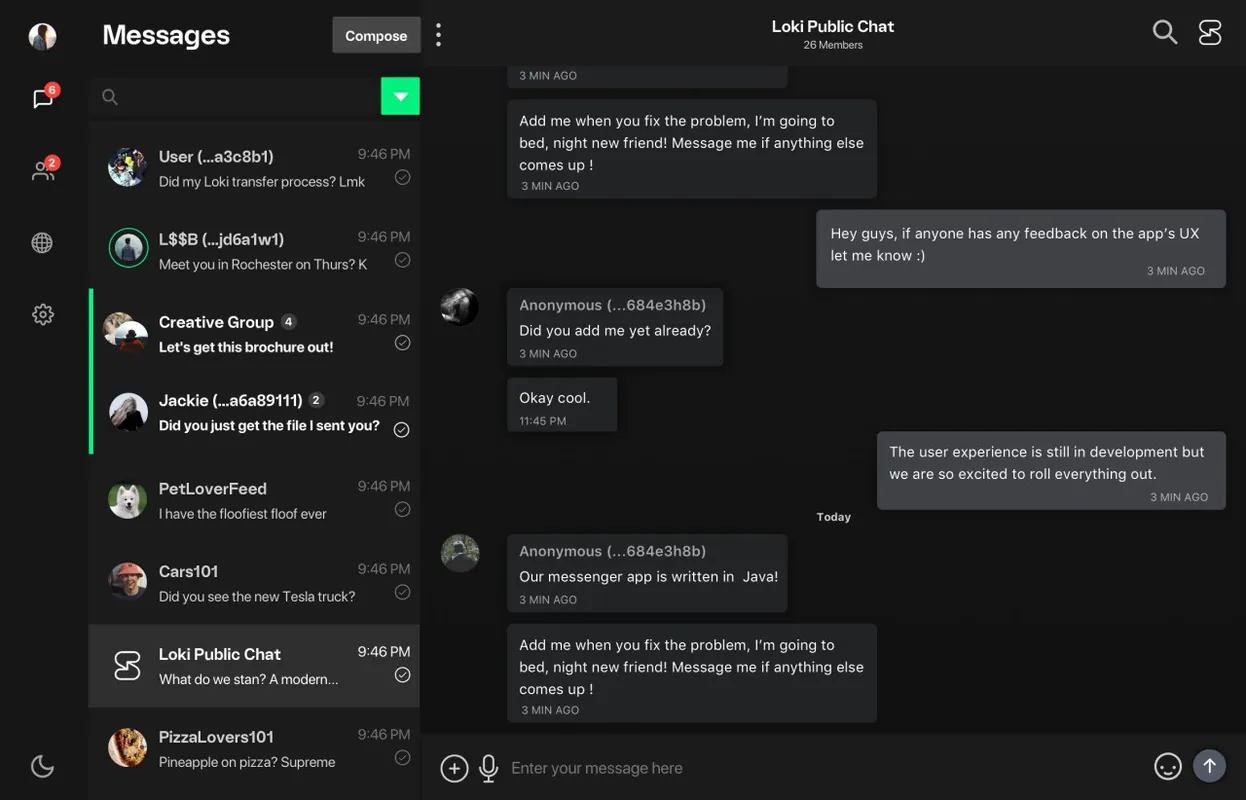
Screenshots
How to install
Windows
- Click the official download button on this page.
- Run the installer and follow the steps.
- Create a new Session ID or restore your account with your recovery password.
macOS
- Download the .dmg file with the official button.
- Drag Session into the Applications folder.
- Or use the Homebrew command shown on the page.
Linux
- Open the Flathub page with the button on this page.
- Or run the flatpak command shown on the page in a terminal.
- Open Session and create your account.
Android
- Open the F-Droid page with the Android button on this page.
- Install the app through F-Droid.
- Create a new ID on first launch and write down your recovery password somewhere safe.
Alternatives
Frequently asked questions
Does Session need a phone number?
No. Your account is a random Session ID; no phone number or email is required.
What happens if I lose my recovery password?
You will not be able to move your account to another device. Keep the recovery password somewhere safe.
Is Session free?
Yes. It is open source and free to use.