

Element
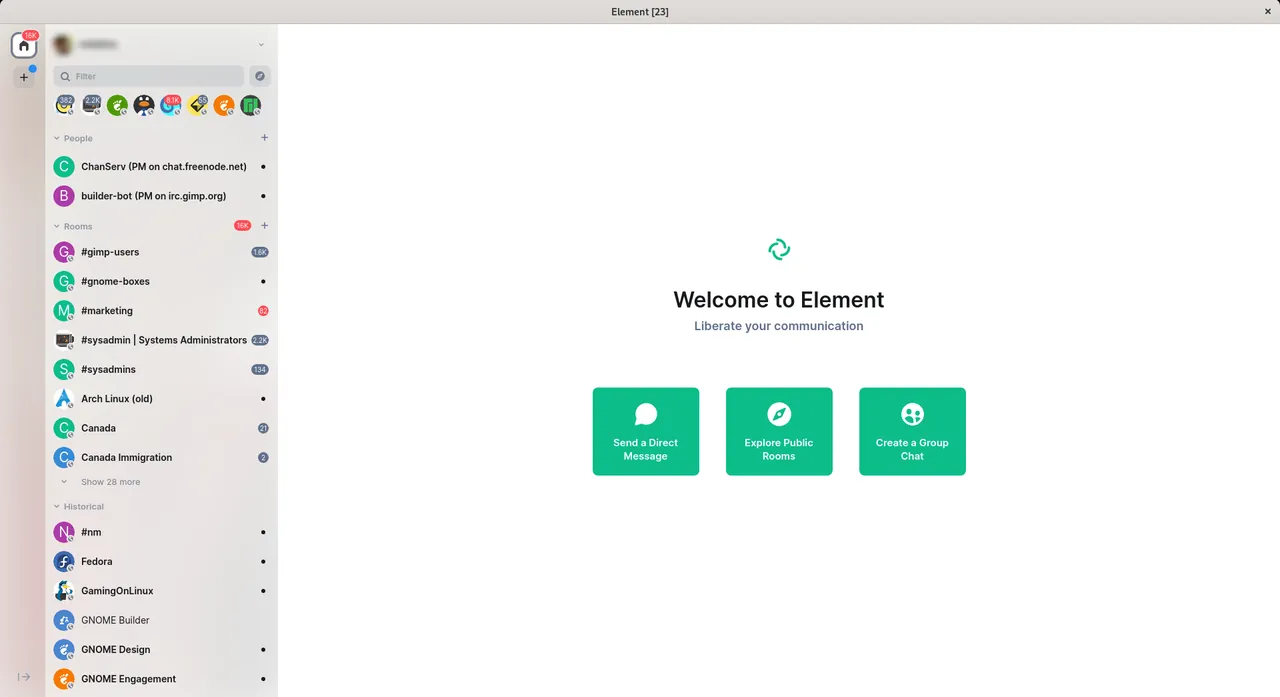
Element is an open-source messaging and collaboration client operating on the decentralized Matrix protocol. It enables users to send encrypted messages, conduct voice and video calls, and share files across personal and organizational networks without relying on a central service provider.
packages.element.io · Official website
- ✓ Official source (winget)
- ✓ SHA256 taken from the official repository
- ✓ Last checked: Nov. 4, 2026
- This is not a virus scan. Check on VirusTotal
- Version
- 1.12.33
- Release date
- Oct. 27, 2026
- License
- AGPL-3.0-only or GPL-3.0-only
- Installer type
- exe
How do I use this?
Type Terminal in the Start menu and open it, paste the command (Ctrl+V or right-click) and press Enter. It uses winget, Windows' own package manager, to install the program from its official source.
winget install --id Element.Element -eSHA256 (file verification)
9ce1ba82ef244cd3b26333d0673769641676fa3c5477ea8c388ed11f42ed7c20packages.element.io · Official website
- ✓ Official source (Homebrew)
- ✓ File is identical to the one the publisher released (SHA256 matched)
- ✓ Last checked: Nov. 4, 2026
- This is not a virus scan. Check on VirusTotal
- Version
- 1.12.33
- License
- AGPL-3.0-only or GPL-3.0-only
- Installer type
- zip
How do I use this?
This command needs Homebrew; if you don't have it, first run the install command from brew.sh. Then open Terminal (Applications > Utilities > Terminal), paste the command and press Enter.
brew install --cask elementSHA256 (file verification)
6085bda81dd5aaa8c7aec4093d387f28395c48d0651ac4283ca1e06361d69923flathub.org · Official website
- ✓ Community package (Flathub)
- ✓ Last checked: Nov. 4, 2026
- Version
- 1.12.33
- Release date
- Oct. 27, 2026
- License
- AGPL-3.0-only or GPL-3.0-only
- Installer type
- flatpak
How do I use this?
Open a terminal, paste the command and press Enter. Flatpak and Flathub must be set up; Linux Mint has them by default, for other distributions see flathub.org/setup.
flatpak install flathub im.riot.Riotplay.google.com · Official website
- ✓ Official source (Google Play)
- ✓ Last checked: Nov. 4, 2026
- License
- AGPL-3.0-only or GPL-3.0-only
Platform pages: Windows · macOS · Linux · Android
Old versions (10)
Element 1.12.33: what's new?
Highlights
- End-to-end encrypted messaging for one-on-one and group chats
- Built on the open, decentralized Matrix communication network
- Voice and video conferencing integration
- Secure file sharing and document exchange
- Cross-device synchronization for chat history
Who is it for?
Element is designed for privacy-focused individuals, teams, and organizations needing encrypted group messaging and secure file sharing without proprietary vendor lock-in.
Good to know before installing
- Setting up and managing a custom Matrix homeserver requires technical knowledge.
- Performance and feature availability can depend on the specific homeserver host chosen.
- Notifications on mobile devices may require background connectivity adjustments.
Screenshots
How to install
Windows
- Download the installer from the official link or run 'winget install --id Element.Element -e' in PowerShell.
- Run the installer executable and follow the setup wizard.
- Open Element from your Start menu or desktop shortcut.
macOS
- Download the official Element disk image (.dmg) file or use Homebrew ('brew install --cask element').
- Open the downloaded file and drag Element to your Applications folder.
- Open Element from Launchpad or Applications.
Linux
- Open your terminal or package manager.
- Run 'flatpak install flathub im.riot.Riot' or click the official Flathub page.
- Open Element from your desktop application menu.
Android
- Tap the download button to open the app store page.
- Install the Element application on your device.
- Launch the app and sign in or choose a Matrix home server.
Alternatives
Frequently asked questions
What protocol does Element use?
Element uses Matrix, an open network for secure, decentralized communication.
Is Element free to use?
Yes, Element is open-source software licensed under AGPL/GPL and free to use.
Can I connect to my own Matrix server?
Yes, Element allows you to choose matrix.org or specify any custom homeserver address.