

Sigil
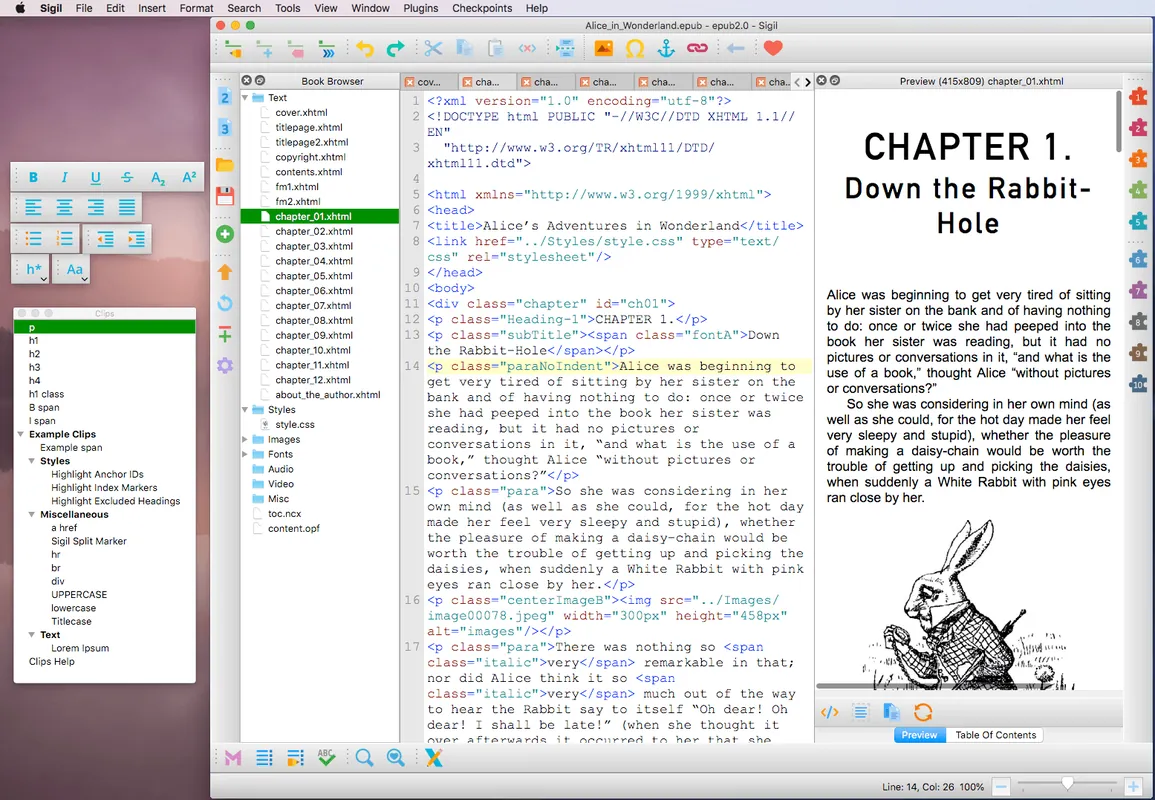
Sigil is a free, open-source multi-platform ebook editor dedicated to working with the ePub standard. Built on Qt and QtWebEngine, it supports both ePub 2 and ePub 3 formats. It provides authors, publishers, and formatters with granular control over digital publication files through source code editing and live preview.
github.com · Official website
- ✓ Official source (winget)
- ✓ SHA256 taken from the official repository
- ✓ Last checked: Nov. 20, 2026
- This is not a virus scan. Check on VirusTotal
- Version
- 2.8.6
- Release date
- Nov. 9, 2026
- License
- GNU General Public License v3.0
- Installer type
- inno
How do I use this?
Type Terminal in the Start menu and open it, paste the command (Ctrl+V or right-click) and press Enter. It uses winget, Windows' own package manager, to install the program from its official source.
winget install --id Sigil-Ebook.Sigil -eSHA256 (file verification)
95cf12e2611f5cbf38ba079281f7806f696c6e7c81ba5c52112508be2a482d6bgithub.com · Official website
- ✓ Official source (Homebrew)
- ✓ SHA256 taken from the official repository
- ✓ Last checked: Nov. 20, 2026
- This is not a virus scan. Check on VirusTotal
- Version
- 2.8.6
- License
- GNU General Public License v3.0
- Installer type
- txz
How do I use this?
This command needs Homebrew; if you don't have it, first run the install command from brew.sh. Then open Terminal (Applications > Utilities > Terminal), paste the command and press Enter.
brew install --cask sigilSHA256 (file verification)
3be3be094745dfec892a02ac2f8d90934d4da2dc595ec1a95a8525f9ad27efd6flathub.org · Official website
- ✓ Community package (Flathub)
- ✓ Last checked: Nov. 20, 2026
- Version
- 2.8.6
- Release date
- Nov. 9, 2026
- License
- GNU General Public License v3.0
- Installer type
- flatpak
How do I use this?
Open a terminal, paste the command and press Enter. Flatpak and Flathub must be set up; Linux Mint has them by default, for other distributions see flathub.org/setup.
flatpak install flathub com.sigil_ebook.SigilWe couldn't find a Android version of Sigil in the official repositories; check the publisher's website.
Platform pages: Windows · macOS · Linux · Android
Old versions (9)
Sigil 2.8.6: what's new?
Highlights
- Full support for editing both ePub 2 and ePub 3 specifications
- Direct access to edit XHTML, HTML, and CSS source files
- Live preview mode powered by QtWebEngine
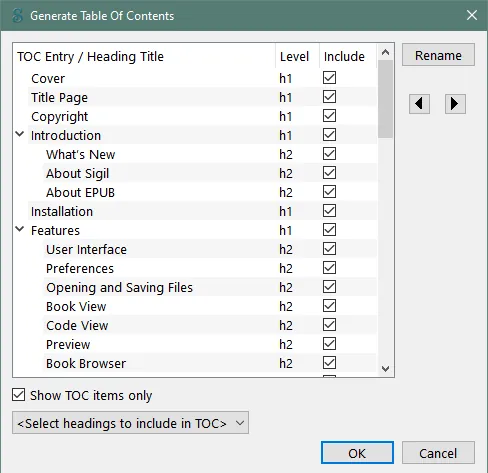
- Integrated metadata editor and automated table of contents generator
- Advanced search and replace functionality using regular expressions
Who is it for?
Authors, self-publishers, and digital typographers who need direct, code-level control when formatting and refining ePub ebooks.
Good to know before installing
- Focuses exclusively on ePub, lacking direct support for formats like MOBI, AZW, or DOCX.
- Requires basic knowledge of HTML and CSS to utilize all editing features effectively.
- No mobile versions are available; it runs only on desktop platforms.
Screenshots
How to install
Windows
- Click the official download button on our site to download the installer.
- Run the setup file or execute 'winget install --id Sigil-Ebook.Sigil -e' in PowerShell or Command Prompt.
- Follow the on-screen setup prompts and launch Sigil.
macOS
- Click the official download button to get the installer or run 'brew install --cask sigil' in terminal.
- Open the downloaded .dmg file and drag the Sigil application into your Applications folder.
- Launch Sigil from your Applications folder.
Linux
- Click the official download link on our page to access Flathub.
- Click Install or execute 'flatpak install flathub com.sigil_ebook.Sigil' in your terminal.
- Launch Sigil from your desktop applications menu once installation finishes.
Alternatives
Comparisons
Frequently asked questions
What file formats does Sigil natively edit?
Sigil is purpose-built to create and edit ebook files strictly in the ePub format (ePub 2 and ePub 3).
Is Sigil completely free to use?
Yes, Sigil is free and open-source software distributed under the GNU General Public License v3.0.
Can Sigil convert PDF or Word documents directly to ePub?
No, Sigil does not handle file conversions; it requires an existing ePub file or manually imported markup content.