

Ultimaker Cura
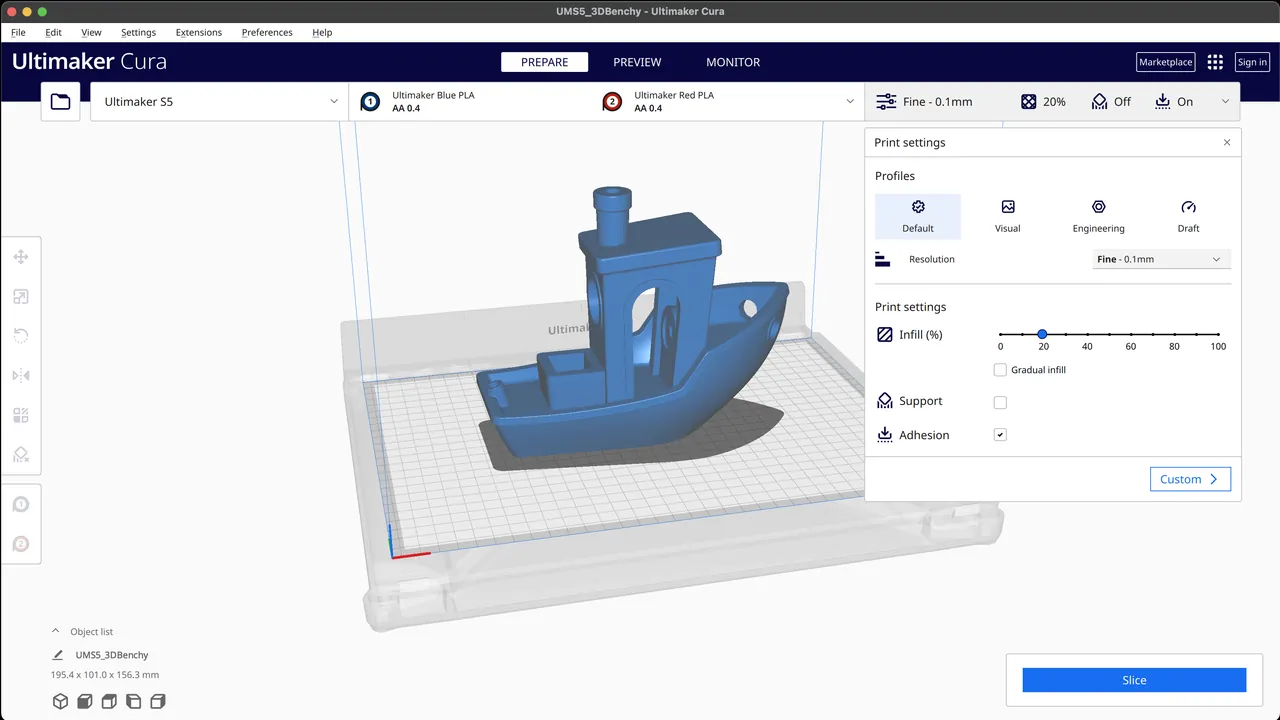
UltiMaker Cura is a free, open-source slicer for 3D printers. It cuts your STL, 3MF or OBJ model into layers and turns it into a G-code file your printer understands, with ready-made profiles for many printer brands.
github.com · Official website
- ✓ Official source (winget)
- ✓ SHA256 taken from the official repository
- ✓ Last checked: Nov. 20, 2026
- This is not a virus scan. Check on VirusTotal
- Version
- 5.14.0
- Release date
- Nov. 5, 2026
- License
- LGPL-3.0
- Installer type
- nullsoft
How do I use this?
Type Terminal in the Start menu and open it, paste the command (Ctrl+V or right-click) and press Enter. It uses winget, Windows' own package manager, to install the program from its official source.
winget install --id Ultimaker.Cura -eSHA256 (file verification)
d7dc8f59bb3d428d057d19ba0700eceabce1e0f3a78736572a47d06381db7753github.com · Official website
- ✓ Official source (Homebrew)
- ✓ SHA256 taken from the official repository
- ✓ Last checked: Nov. 20, 2026
- This is not a virus scan. Check on VirusTotal
- Version
- 5.14.0
- License
- LGPL-3.0
- Installer type
- dmg
How do I use this?
This command needs Homebrew; if you don't have it, first run the install command from brew.sh. Then open Terminal (Applications > Utilities > Terminal), paste the command and press Enter.
brew install --cask ultimaker-curaSHA256 (file verification)
b517488218c134ef36a7845540dd0778205ffedb24f83f0ee41f67423ffcbf21flathub.org · Official website
- ✓ Community package (Flathub)
- ✓ Last checked: Nov. 20, 2026
- Version
- 5.14.0
- Release date
- Nov. 5, 2026
- License
- LGPL-3.0
- Installer type
- flatpak
How do I use this?
Open a terminal, paste the command and press Enter. Flatpak and Flathub must be set up; Linux Mint has them by default, for other distributions see flathub.org/setup.
flatpak install flathub com.ultimaker.curaWe couldn't find a Android version of Ultimaker Cura in the official repositories; check the publisher's website.
Platform pages: Windows · macOS · Linux · Android
Old versions (10)
Ultimaker Cura 5.14.0: what's new?
- Added Paint-on-Support to manually enforce, avoid, or auto-generate support areas by painting directly on the model.
- Organized the settings panel with a tabbed layout by default for easier navigation.
- Added a native Cura build for Windows devices running on ARM processors.
- Fixed generic slicing crashes triggered by non-manifold or complex geometries.
Summarized from the publisher's release notes.
Highlights
- Ready-made profiles for many printer brands
- Recommended settings plus hundreds of detailed custom settings
- Automatic support generation
- Layer-by-layer preview with time and filament estimates
Who is it for?
For hobbyists with a 3D printer, school makerspaces and people new to 3D printing.
Good to know before installing
- The number of detailed settings can overwhelm beginners.
- Slicing very large or complex models is slow on older computers.
Screenshots
How to install
Windows
- Click the official download button on this page or use the winget command.
- Run the installer and follow the steps.
macOS
- Use the Homebrew command or download from the official site.
- Move the app to the Applications folder and open it.
Linux
- Run the Flatpak command in a terminal.
- Open the program from the application menu.
Alternatives
Comparisons
Frequently asked questions
Is Ultimaker Cura free?
Yes. It is open source and free.
Does it only work with UltiMaker printers?
No, there are profiles for many brands such as Creality and Anycubic, and you can create a custom profile for printers not on the list.
Can I design models with it?
No, Cura prepares an existing model for printing. To design models you need a program such as FreeCAD or OpenSCAD.