
Xournal++
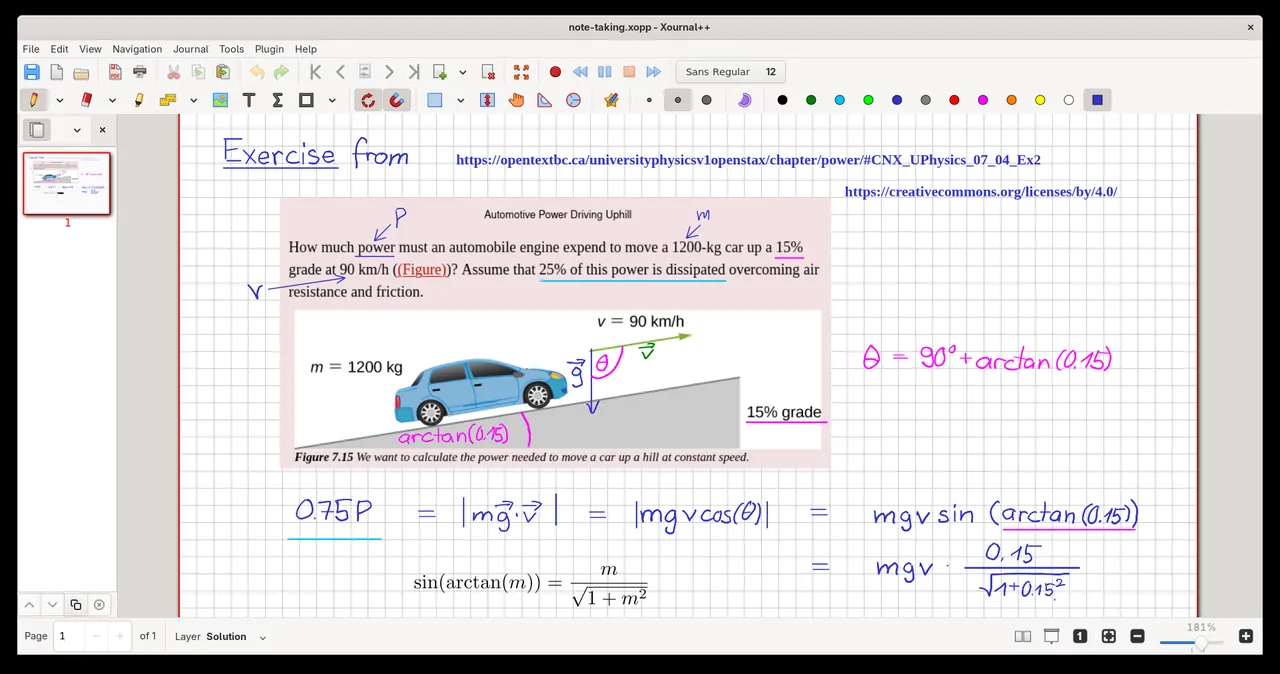
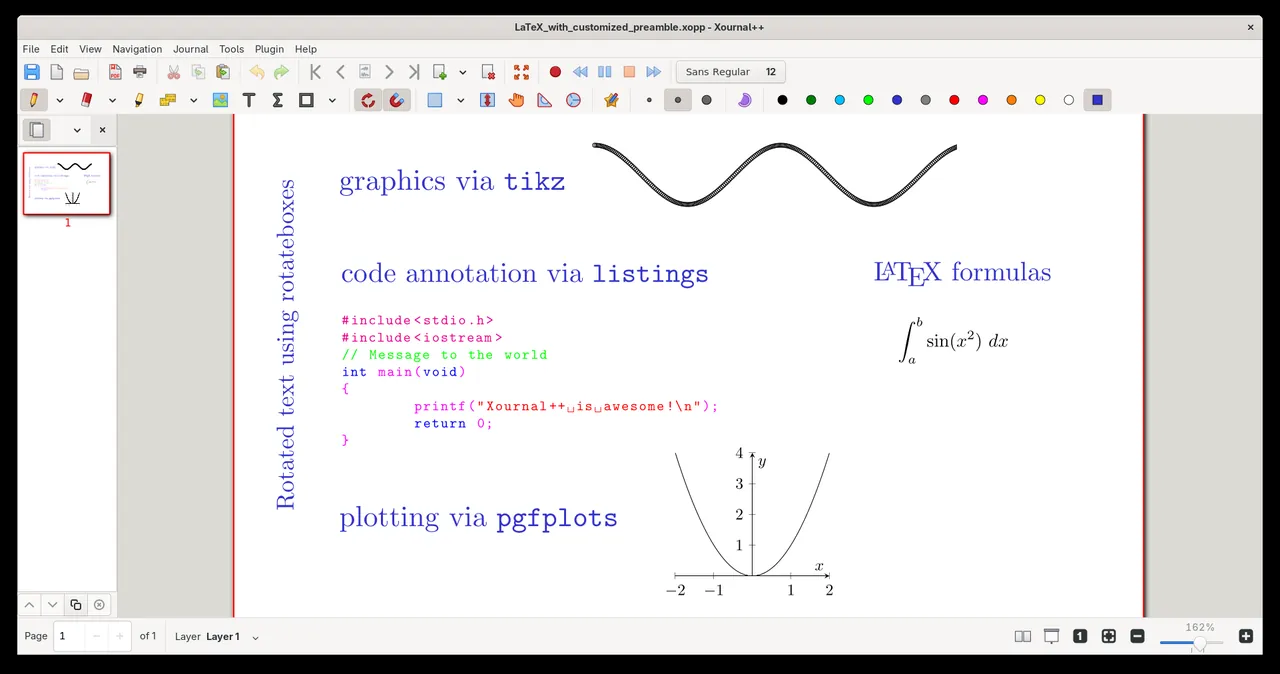
Xournal++ is an open-source note-taking application designed for handwritten notes, sketching, and annotating PDF documents. It offers pressure-sensitive stylus support, flexible page layouts, and built-in LaTeX rendering for technical notes.
github.com · Official website
- ✓ Official source (winget)
- ✓ SHA256 taken from the official repository
- ✓ Last checked: Nov. 4, 2026
- This is not a virus scan. Check on VirusTotal
- Version
- 1.3.8
- Release date
- Sept. 26, 2026
- License
- GPL-2.0
- Installer type
- nullsoft
How do I use this?
Type Terminal in the Start menu and open it, paste the command (Ctrl+V or right-click) and press Enter. It uses winget, Windows' own package manager, to install the program from its official source.
winget install --id Xournal++.Xournal++ -eSHA256 (file verification)
0524a354a2c2c680e9c4b3817a3fc9284b1e60760bac1a74c562701a4e355637flathub.org · Official website
- ✓ Official source (Flathub)
- ✓ Last checked: Nov. 4, 2026
- Version
- 1.3.8
- Release date
- Sept. 25, 2026
- License
- GPL-2.0
- Installer type
- flatpak
How do I use this?
Open a terminal, paste the command and press Enter. Flatpak and Flathub must be set up; Linux Mint has them by default, for other distributions see flathub.org/setup.
flatpak install flathub com.github.xournalpp.xournalppWe couldn't find a macOS version of Xournal++ in the official repositories; check the publisher's website.
You can try these instead:
We couldn't find a Android version of Xournal++ in the official repositories; check the publisher's website.
You can try these instead:
Xournal++ 1.3.8: what's new?
- Fixed QPDF export issues when the background PDF contains a CropBox
- Fixed an application crash when setting up the locale fails
- Fixed memory leaks and locale-dependent parsing of metadata files
- Updated translations, including renaming the language code "zh" to "zh_CN"
Summarized from the publisher's release notes.
Highlights
- Pressure-sensitive handwriting and drawing support for graphic tablets
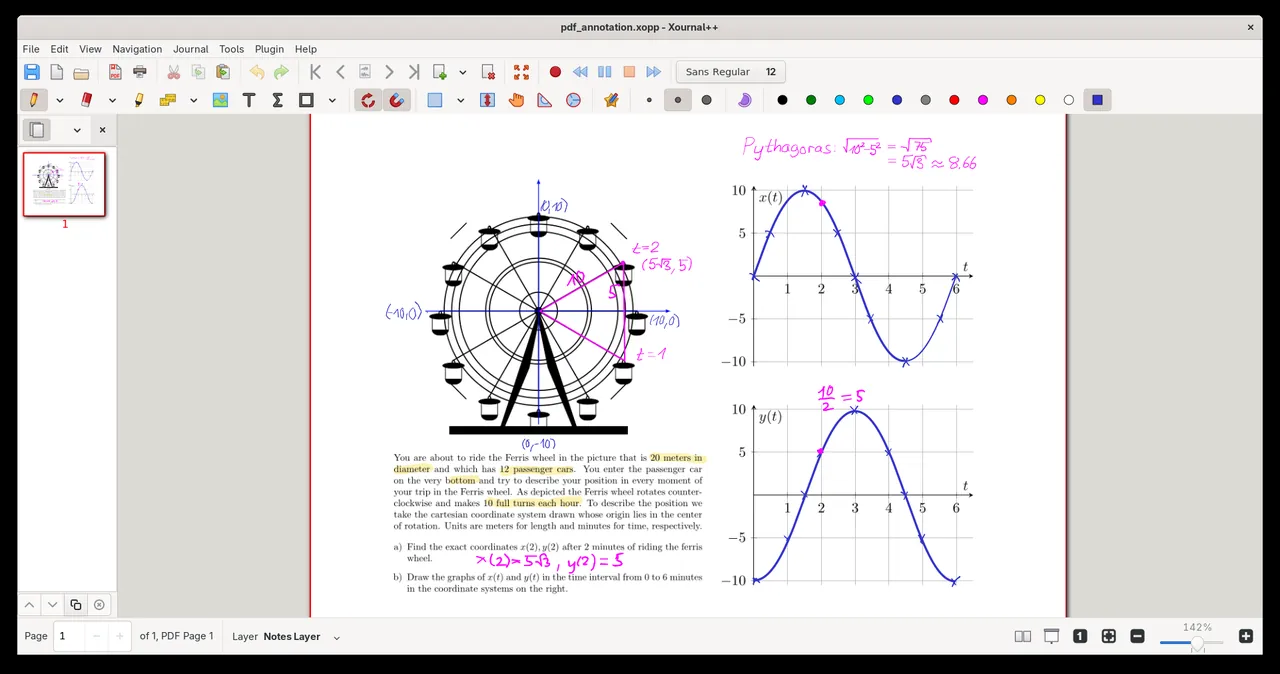
- PDF annotation, highlighting, and exporting capabilities
- Built-in LaTeX editor for rendering complex mathematical formulas
- Customizable page templates including lined, ruled, graph, and blank paper
Who is it for?
Students, teachers, and researchers who annotate lecture slides, solve math equations, or keep handwritten digital journals.
Good to know before installing
- Officially available only on Linux and Windows platforms.
- Lacks native built-in cloud synchronization between devices.
- Cannot edit original text inside existing PDF documents.
Screenshots
How to install
Windows
- Download the installer via our official download button, or run 'winget install --id Xournal++.Xournal++ -e' in PowerShell.
- Run the downloaded installer and complete the setup wizard.
- Open Xournal++ from the Start menu.
Linux
- Click the official download button to open the Flathub package page.
- Alternatively, open a terminal and run 'flatpak install flathub com.github.xournalpp.xournalpp'.
- Launch Xournal++ from your desktop applications menu.
Alternatives
Frequently asked questions
Is Xournal++ free to use?
Yes, Xournal++ is fully free and open source under the GPL-2.0 license.
Does Xournal++ allow direct text editing of existing PDF files?
No, it does not modify the underlying PDF text; it adds annotations, drawings, and new text layers on top of the document.
Can I use Xournal++ without a stylus or graphic tablet?
Yes, you can navigate, type text, and draw using a regular mouse and keyboard.