
ART
ART is a free and open-source raw photo processing program derived as a fork of RawTherapee. It provides photographers with a streamlined interface and comprehensive tools to develop, adjust, and export high-quality raw image files without altering original data. Licensed under GPL-3.0, it is available for Linux and Windows.
github.com · Official website
- ✓ Official source (winget)
- ✓ SHA256 taken from the official repository
- ✓ Last checked: Nov. 4, 2026
- This is not a virus scan. Check on VirusTotal
- Version
- 1.26.10
- Release date
- Oct. 15, 2026
- License
- GPL-3.0-only
- Installer type
- inno
How do I use this?
Type Terminal in the Start menu and open it, paste the command (Ctrl+V or right-click) and press Enter. It uses winget, Windows' own package manager, to install the program from its official source.
winget install --id ART.ART -eSHA256 (file verification)
14a81ac2290e6bd6bd9b07ff0de6edabbdc3c2a8c3d6cfcedc65c990527b263aflathub.org · Official website
- ✓ Community package (Flathub)
- ✓ Last checked: Nov. 4, 2026
- Version
- 1.26.10
- Release date
- Oct. 16, 2026
- License
- GPL-3.0-only
- Installer type
- flatpak
How do I use this?
Open a terminal, paste the command and press Enter. Flatpak and Flathub must be set up; Linux Mint has them by default, for other distributions see flathub.org/setup.
flatpak install flathub us.pixls.art.ARTWe couldn't find a macOS version of ART in the official repositories; check the publisher's website.
You can try these instead:
We couldn't find a Android version of ART in the official repositories; check the publisher's website.
Platform pages: Windows · macOS · Linux · Android
Old versions (10)
ART 1.26.10: what's new?
Highlights
- Non-destructive raw image processing workflow
- Exposure, contrast, tone curves, and high dynamic range adjustments
- Color management system with support for custom ICC profiles
- Local editing capabilities with brush and parametric masks
- Denoising, demosaicing, and sharpening algorithms
Who is it for?
Photographers and hobbyists who shoot in raw formats and need precise control over exposure, color correction, and detail enhancement.
Good to know before installing
- Only available on Linux and Windows platforms.
- Steeper learning curve for users unfamiliar with raw photo development concepts.
- Lacks layer-based raster editing and digital painting features.
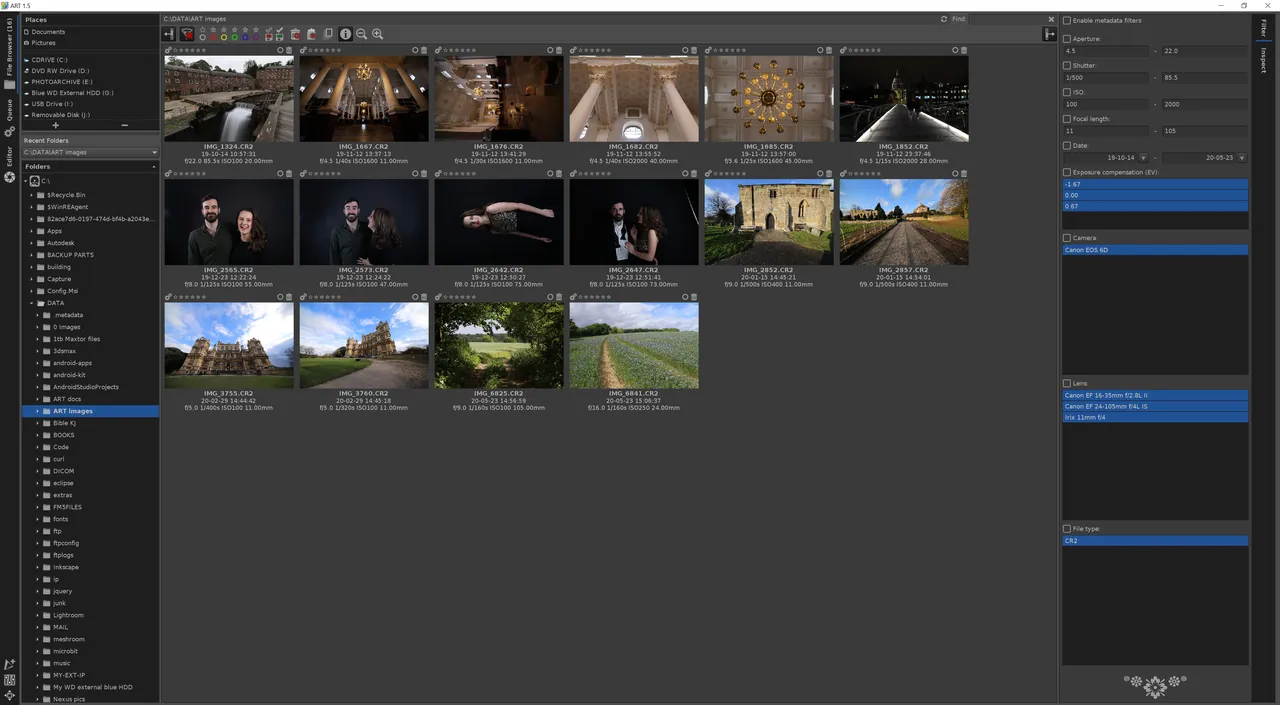
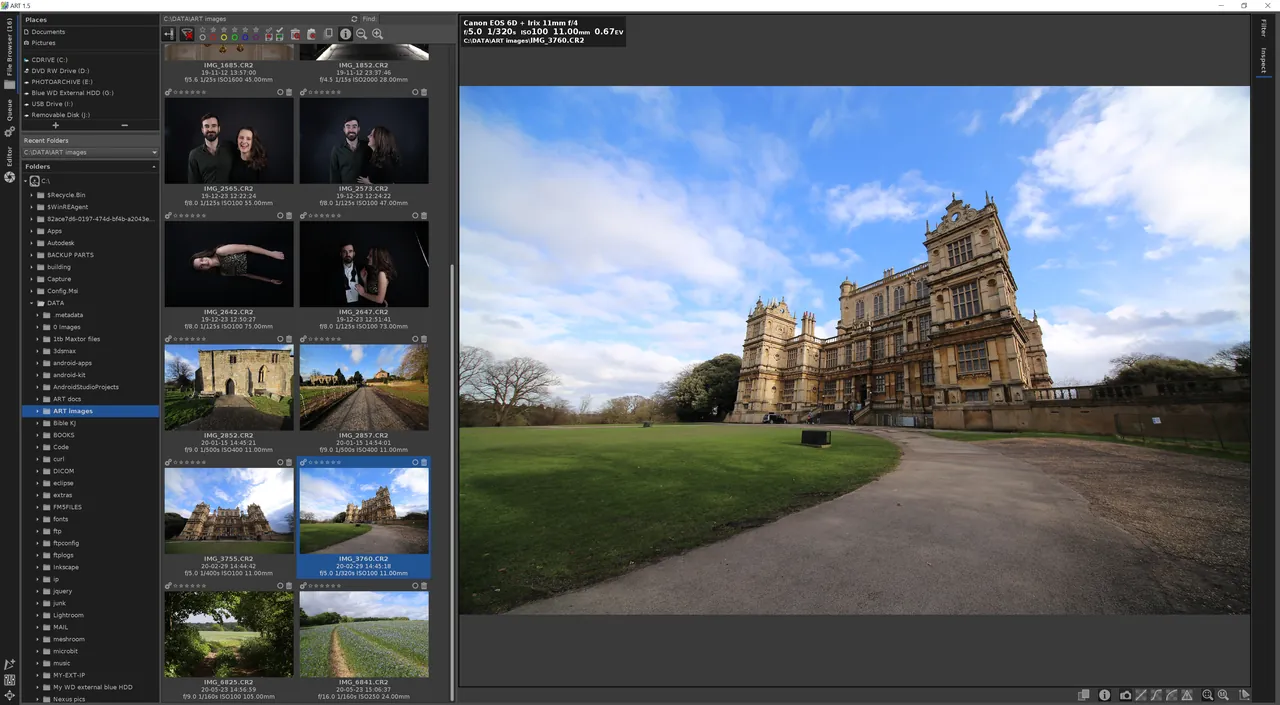
Screenshots
How to install
Windows
- Click the download button to retrieve the official Windows installer.
- Alternatively, run 'winget install --id ART.ART -e' in a terminal.
- Follow the on-screen installation steps to finish setup.
Linux
- Click the official download button on this page to visit Flathub or open your terminal.
- Run the command 'flatpak install flathub us.pixls.art.ART'.
- Launch ART from your application launcher once installation finishes.
Alternatives
Frequently asked questions
Is ART free to use?
Yes, ART is completely free and distributed as open-source software under the GPL-3.0 license.
How is ART related to RawTherapee?
ART is a fork of RawTherapee designed to simplify the user interface and integrate refined local adjustment tools.
Does ART modify the original raw files?
No, ART operates non-destructively by saving processing parameters separately and rendering changes only upon export.