

LightZone
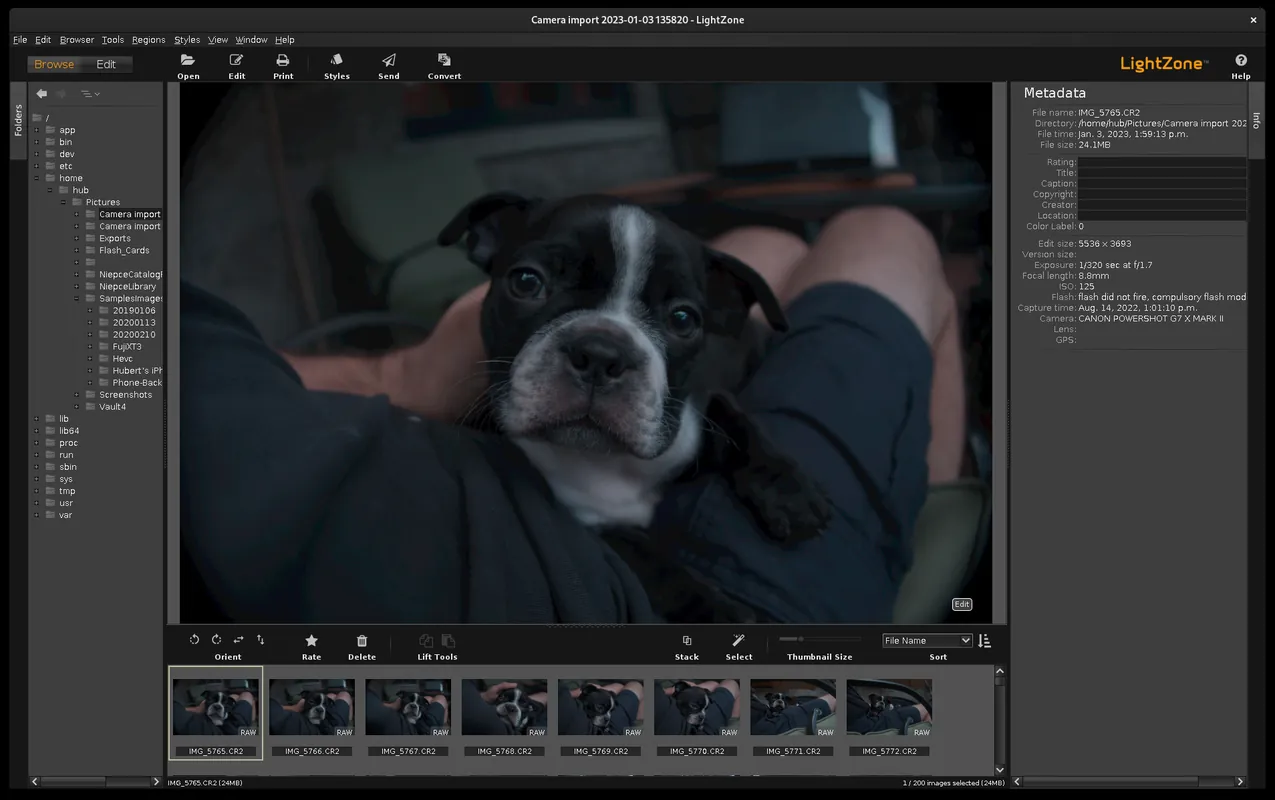
LightZone is an open-source digital darkroom and RAW photo editor designed for non-destructive image processing. It relies on a Zone System approach and tool stacks rather than conventional layers, offering precise local and global exposure adjustments.
github.com · Official website
- ✓ Official source (winget)
- ✓ SHA256 taken from the official repository
- ✓ Last checked: Nov. 4, 2026
- This is not a virus scan. Check on VirusTotal
- Version
- 5.0.0
- Release date
- May 23, 2026
- License
- BSD-3-Clause
- Installer type
- wix
How do I use this?
Type Terminal in the Start menu and open it, paste the command (Ctrl+V or right-click) and press Enter. It uses winget, Windows' own package manager, to install the program from its official source.
winget install --id LightZoneProject.LightZone -eSHA256 (file verification)
775fd3341aa5a31c86802608b562cd96df06d85daa5399a1c41dd8af1e279dd9flathub.org · Official website
- ✓ Community package (Flathub)
- ✓ Last checked: Nov. 4, 2026
- Version
- 5.0.2
- Release date
- Aug. 6, 2026
- License
- BSD-3-Clause
- Installer type
- flatpak
How do I use this?
Open a terminal, paste the command and press Enter. Flatpak and Flathub must be set up; Linux Mint has them by default, for other distributions see flathub.org/setup.
flatpak install flathub io.github.ktgw0316.LightZoneWe couldn't find a macOS version of LightZone in the official repositories; check the publisher's website.
You can try these instead:
We couldn't find a Android version of LightZone in the official repositories; check the publisher's website.
LightZone 5.0.0: what's new?
Highlights
- Non-destructive RAW image processing workflow
- ZoneMapper tool modeled after Ansel Adams' Zone System for exposure control
- Vector-based selective editing and region masking
- Tools for noise reduction, color balance, sharpening, and tone curves
Who is it for?
Photographers working with RAW files who prefer exposure-zone adjustments and non-destructive digital darkroom workflows.
Good to know before installing
- The Zone System workflow differs from standard curve-based editors and requires a learning curve.
- Official support is limited to Linux and Windows systems.
- RAW support for the newest camera sensors may lag behind commercial alternatives.
Screenshots
How to install
Windows
- Download the installer via our official download link or run 'winget install --id LightZoneProject.LightZone -e' in PowerShell.
- Open the downloaded installer and follow the setup wizard.
- Finish the installation and launch LightZone from the Start menu.
Linux
- Click the official download button on this page to visit the Flathub page.
- Install via your software manager or execute 'flatpak install flathub io.github.ktgw0316.LightZone' in the terminal.
- Launch LightZone from your desktop application launcher.
Alternatives
Frequently asked questions
Is LightZone completely free?
Yes, LightZone is free and open-source software released under the BSD-3-Clause license.
Does LightZone overwrite original image files?
No, it uses non-destructive editing, saving edits separately and keeping original RAW files intact.
Which operating systems does LightZone support?
LightZone is supported on Linux and Windows operating systems.