
RawTherapee
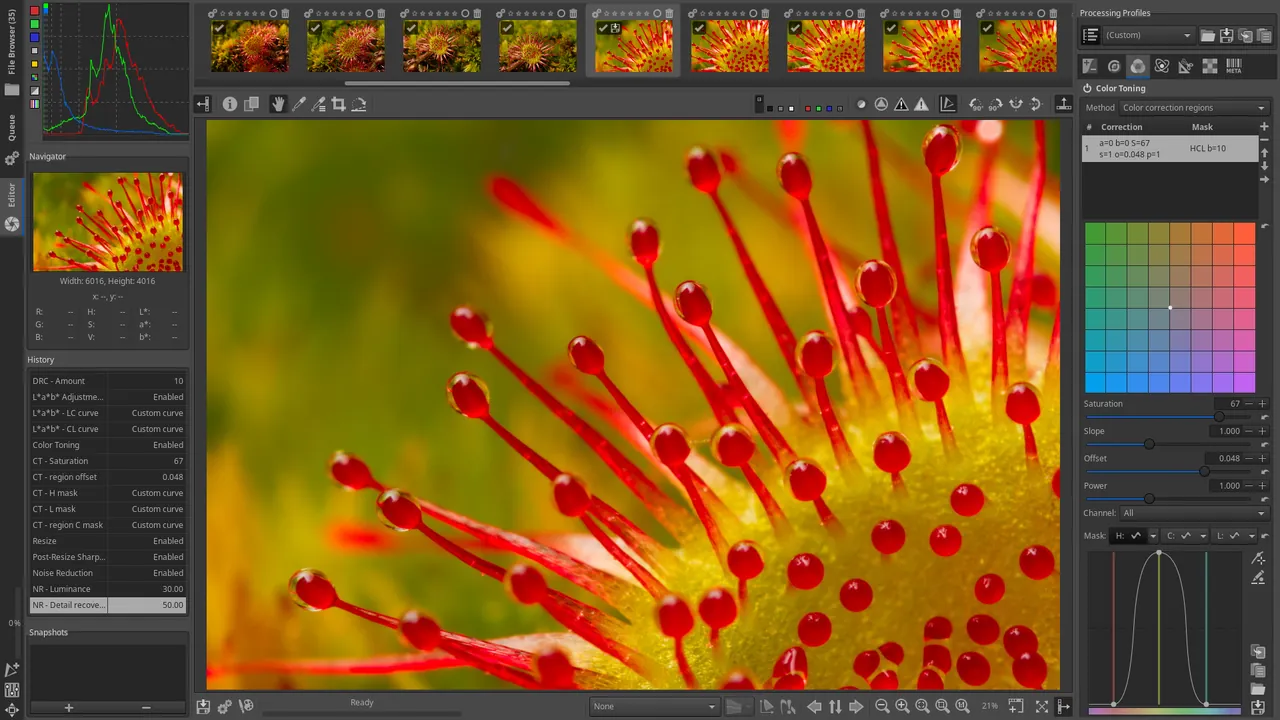
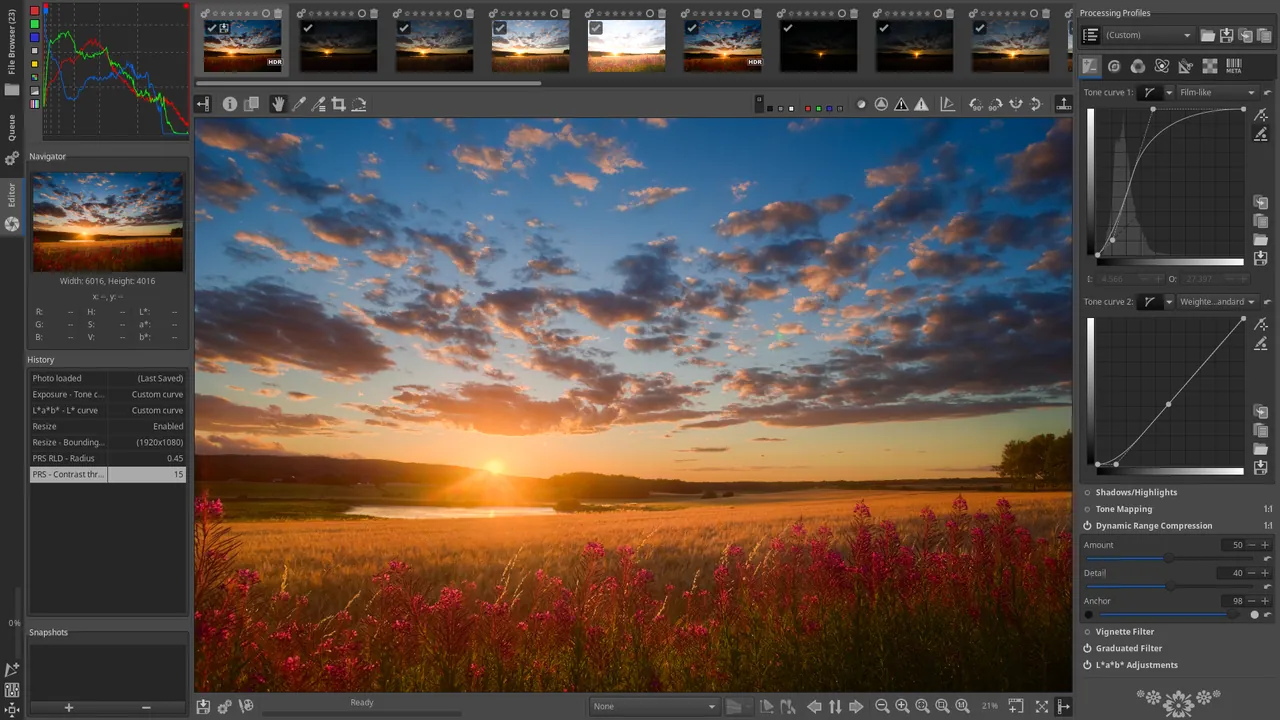
RawTherapee is a free, open-source program for processing camera RAW files. It adjusts exposure, color, sharpness and noise without touching the original file, then exports the result as JPEG or TIFF.
github.com · Official website
- ✓ Official source (winget)
- ✓ SHA256 taken from the official repository
- ✓ Last checked: Nov. 4, 2026
- This is not a virus scan. Check on VirusTotal
- Version
- 5.13
- Release date
- July 26, 2026
- License
- GPL-3.0
- Installer type
- inno
How do I use this?
Type Terminal in the Start menu and open it, paste the command (Ctrl+V or right-click) and press Enter. It uses winget, Windows' own package manager, to install the program from its official source.
winget install --id RawTherapee.RawTherapee -eSHA256 (file verification)
d27df7ebde717c5efa114338a4b1cf1c426a439e5a1a92e142e87868cbe45383rawtherapee.com · Official website
- ✓ Official source (Homebrew)
- ✓ SHA256 taken from the official repository
- ✓ Last checked: Nov. 4, 2026
- This is not a virus scan. Check on VirusTotal
- Version
- 5.13
- License
- GPL-3.0
- Installer type
- zip
How do I use this?
This command needs Homebrew; if you don't have it, first run the install command from brew.sh. Then open Terminal (Applications > Utilities > Terminal), paste the command and press Enter.
brew install --cask rawtherapeeSHA256 (file verification)
795a32a688afa5b127dfd768c25c77649859ababa206352e865f6587c66c45a7flathub.org · Official website
- ✓ Community package (Flathub)
- ✓ Last checked: Nov. 4, 2026
- Version
- 5.13
- Release date
- July 26, 2026
- License
- GPL-3.0
- Installer type
- flatpak
How do I use this?
Open a terminal, paste the command and press Enter. Flatpak and Flathub must be set up; Linux Mint has them by default, for other distributions see flathub.org/setup.
flatpak install flathub com.rawtherapee.RawTherapeeWe couldn't find a Android version of RawTherapee in the official repositories; check the publisher's website.
RawTherapee 5.13: what's new?
Highlights
- Non-destructive editing that keeps the original intact
- Advanced exposure, color and tone curve tools
- Noise reduction and sharpening
- Lens correction and perspective adjustment
- Batch processing queue
Who is it for?
For hobby and professional photographers who shoot RAW and anyone looking for an alternative to paid RAW editors.
Good to know before installing
- It has a very large number of settings, so it takes time to learn.
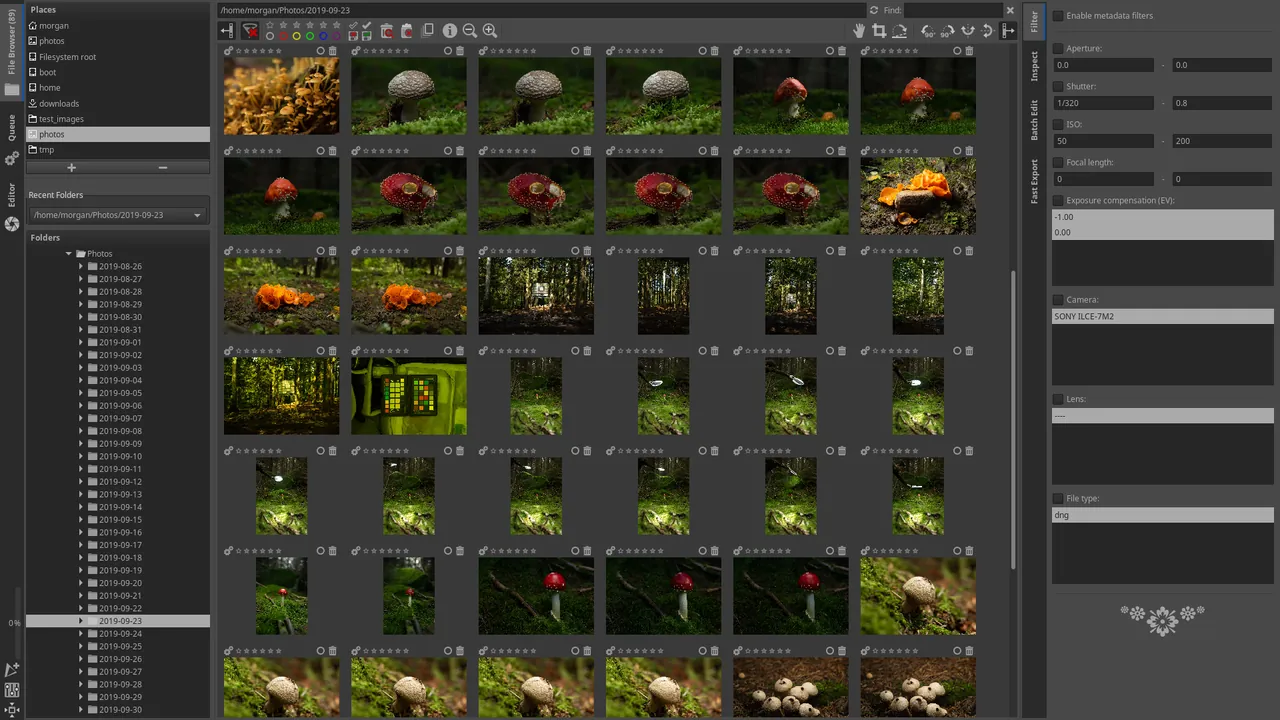
- It offers no photo catalog and no layer-based editing.
Screenshots
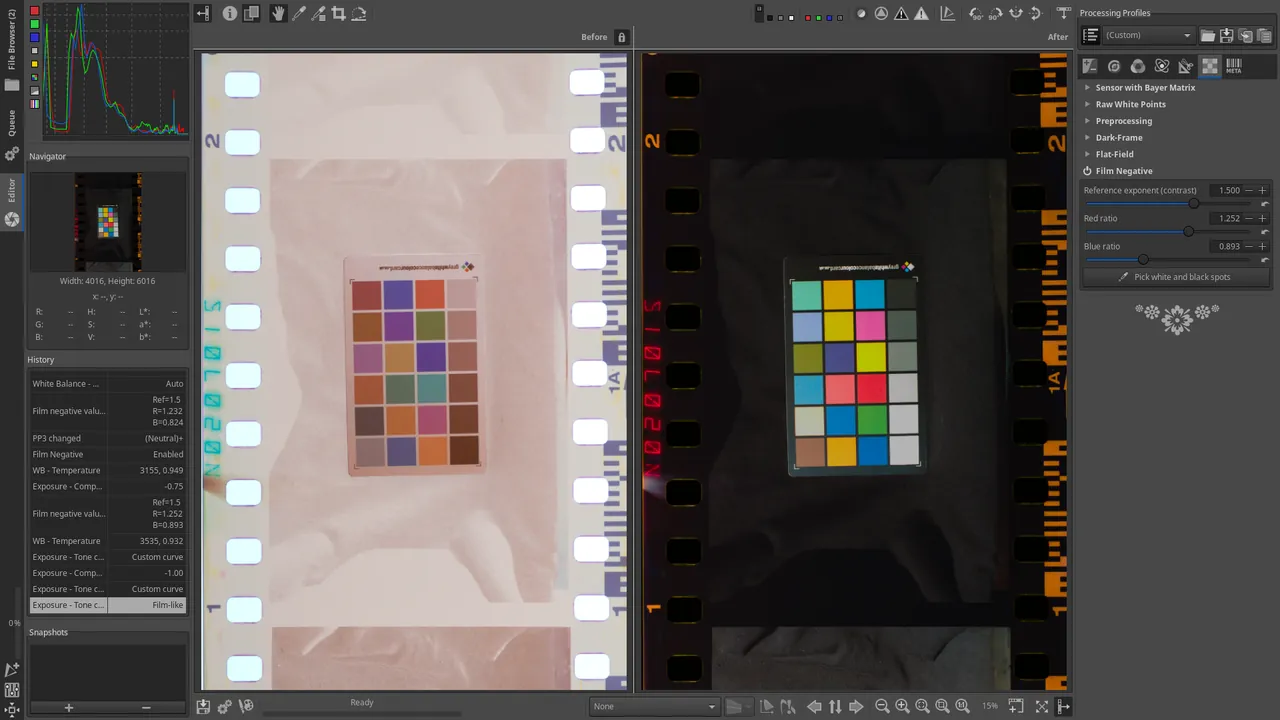
How to install
Windows
- Click the official download button on this page.
- Run the installer and follow the steps.
- Or use the winget command shown on the page.
macOS
- Download the installer with the official button.
- Move RawTherapee into the Applications folder.
- Alternatively, use the Homebrew command shown on the page.
Linux
- Open the Flathub page with the button on this page.
- Or run the flatpak command shown on the page in a terminal.
- Open RawTherapee and pick your photo folder in its file browser.
Alternatives
Frequently asked questions
Is RawTherapee free?
Yes. It is open source and free.
Does it keep a photo catalog like Lightroom?
No. It has a file browser but no full catalog system. For library management you can pair it with a program such as digiKam.
Can it edit JPEG files too?
Yes, but its biggest advantage shows with RAW files.