

Rocket.Chat
Rocket.Chat is an open-source team communication platform licensed under the MIT license. It enables real-time collaboration, channel discussions, and file sharing by connecting to self-hosted servers or cloud instances.
github.com · Official website
- ✓ Official source (winget)
- ✓ SHA256 taken from the official repository
- ✓ Last checked: Nov. 4, 2026
- This is not a virus scan. Check on VirusTotal
- Version
- 4.19.0
- Release date
- Oct. 27, 2026
- License
- MIT
- Installer type
- nullsoft
How do I use this?
Type Terminal in the Start menu and open it, paste the command (Ctrl+V or right-click) and press Enter. It uses winget, Windows' own package manager, to install the program from its official source.
winget install --id RocketChat.RocketChat -eSHA256 (file verification)
28b9a29b51dc632a46ab767bbec482db42bb1ea1d670c8c932ae16f2cec46e0dgithub.com · Official website
- ✓ Official source (Homebrew)
- ✓ SHA256 taken from the official repository
- ✓ Last checked: Nov. 4, 2026
- This is not a virus scan. Check on VirusTotal
- Version
- 4.19.0
- License
- MIT
- Installer type
- dmg
How do I use this?
This command needs Homebrew; if you don't have it, first run the install command from brew.sh. Then open Terminal (Applications > Utilities > Terminal), paste the command and press Enter.
brew install --cask rocket-chatSHA256 (file verification)
f366dea99b48c70b8787bfd69423a91927e5aeabbf5c8167c32f51e0f231ddf2flathub.org · Official website
- ✓ Community package (Flathub)
- ✓ Last checked: Nov. 4, 2026
- Version
- 4.19.0
- Release date
- Oct. 27, 2026
- License
- MIT
- Installer type
- flatpak
How do I use this?
Open a terminal, paste the command and press Enter. Flatpak and Flathub must be set up; Linux Mint has them by default, for other distributions see flathub.org/setup.
flatpak install flathub chat.rocket.RocketChatWe couldn't find a Android version of Rocket.Chat in the official repositories; check the publisher's website.
You can try these instead:
Rocket.Chat 4.19.0: what's new?
Highlights
- Real-time team messaging and organized channels
- Integrated file sharing and media uploads
- Support for self-hosted infrastructure and cloud workspaces
- Customizable notifications and webhooks
Who is it for?
Built for software development groups, enterprises, and privacy-focused teams requiring an open-source, customizable communication workspace.
Good to know before installing
- Requires an active Rocket.Chat server instance or cloud URL to function.
- Self-hosting the backend requires Linux administration skills and dedicated maintenance.
- Memory usage can be relatively high due to its web-based desktop wrapper architecture.
Screenshots
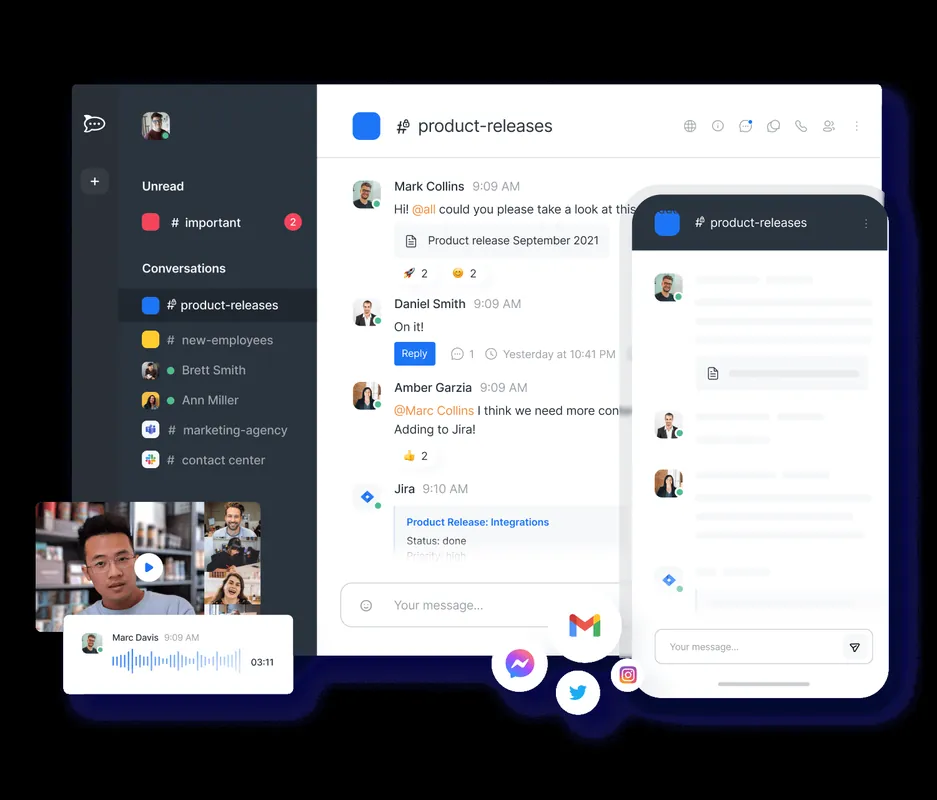
How to install
Windows
- Download the installer via the official button or run 'winget install --id RocketChat.RocketChat -e' in PowerShell.
- Open the installer and follow the setup instructions.
- Launch Rocket.Chat and connect to your workspace.
macOS
- Download the official installer or run 'brew install --cask rocket-chat' in Terminal.
- Open the DMG file and move Rocket.Chat into your Applications folder.
- Start the application and configure your server URL.
Linux
- Visit the Flathub page using the official download button or open your terminal.
- Execute 'flatpak install flathub chat.rocket.RocketChat'.
- Launch Rocket.Chat from your desktop application launcher.
Alternatives
Frequently asked questions
Is Rocket.Chat free to use?
Yes, the core platform and desktop applications are open source under the MIT license.
Can the desktop app work without an existing server?
No, you need access to an active self-hosted or cloud-hosted Rocket.Chat server to sign in.
Does Rocket.Chat support sending attachments?
Yes, users can upload and exchange files, images, and documents directly within chat channels.