

Jitsi Meet
Jitsi Meet is an open-source video conferencing app that lets you hold meetings without creating an account. This desktop and mobile app joins meetings on meet.jit.si or on your organization's own Jitsi server.
github.com · Official website
- ✓ Official source (winget)
- ✓ SHA256 taken from the official repository
- ✓ Last checked: Nov. 4, 2026
- This is not a virus scan. Check on VirusTotal
- Version
- 2026.10.0
- Release date
- Oct. 21, 2026
- License
- Apache-2.0
- Installer type
- nullsoft
How do I use this?
Type Terminal in the Start menu and open it, paste the command (Ctrl+V or right-click) and press Enter. It uses winget, Windows' own package manager, to install the program from its official source.
winget install --id Jitsi.Meet -eSHA256 (file verification)
30e56ea530efd1eeee44ef9ef9f8db9e3d2890f1543024574de5d56bffe5d9dcgithub.com · Official website
- ✓ Official source (Homebrew)
- ✓ SHA256 taken from the official repository
- ✓ Last checked: Nov. 4, 2026
- This is not a virus scan. Check on VirusTotal
- Version
- 2026.10.0
- License
- Apache-2.0
- Installer type
- dmg
How do I use this?
This command needs Homebrew; if you don't have it, first run the install command from brew.sh. Then open Terminal (Applications > Utilities > Terminal), paste the command and press Enter.
brew install --cask jitsi-meetSHA256 (file verification)
6e45229b85b82ec5461636f5720e1283bda094d1677cb5b753e1c024eba62d4fflathub.org · Official website
- ✓ Official source (Flathub)
- ✓ Last checked: Nov. 4, 2026
- Version
- 2026.10.0
- Release date
- Oct. 21, 2026
- License
- Apache-2.0
- Installer type
- flatpak
How do I use this?
Open a terminal, paste the command and press Enter. Flatpak and Flathub must be set up; Linux Mint has them by default, for other distributions see flathub.org/setup.
flatpak install flathub org.jitsi.jitsi-meetf-droid.org · Official website
- ✓ Official source (F-Droid)
- ✓ SHA256 taken from the official repository
- ✓ Last checked: Nov. 4, 2026
- This is not a virus scan. Check on VirusTotal
- Version
- 26.0.0
- Release date
- April 19, 2026
- License
- Apache-2.0
- Installer type
- apk
SHA256 (file verification)
72a89e53ca532b3ab44e9204644edeef282d7d66a366939ea55f062057c47df4Jitsi Meet 2026.10.0: what's new?
Highlights
- Start and join meetings without an account
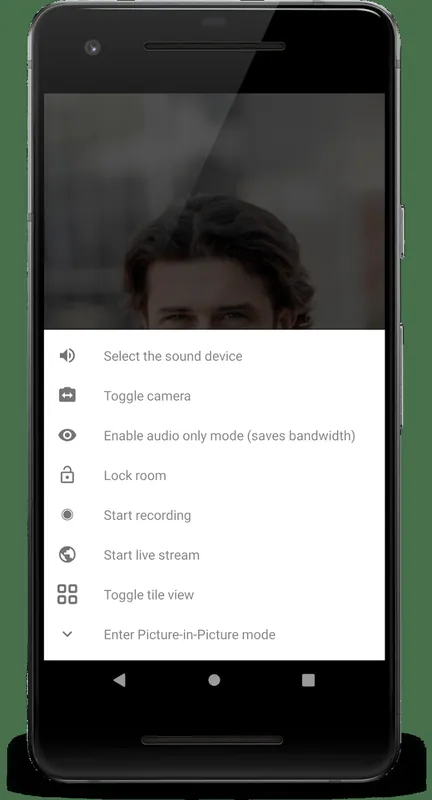
- Screen sharing and in-meeting chat
- Meeting passwords and a lobby
- Works with your own Jitsi server
- Background blur
Who is it for?
For people who want to start a video call quickly, schools, associations and organizations that want to run video conferencing on their own server.
Good to know before installing
- Quality in very large meetings depends on the server's capacity and your connection.
- Recording and some other features depend on the server's settings.
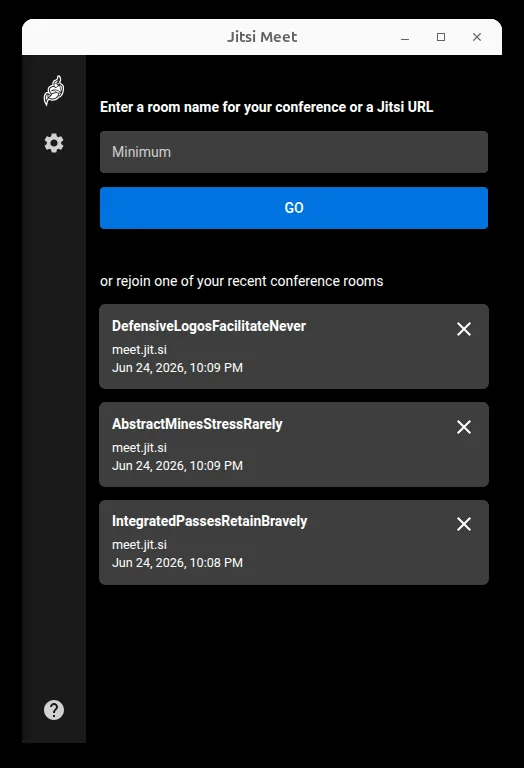
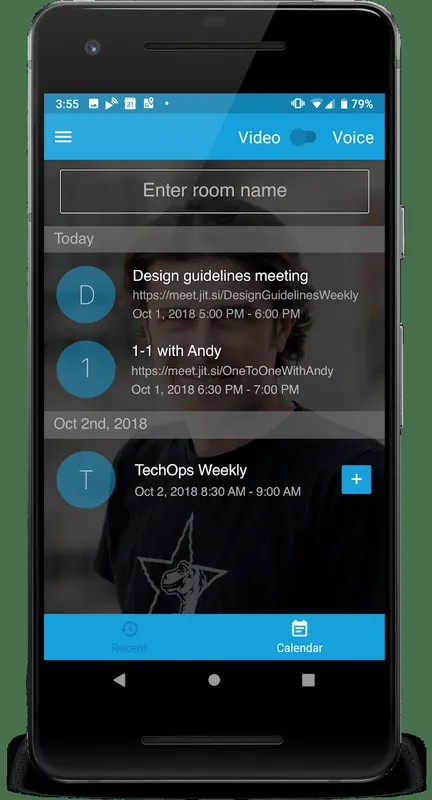
Screenshots

How to install
Windows
- Click the official download button on this page.
- Run the installer and follow the steps.
- Open the app and type a meeting name, or open a link you were sent.
macOS
- Download the .dmg file with the official button.
- Drag Jitsi Meet into the Applications folder.
- Allow camera and microphone access for your first meeting.
Linux
- Open the Flathub page with the button on this page.
- Or run the flatpak command shown on the page in a terminal.
- Open the app and join a meeting.
Android
- Open the F-Droid page with the Android button on this page.
- Install the app through F-Droid.
- Enter a meeting name and join; allow camera and microphone access.
Alternatives
Frequently asked questions
Do I need an account for Jitsi Meet?
Not to join a meeting. Starting a meeting on meet.jit.si may sometimes ask you to sign in; on your own server, that is up to your settings.
Is Jitsi Meet free?
Yes. The app is open source and meet.jit.si can be used for free.
Can I use it in a browser instead?
Yes. Jitsi Meet also runs in the browser; the desktop app adds conveniences such as a separate window and notifications.