

Logseq
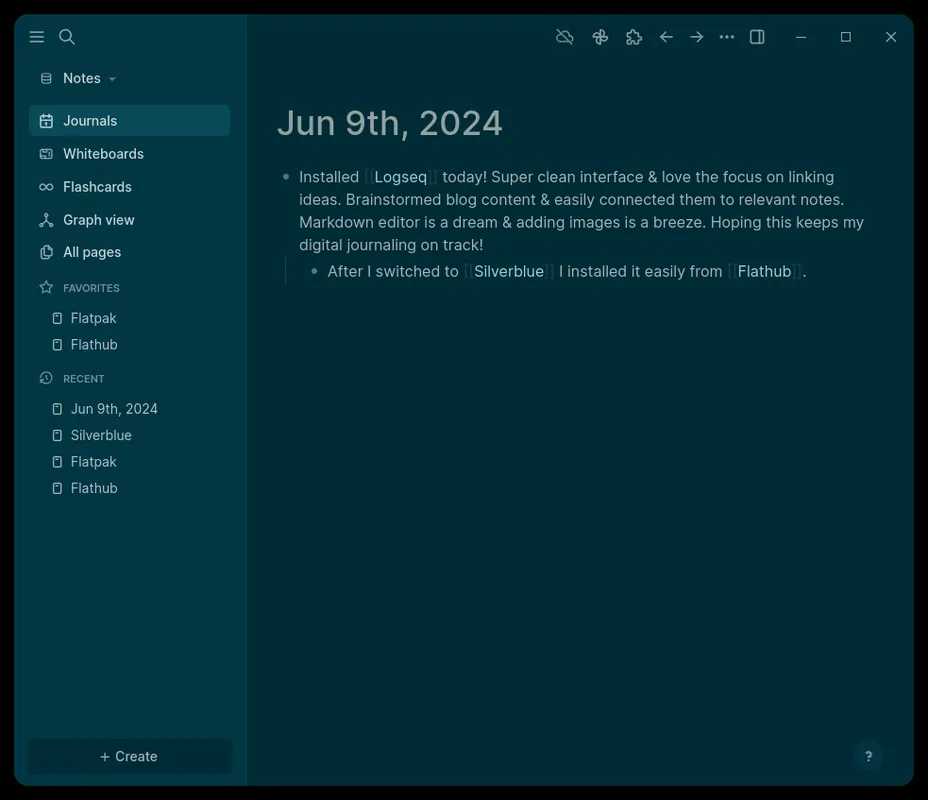
Logseq is an open-source, privacy-first personal knowledge management and outliner tool. It operates directly on local plain-text files such as Markdown and Org-mode, keeping full ownership of data on your device. Its core design relies on bi-directional linking and interactive graph visualization to organize complex thoughts.
github.com · Official website
- ✓ Official source (winget)
- ✓ SHA256 taken from the official repository
- ✓ Last checked: Nov. 4, 2026
- This is not a virus scan. Check on VirusTotal
- Version
- 2.0.2
- Release date
- Oct. 7, 2026
- License
- AGPL-3.0
- Installer type
- nullsoft
How do I use this?
Type Terminal in the Start menu and open it, paste the command (Ctrl+V or right-click) and press Enter. It uses winget, Windows' own package manager, to install the program from its official source.
winget install --id Logseq.Logseq -eSHA256 (file verification)
5d7f52fa676a65cb91b88a688ff2705de629dd60a0530dc6c9119e97b463d853flathub.org · Official website
- ✓ Official source (Flathub)
- ✓ Last checked: Nov. 4, 2026
- Version
- 0.10.15
- Release date
- Dec. 5, 2025
- License
- AGPL-3.0
- Installer type
- flatpak
How do I use this?
Open a terminal, paste the command and press Enter. Flatpak and Flathub must be set up; Linux Mint has them by default, for other distributions see flathub.org/setup.
flatpak install flathub com.logseq.Logseqf-droid.org · Official website
- ✓ Official source (F-Droid)
- ✓ SHA256 taken from the official repository
- ✓ Last checked: Nov. 4, 2026
- This is not a virus scan. Check on VirusTotal
- Version
- 0.10.15
- Release date
- Dec. 18, 2025
- License
- AGPL-3.0
- Installer type
- apk
SHA256 (file verification)
9cb9834d1da46447dc69f9517fb9cbcad06d5f67852c0a217274d40f862d7be1We couldn't find a macOS version of Logseq in the official repositories; check the publisher's website.
You can try these instead:
Logseq 2.0.2: what's new?
- Gallery cards can now use URL properties as covers, and desktop video embeds are now resizable with clickable YouTube timestamps.
- Added a "Clear heading" slash command and improved performance for startup, journal loading, rendering, and search.
- Fixed Windows 11 installer crashes and resolved bugs with unsaved edits, undo/redo content restoration, repeating tasks, and international keyboard input.
- Fixed layout, popup, and cloud graph sync/download issues on Android.
Summarized from the publisher's release notes.
Highlights
- Bi-directional linking to interconnect ideas and documents
- Interactive graph view representing relationships between notes
- Local-first storage using standard Markdown and Org-mode files
- Built-in daily journaling workflow for rapid note-taking
- Integrated task management and outline hierarchy
Who is it for?
Designed for students, researchers, and technical writers who need to structure networked thoughts, manage project docs, or keep daily research logs.
Good to know before installing
- The block-based outliner paradigm requires an adjustment period for users used to traditional document editors.
- Multi-device synchronization requires manual configuration or third-party file sync utilities when not using external tools.
Screenshots
How to install
Windows
- Download the installer via our official download link or execute 'winget install --id Logseq.Logseq -e' in your command prompt.
- Run the installer executable and complete the installation wizard.
- Open Logseq and assign a local folder as your knowledge graph directory.
Linux
- Navigate to the official Flathub page or open your terminal.
- Run the command: flatpak install flathub com.logseq.Logseq
- Launch the program from your desktop application launcher.
Android
- Download the official package using the download button on our site.
- Open the file on your device and confirm third-party package installation if prompted.
- Launch Logseq and select or create a local directory for your notes.
Alternatives
Frequently asked questions
Where does Logseq store my notes?
All notes are saved locally on your device in plain text files using Markdown or Org-mode formatting.
Is Logseq free to use?
Yes, Logseq is open-source software distributed under the AGPL-3.0 license.
Does Logseq require an account to work?
No, you can use Logseq completely offline on your local file system without creating an account.