

Money Manager EX
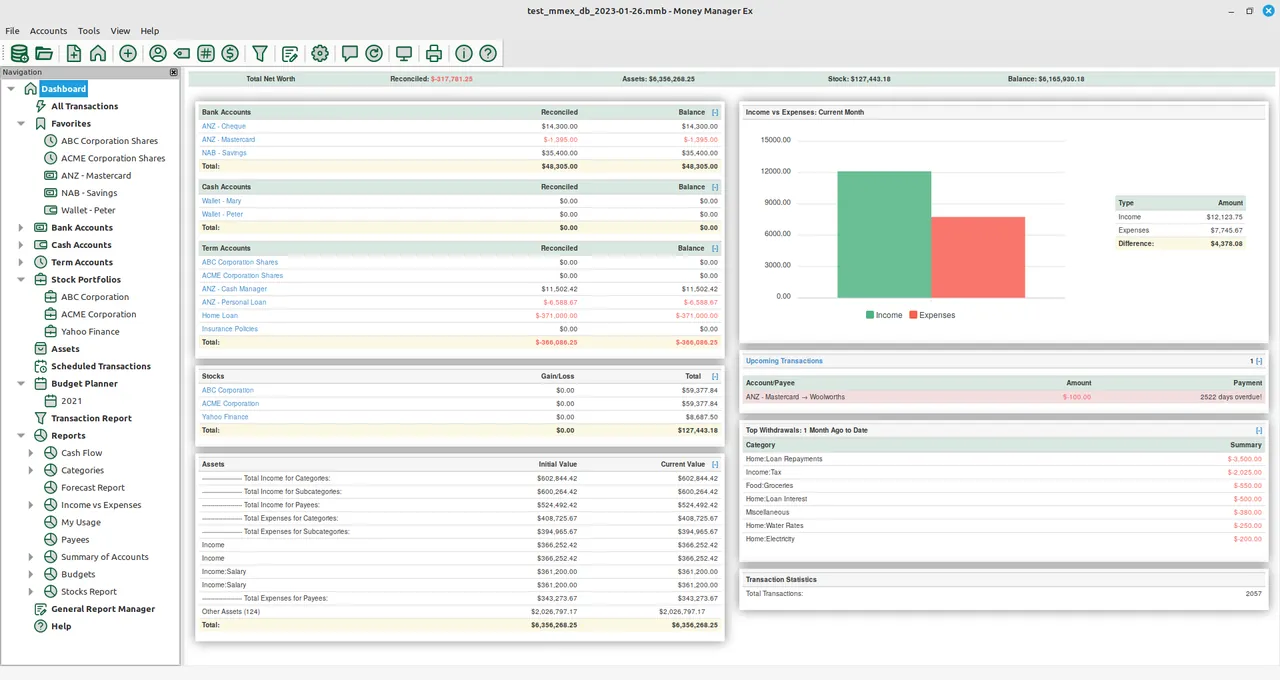
Money Manager EX is an open-source personal finance management tool designed to organize budgets and monitor cash flow. It consolidates bank accounts, credit cards, and cryptocurrency holdings into a single dashboard, offering reports and data visualization to help users understand their spending habits.
github.com · Official website
- ✓ Official source (winget)
- ✓ SHA256 taken from the official repository
- ✓ Last checked: Nov. 4, 2026
- This is not a virus scan. Check on VirusTotal
- Version
- 1.9.4
- Release date
- Aug. 31, 2026
- License
- GPL-2.0
- Installer type
- nullsoft
How do I use this?
Type Terminal in the Start menu and open it, paste the command (Ctrl+V or right-click) and press Enter. It uses winget, Windows' own package manager, to install the program from its official source.
winget install --id moneymanagerex.moneymanagerex -eSHA256 (file verification)
95daa954201c834c6eeaff1d03aa41d50d3e7f1c5466cd79c98f28c1a5949f74flathub.org · Official website
- ✓ Official source (Flathub)
- ✓ Last checked: Nov. 4, 2026
- Version
- 1.9.4
- Release date
- Aug. 31, 2026
- License
- GPL-2.0
- Installer type
- flatpak
How do I use this?
Open a terminal, paste the command and press Enter. Flatpak and Flathub must be set up; Linux Mint has them by default, for other distributions see flathub.org/setup.
flatpak install flathub org.moneymanagerex.MMEXWe couldn't find a macOS version of Money Manager EX in the official repositories; check the publisher's website.
You can try these instead:
We couldn't find a Android version of Money Manager EX in the official repositories; check the publisher's website.
Money Manager EX 1.9.4: what's new?
- Added the ability to filter transactions based on attachments.
- Resolved a performance issue causing the transaction dialog to take 5 seconds to open.
- Fixed crashes occurring when creating an HTML model for a new report and when adding an investment filter.
- Fixed SQL errors when creating a new database in French and Italian interface languages.
Summarized from the publisher's release notes.
Highlights
- Management of bank, credit card, and cash accounts
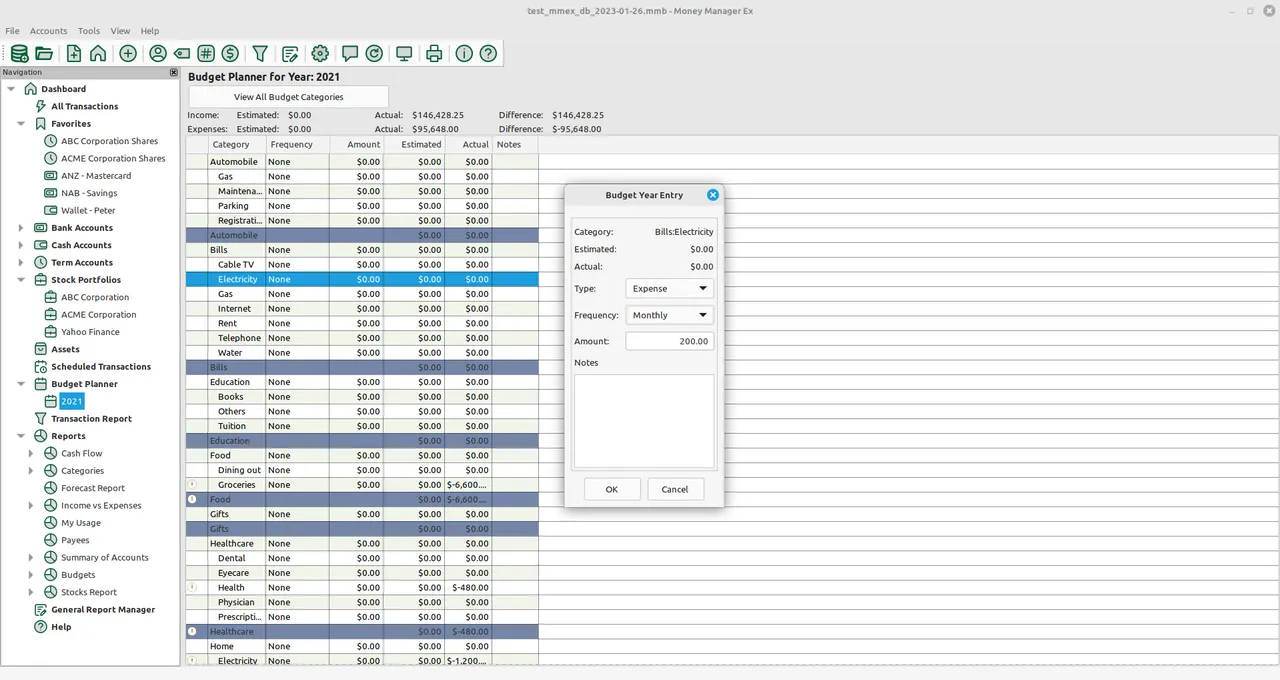
- Category-based budgeting and cash flow tracking
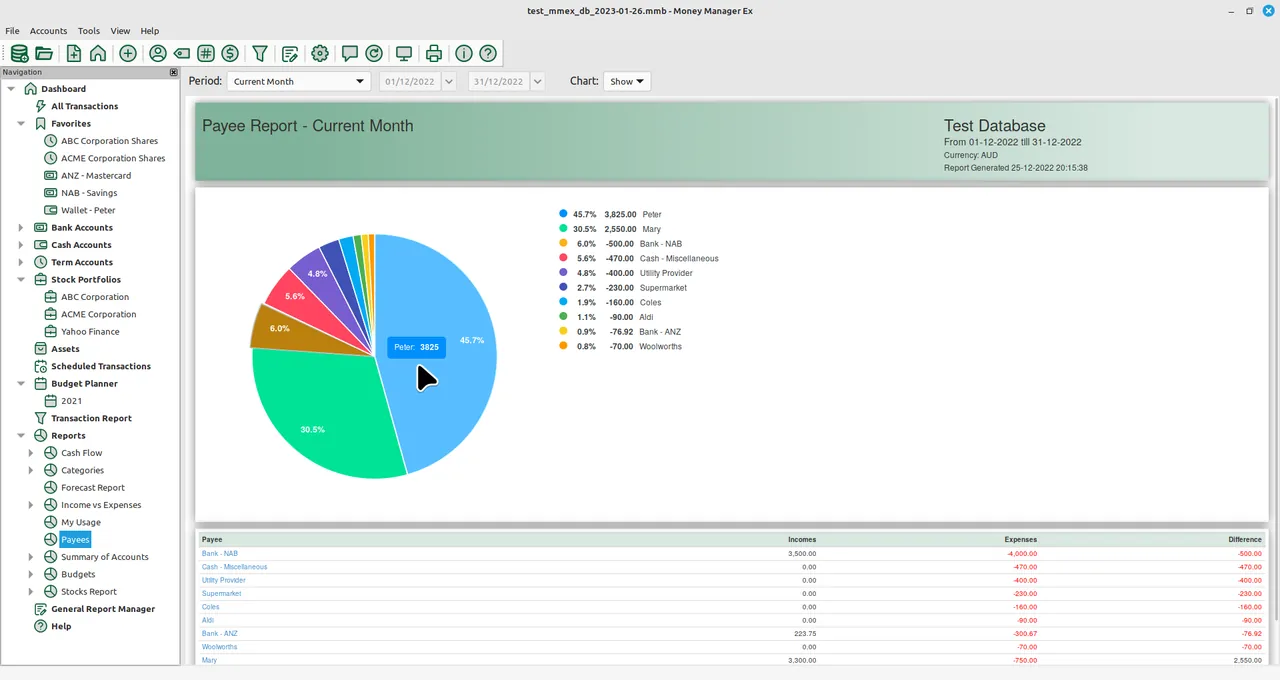
- Visual data charts and summary reports
- Support for monitoring cryptocurrency and investment assets
- Local storage using an SQLite database
Who is it for?
Individuals and households looking to track daily expenses, manage budgets, and monitor savings locally without relying on third-party cloud platforms.
Good to know before installing
- Available only on Windows and Linux platforms.
- Lacks direct automatic bank synchronization, requiring manual entry or file imports.
- Does not support full double-entry bookkeeping, focusing instead on single-entry personal budgeting.
Screenshots
How to install
Windows
- Click the official download button to get the Windows installer, or run 'winget install --id moneymanagerex.moneymanagerex -e' in PowerShell or Command Prompt.
- Run the downloaded installer and follow the setup wizard.
- Open the application from the Start menu once installed.
Linux
- Click the official download button on our site to visit the Flathub page, or run 'flatpak install flathub org.moneymanagerex.MMEX' in a terminal.
- Wait for the Flatpak package installation to finish.
- Launch Money Manager EX from your desktop application launcher.
Alternatives
Frequently asked questions
Is Money Manager EX free to use?
Yes, it is completely free and open-source under the GNU General Public License (GPL-2.0).
Does Money Manager EX store financial data online?
No, all records and account details are saved locally on your computer in an SQLite file.
Can I track cryptocurrency holdings with this software?
Yes, Money Manager EX includes support for tracking cryptocurrency alongside traditional bank accounts.