

Zulip
Zulip is an open-source team collaboration and chat application developed by Kandra Labs, Inc. under the Apache-2.0 license. It structures conversations through a topic-based stream model, combining the real-time interaction of team chat with the organizational clarity of email threads for asynchronous communication.
github.com · Official website
- ✓ Official source (winget)
- ✓ SHA256 taken from the official repository
- ✓ Last checked: Nov. 4, 2026
- This is not a virus scan. Check on VirusTotal
- Version
- 5.14.2
- Release date
- Oct. 31, 2026
- License
- Apache-2.0
- Installer type
- wix
How do I use this?
Type Terminal in the Start menu and open it, paste the command (Ctrl+V or right-click) and press Enter. It uses winget, Windows' own package manager, to install the program from its official source.
winget install --id Zulip.Zulip -eSHA256 (file verification)
f549d0ed26954f866fab358e012191d154a397f526cd57b3f57853e206cbc435github.com · Official website
- ✓ Official source (Homebrew)
- ✓ SHA256 taken from the official repository
- ✓ Last checked: Nov. 4, 2026
- This is not a virus scan. Check on VirusTotal
- Version
- 5.14.2
- License
- Apache-2.0
- Installer type
- dmg
How do I use this?
This command needs Homebrew; if you don't have it, first run the install command from brew.sh. Then open Terminal (Applications > Utilities > Terminal), paste the command and press Enter.
brew install --cask zulipSHA256 (file verification)
e54a5e6bcd0150914cf2a2942ccf8ac8df58aa1102039dc66d47af79c6d28776flathub.org · Official website
- ✓ Official source (Flathub)
- ✓ Last checked: Nov. 4, 2026
- Version
- 5.14.2
- Release date
- Oct. 30, 2026
- License
- Apache-2.0
- Installer type
- flatpak
How do I use this?
Open a terminal, paste the command and press Enter. Flatpak and Flathub must be set up; Linux Mint has them by default, for other distributions see flathub.org/setup.
flatpak install flathub org.zulip.Zulipf-droid.org · Official website
- ✓ Official source (F-Droid)
- ✓ File is identical to the one the publisher released (SHA256 matched)
- ✓ Last checked: Nov. 4, 2026
- This is not a virus scan. Check on VirusTotal
- Version
- 30.0.275
- Release date
- Oct. 31, 2026
- License
- Apache-2.0
- Installer type
- apk
SHA256 (file verification)
3d4e3b9cf5745be51da0f9dd7c56a297e590c11b9ab67cb9441aefc9b214f132Zulip 5.14.2: what's new?
- Fixed a garbled unread badge in the Linux tray icon at non-1x display scaling.
- Updated translations.
- The Linux AppImage no longer requires the end-of-life FUSE 2 library.
- Upgraded dependencies, including Electron 45.1.0.
Summarized from the publisher's release notes.
Highlights
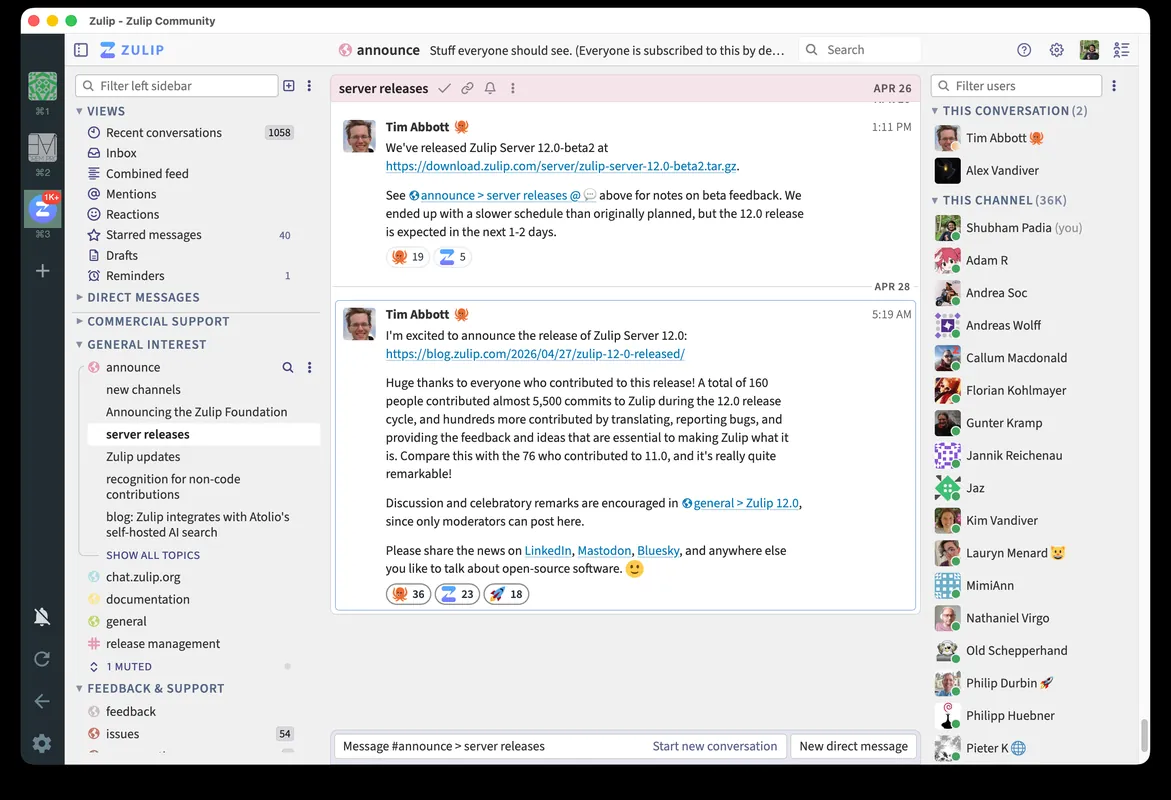
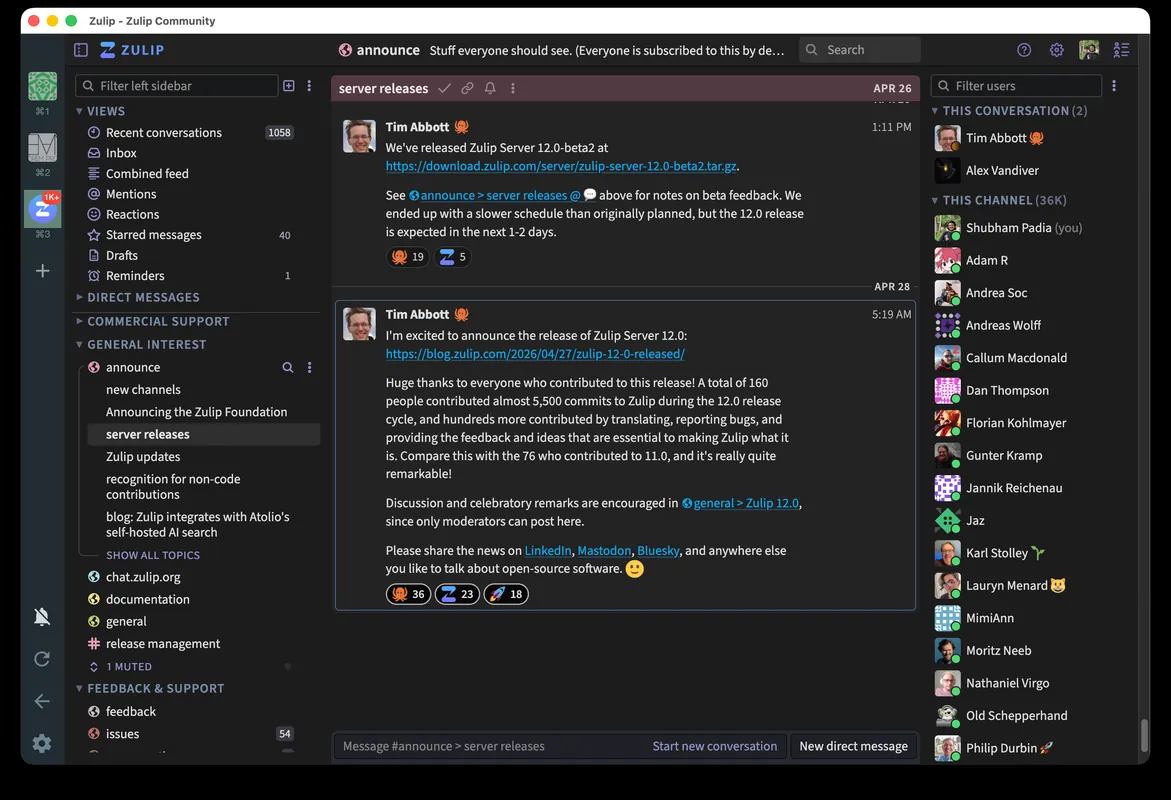
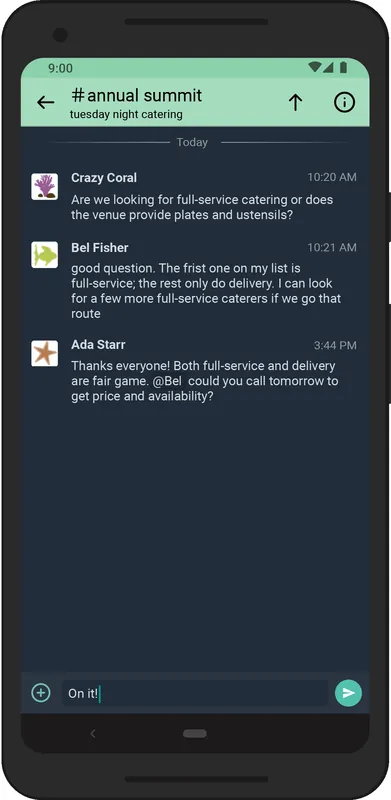
- Topic-based conversation streams for organized discussions
- Markdown support with integrated code syntax highlighting
- Extensive keyboard shortcuts for rapid navigation
- Full-text search engine with precise filtering syntax
- Multi-account support for connecting to multiple organizations
Who is it for?
Designed for distributed development teams, remote organizations, and open-source communities that require clear, asynchronous discussions without losing conversation context.
Good to know before installing
- The stream and topic hierarchy requires an adjustment period for users accustomed to traditional single-timeline chat.
- An active Zulip organization URL and account credentials are required to use the client.
- The desktop application runs on Electron, which generally utilizes more memory than native binaries.
Screenshots
How to install
Windows
- Download the installer using the official download link or execute `winget install --id Zulip.Zulip -e` in PowerShell.
- Run the downloaded installer and complete the setup wizard.
- Launch Zulip, input your organization URL, and enter your credentials.
macOS
- Download the official setup file or execute `brew install --cask zulip` in Terminal.
- Open the downloaded archive and drag Zulip to your Applications folder.
- Open the application, grant necessary permissions, and log in to your server.
Linux
- Click the official download button or run `flatpak install flathub org.zulip.Zulip` in your terminal.
- Confirm the installation prompts in your package manager.
- Launch Zulip from your application launcher and connect to your workspace.
Android
- Use the official download link to access the Android application.
- Confirm and complete the installation on your mobile device.
- Launch Zulip, enter your organization's server URL, and sign in.
Alternatives
Frequently asked questions
Is Zulip free to use?
Yes, Zulip is free and open-source software licensed under Apache-2.0.
Can the desktop client connect to self-hosted Zulip instances?
Yes, the client connects to both cloud-hosted Zulip organizations and custom self-hosted servers.
How do topics differ from standard channels?
Streams function like channels, but each message within a stream must belong to a specific topic, keeping parallel conversations separated.