

Simplenote
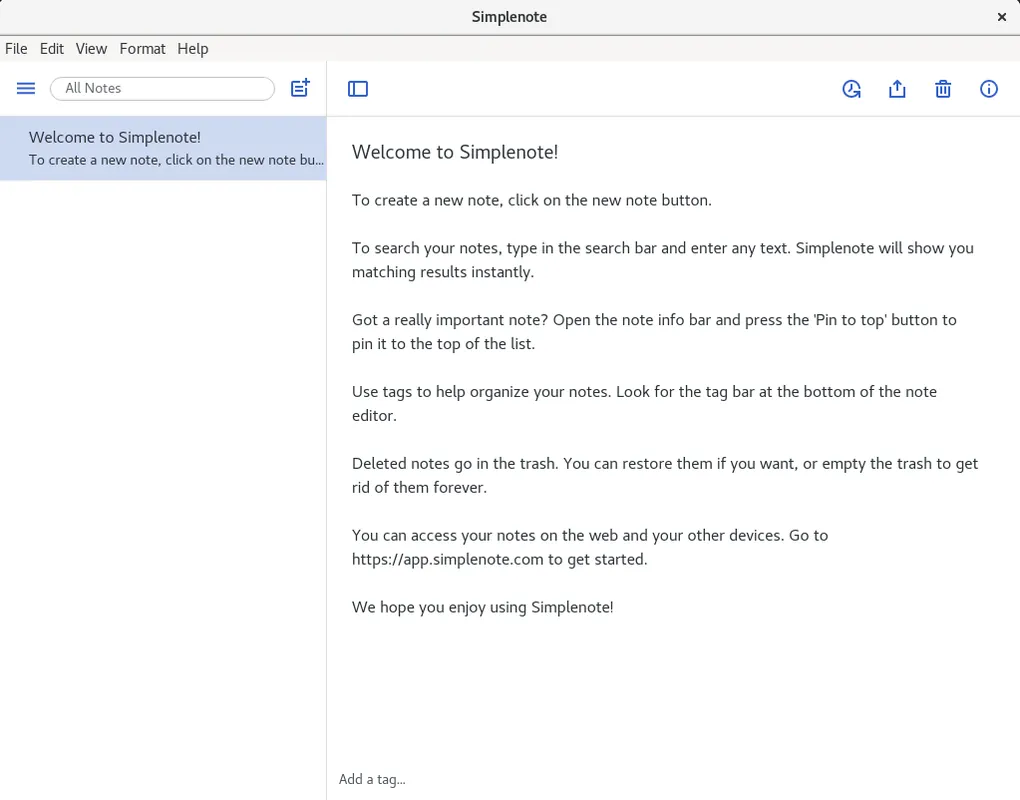
Simplenote is an open-source, lightweight note-taking application developed by Automattic. Designed for simplicity, it strips away complex toolbars to focus purely on text, allowing users to write notes, create task lists, and capture ideas efficiently. Notes are searchable instantly and can be categorized using tags.
github.com · Official website
- ✓ Official source (winget)
- ✓ SHA256 taken from the official repository
- ✓ Last checked: Nov. 4, 2026
- This is not a virus scan. Check on VirusTotal
- Version
- 2.24.0
- Release date
- Nov. 6, 2025
- License
- GPL-2.0
- Installer type
- nullsoft
How do I use this?
Type Terminal in the Start menu and open it, paste the command (Ctrl+V or right-click) and press Enter. It uses winget, Windows' own package manager, to install the program from its official source.
winget install --id Automattic.Simplenote -eSHA256 (file verification)
03ca6a0d4451f9dc85ba2fabe184d63db49cf583fd7ac3bca62cbdfc8d96919eflathub.org · Official website
- ✓ Community package (Flathub)
- ✓ Last checked: Nov. 4, 2026
- Version
- 2.24.0
- Release date
- Nov. 6, 2025
- License
- GPL-2.0
- Installer type
- flatpak
How do I use this?
Open a terminal, paste the command and press Enter. Flatpak and Flathub must be set up; Linux Mint has them by default, for other distributions see flathub.org/setup.
flatpak install flathub com.simplenote.SimplenoteWe couldn't find a macOS version of Simplenote in the official repositories; check the publisher's website.
You can try these instead:
We couldn't find a Android version of Simplenote in the official repositories; check the publisher's website.
You can try these instead:
Simplenote 2.24.0: what's new?
Highlights
- Markdown formatting with live preview capability
- Fast tag-based organization and instant keyword search
- Version history slider to view and restore past revisions
- Open-source software licensed under GPL-2.0
Who is it for?
Built for writers, students, and professionals who prioritize clean, distraction-free text editing and quick note retrieval.
Good to know before installing
- Does not support media attachments such as images, PDFs, or audio files.
- Lacks traditional nested folder structures, relying solely on tags for categorization.
- Advanced formatting is limited to plain text and Markdown.
Screenshots
How to install
Windows
- Click the official download link to get the installer, or run 'winget install --id Automattic.Simplenote -e' in a terminal.
- Open the downloaded installer and follow the onscreen setup prompts.
- Launch Simplenote and sign in to start synchronizing notes.
Linux
- Click the official download button to access the Flathub page.
- Alternatively, run 'flatpak install flathub com.simplenote.Simplenote' in your terminal.
- Launch Simplenote from your desktop application launcher once installed.
Alternatives
Frequently asked questions
Is Simplenote free to use?
Yes, Simplenote is entirely free and released as open-source software under the GPL-2.0 license.
Does Simplenote support Markdown?
Yes, Markdown support can be toggled on per note, providing formatting shortcuts and preview options.
Can I recover accidentally deleted text in a note?
Yes, Simplenote includes a history slider that allows you to restore earlier versions of any note.