

Tor Browser
Tor Browser is a free and open-source web browser developed by the Tor Project. Based on Mozilla Firefox, it routes internet traffic through the encrypted Tor network to protect privacy, prevent tracking, and bypass network censorship.
archive.torproject.org · Official website
- ✓ Official source (winget)
- ✓ File is identical to the one the publisher released (SHA256 matched)
- ✓ Last checked: Nov. 4, 2026
- This is not a virus scan. Check on VirusTotal
- Version
- 16.0
- Release date
- Oct. 29, 2026
- License
- MPL-2.0
- Installer type
- nullsoft
How do I use this?
Type Terminal in the Start menu and open it, paste the command (Ctrl+V or right-click) and press Enter. It uses winget, Windows' own package manager, to install the program from its official source.
winget install --id TorProject.TorBrowser -eSHA256 (file verification)
5bb6b180ff9f37535cc033821b3d94401e44df159dce9ffabaf3446b66ec940bwww.torproject.org · Official website
- ✓ Official source (Homebrew)
- ✓ File is identical to the one the publisher released (SHA256 matched)
- ✓ Last checked: Nov. 4, 2026
- This is not a virus scan. Check on VirusTotal
- Version
- 16.0
- License
- MPL-2.0
- Installer type
- dmg
How do I use this?
This command needs Homebrew; if you don't have it, first run the install command from brew.sh. Then open Terminal (Applications > Utilities > Terminal), paste the command and press Enter.
brew install --cask tor-browserSHA256 (file verification)
b482caf66f2e2435b27c1714820991c3f5588653a5ca17f500c9cef99a7ba799flathub.org · Official website
- ✓ Official source (Flathub)
- ✓ Last checked: Nov. 4, 2026
- Version
- 0.3.9
- Release date
- Oct. 1, 2025
- License
- MPL-2.0
- Installer type
- flatpak
How do I use this?
Open a terminal, paste the command and press Enter. Flatpak and Flathub must be set up; Linux Mint has them by default, for other distributions see flathub.org/setup.
flatpak install flathub org.torproject.torbrowser-launcherplay.google.com · Official website
- ✓ Official source (Google Play)
- ✓ Last checked: Nov. 4, 2026
- License
- MPL-2.0
Tor Browser 16.0: what's new?
- Redesigned Settings interface on Desktop with reorganized categories and rebuilt Tor-specific panels.
- New opt-in setting on Desktop to use generic window titles, preventing other applications from reading page titles.
- Revamped offline user manual on Desktop, and modernized Android interface updated to Material Design 3.
- Added native support for 64-bit ARM Linux, while dropping support for 32-bit x86 Linux systems.
Summarized from the publisher's release notes.
Highlights
- Routes traffic through a multi-hop encrypted network
- Blocks online trackers and isolates each website visited
- Defends against browser fingerprinting techniques
- Provides access to hidden onion services (.onion sites)
- Clears cookies and browsing history automatically upon closing
Who is it for?
Tor Browser is for journalists, researchers, privacy advocates, and individuals seeking anonymous web browsing or looking to circumvent internet censorship.
Good to know before installing
- Browsing speeds are slower than standard web browsers due to multi-node relay routing.
- Some websites block traffic originating from known Tor exit nodes or require frequent CAPTCHAs.
- Installing third-party add-ons or changing default settings can reduce anonymity.
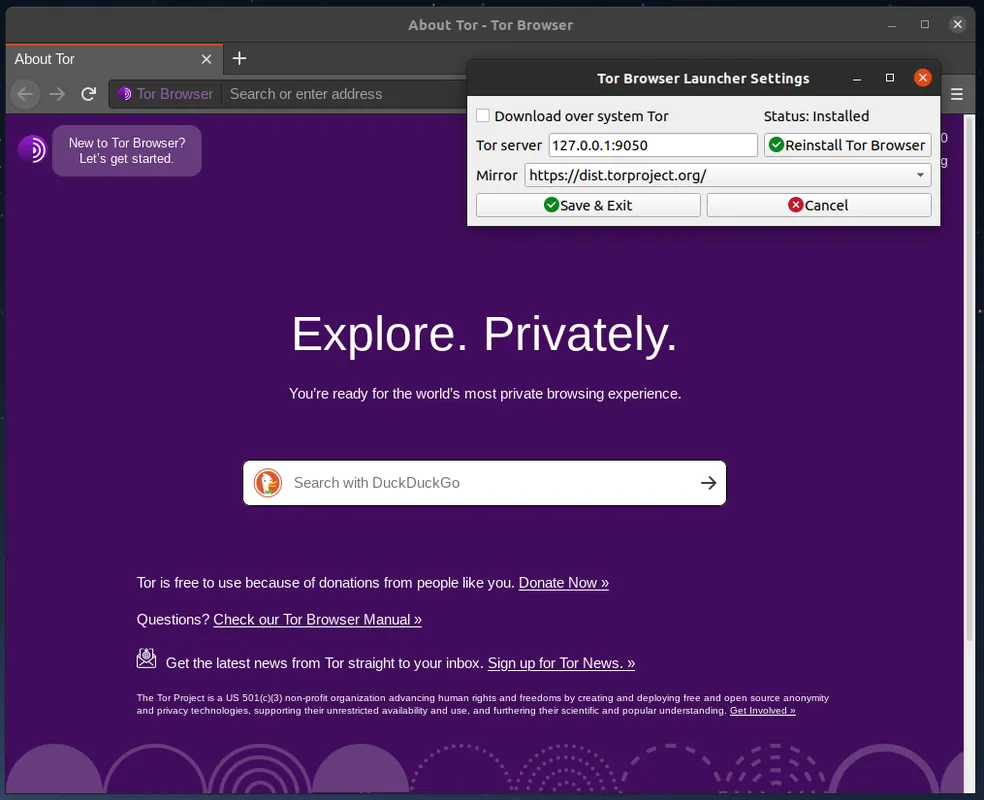
Screenshots
How to install
Windows
- Click the official download button to get the installer or use winget.
- Optionally run in command prompt: winget install --id TorProject.TorBrowser -e
- Run the downloaded executable and follow the setup wizard.
macOS
- Click the official download button to download the DMG installer or use Homebrew.
- Optionally run in terminal: brew install --cask tor-browser
- Open the downloaded DMG file and drag Tor Browser into your Applications folder.
Linux
- Click the official download button to view the Flathub page or run the Flatpak command.
- Execute: flatpak install flathub org.torproject.torbrowser-launcher
- Launch Tor Browser from your application menu.
Android
- Tap the official download button to go to Google Play or F-Droid.
- Install the Tor Browser app on your device.
- Open the app and tap 'Connect' to establish a connection to the network.
Alternatives
Frequently asked questions
Is Tor Browser completely free to use?
Yes, Tor Browser is free and open-source software released under the Mozilla Public License 2.0.
Does Tor Browser make internet browsing slower?
Yes, browsing speed is generally lower because traffic is encrypted and routed through multiple relay nodes worldwide.
Can I use standard web browser extensions in Tor Browser?
While possible, installing additional extensions is discouraged as they can compromise your anonymity and fingerprinting protection.