

Discord
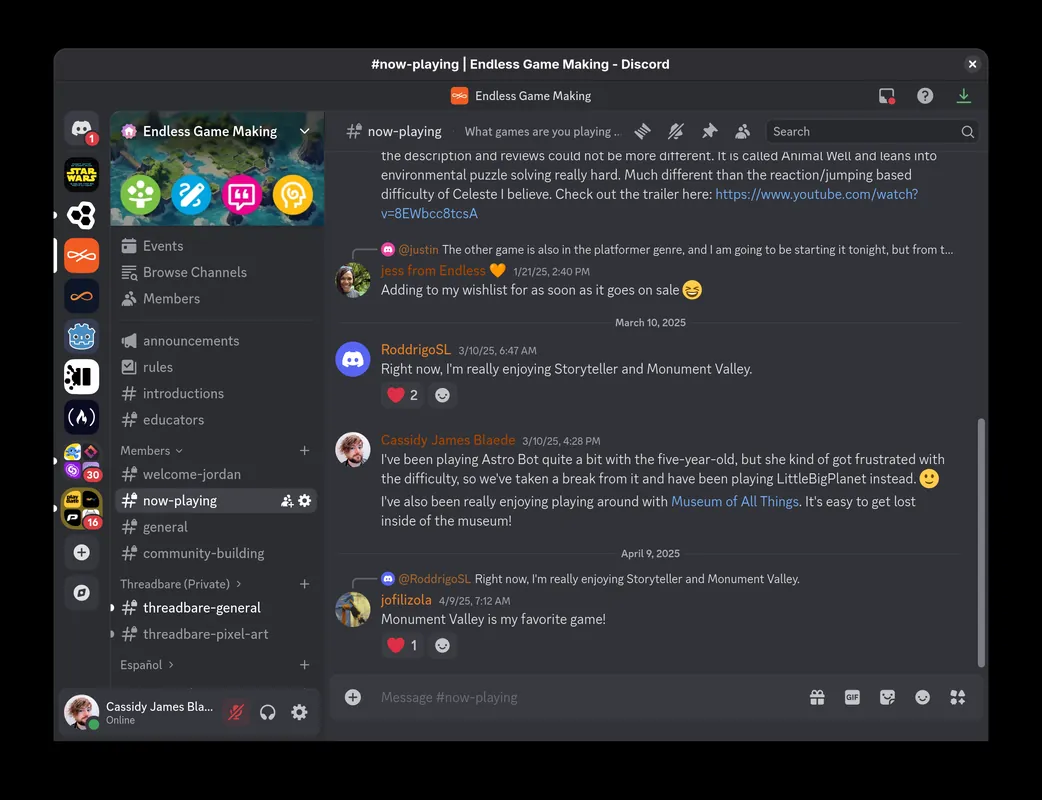
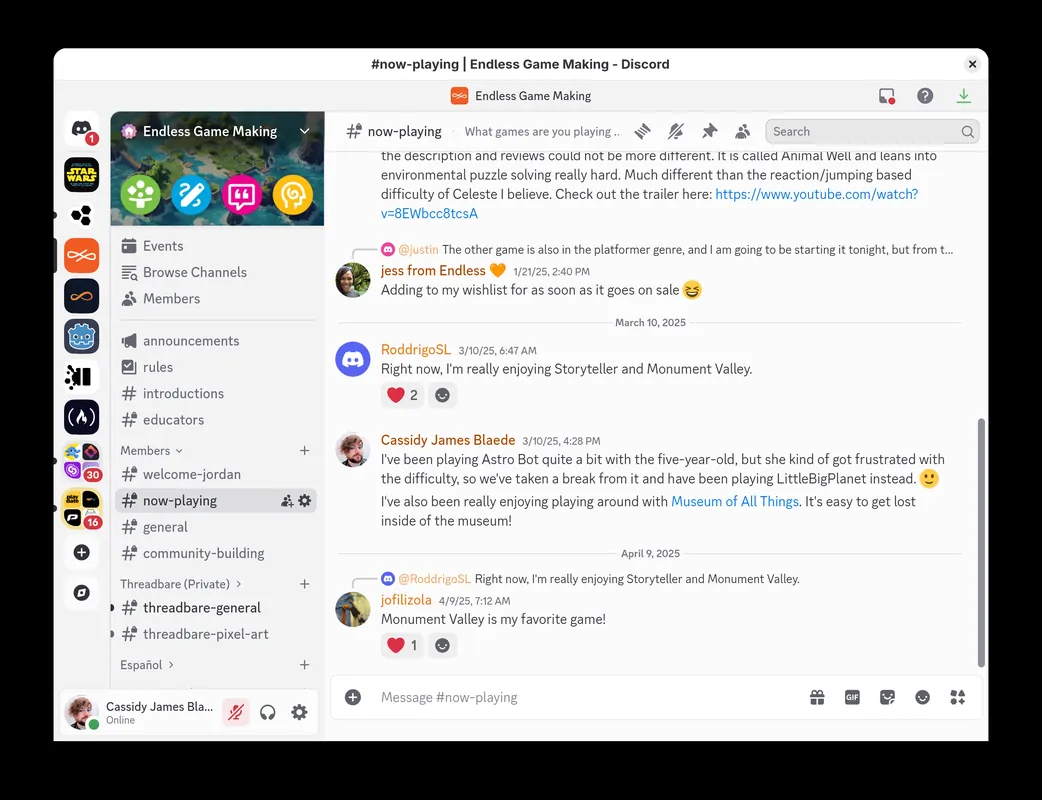
Discord is a communication platform designed for voice, video, and text interaction among communities, gaming groups, and friends. It allows users to set up dedicated servers organized into topical channels, as well as hold direct calls and share screens.
stable.dl2.discordapp.net · Official website
- ✓ Official source (winget)
- ✓ File is identical to the one the publisher released (SHA256 matched)
- ✓ Last checked: Nov. 4, 2026
- This is not a virus scan. Check on VirusTotal
- Version
- 1.0.9267
- Release date
- Nov. 2, 2026
- License
- Proprietary
- Installer type
- exe
How do I use this?
Type Terminal in the Start menu and open it, paste the command (Ctrl+V or right-click) and press Enter. It uses winget, Windows' own package manager, to install the program from its official source.
winget install --id Discord.Discord -eSHA256 (file verification)
8a12cb063b452e72dca041e32ccdc067f8200b293b89ca54f1083f13c7db8566dl.discordapp.net · Official website
- ✓ Official source (Homebrew)
- ✓ SHA256 taken from the official repository
- ✓ Last checked: Nov. 4, 2026
- This is not a virus scan. Check on VirusTotal
- Version
- 0.0.421
- License
- Proprietary
- Installer type
- dmg
How do I use this?
This command needs Homebrew; if you don't have it, first run the install command from brew.sh. Then open Terminal (Applications > Utilities > Terminal), paste the command and press Enter.
brew install --cask discordSHA256 (file verification)
5862c7663124e27284ef513eddf039ee8ae8b6cb6df222afb2779e633f5b5c6aflathub.org · Official website
- ✓ Official source (Flathub)
- ✓ Last checked: Nov. 4, 2026
- Version
- 1.0.168
- Release date
- Oct. 30, 2026
- License
- Proprietary
- Installer type
- flatpak
How do I use this?
Open a terminal, paste the command and press Enter. Flatpak and Flathub must be set up; Linux Mint has them by default, for other distributions see flathub.org/setup.
flatpak install flathub com.discordapp.DiscordWe couldn't find a Android version of Discord in the official repositories; check the publisher's website.
You can try these instead:
Platform pages: Windows · macOS · Linux · Android
Old versions (10)
Highlights
- Voice, video, and text messaging channels
- Direct messaging and private group calls
- Low-latency voice chat and screen sharing
- Server administration tools with role and permission management
Who is it for?
Discord is designed for gamers, online communities, and groups of friends looking to communicate through text, voice, and video channels. It is commonly used for coordinating multiplayer gaming sessions, hosting online study groups, and managing topic-based discussion servers.
Good to know before installing
- Large file uploads and higher-quality video streaming require a paid Nitro subscription.
- The desktop application can be resource-heavy, consuming significant RAM and CPU during background operation.
- Server management and permission setups can have a slight learning curve for new administrators.
Screenshots
How to install
Windows
- Click the official download button to get the setup installer, or run 'winget install --id Discord.Discord -e' in Command Prompt.
- Open the installer file and let the automated setup process finish.
- Launch Discord and sign in with your account credentials.
macOS
- Download the official .dmg file using the download button, or run 'brew install --cask discord' in Terminal.
- Open the downloaded .dmg file and drag Discord into your Applications folder.
- Launch Discord from Applications and log in.
Linux
- Use the official download link on this page to visit Flathub, or run 'flatpak install flathub com.discordapp.Discord'.
- Confirm the installation prompt in your terminal or software manager.
- Launch Discord from your desktop application launcher.
Alternatives
Frequently asked questions
Is Discord open source?
No, Discord is proprietary software developed by Discord Inc.
Can Discord be used for free?
Yes, core features including voice channels, video calls, and messaging are accessible without payment.
Does Discord support screen sharing?
Yes, users can share their screen or individual application windows in direct calls and server channels.